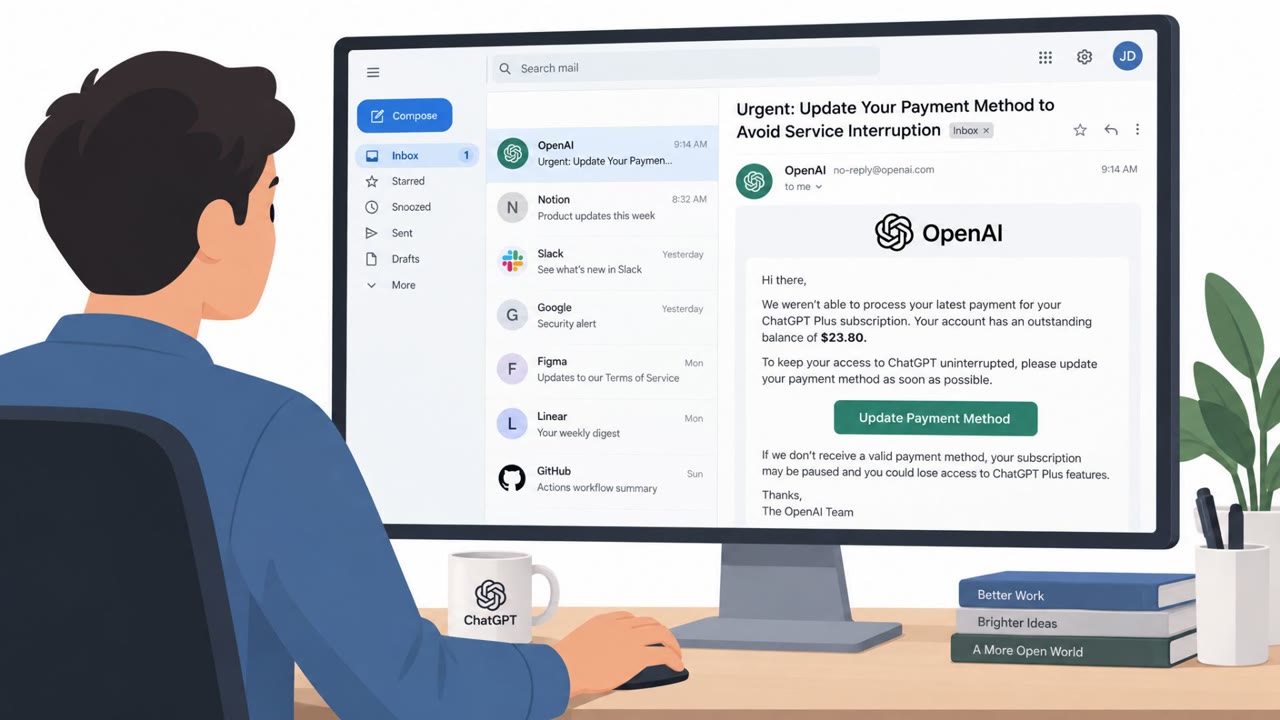
Cofense observed a real phishing email that impersonates OpenAI/ChatGPT billing to trick users into “updating” payment details. The email uses the real ChatGPT logo, urgency (“48 hours”), and a prominent button to drive clicks to a lookalike ChatGPT login page. Any credentials entered are harvested and the victim is then redirected to an error page.
How the Attack Worked
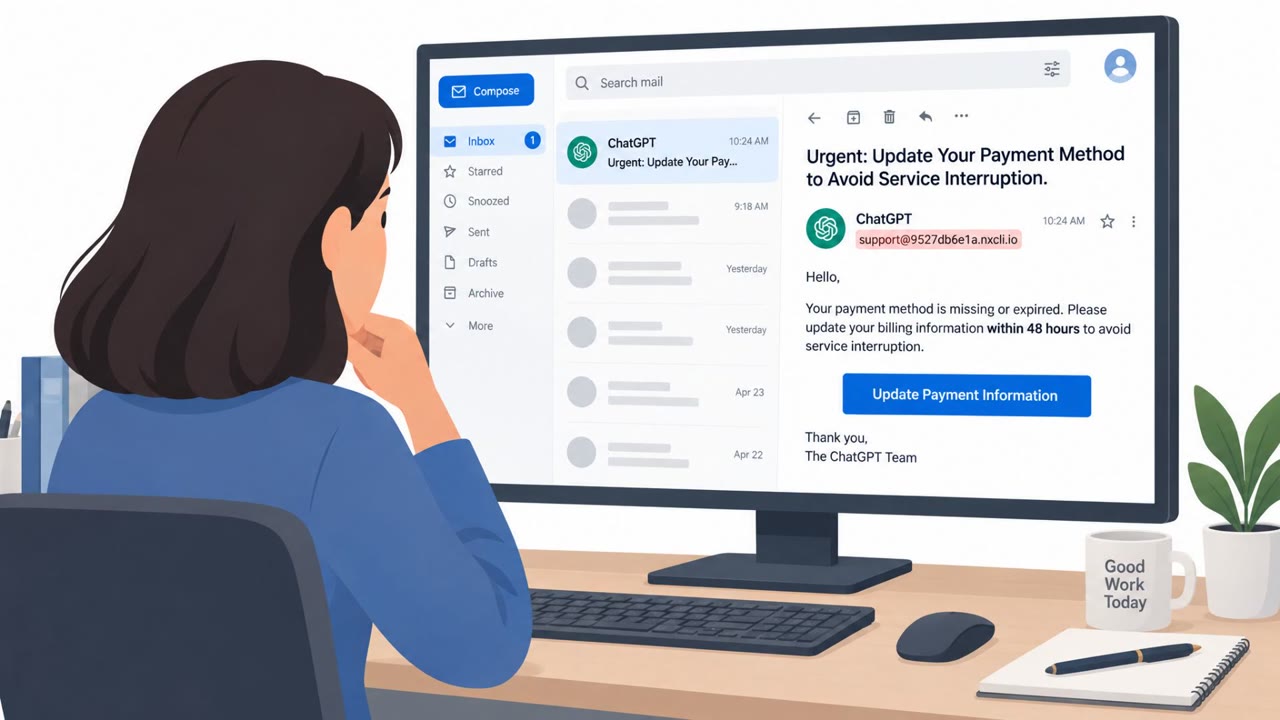
The email impersonates OpenAI's ChatGPT billing team, using the real ChatGPT logo to build immediate visual trust. It opens with bold text reading Subscription Payment Required and includes a 48 hour deadline to create urgency. A large, centered button labeled Update Payment Information invites the recipient to click through. That click routes through a Google APIs redirect wrapper before landing on a phishing site hosted on a lookalike domain, where a page closely mimicking the real ChatGPT login prompts the victim to enter their username and password. After submission, the credentials are harvested and the user is redirected to a generic error page, a common tactic used to avoid raising suspicion immediately after the theft.
Why It Succeeded
This attack relied on a combination of familiar branding, urgency, and a legitimate-seeming redirect chain. The real ChatGPT logo made the email look authentic at a glance, while the billing update pretext is the kind of routine request many employees, finance teams, and executives receive regularly for various SaaS tools. Using a Google APIs redirect before the final malicious destination added a layer of apparent legitimacy that could pass a quick, casual inspection. The urgency created by the 48 hour deadline discouraged the kind of careful verification that would have exposed the scheme.
What to Watch For
- Emails demanding urgent action on billing or payment information, especially with tight deadlines
- Sender addresses that don't match the official domain of the service being impersonated, such as support addresses hosted on unrelated domains
- Prominent call-to-action buttons like Update Payment Information that lead to sign-in pages
- Login pages where the displayed domain doesn't match the known, correct domain for that service
- Being redirected to a generic error page immediately after entering credentials
How to Build Resistance
Organizations and individuals who rely on ChatGPT or other AI/SaaS tools should treat any billing or payment update email as high risk and verify by navigating directly to the service rather than clicking embedded links. Hovering over buttons and links before clicking can reveal redirect wrappers and mismatched domains. Checking the sender's actual email address, not just the displayed name or logo, is a simple but effective habit. Most importantly, if a login page's URL doesn't match the service's known domain, such as OpenAI's real authentication domain, users should stop and treat the page as a likely credential theft attempt rather than entering any information.
Key findings
- Cofense identified a fraudulent “subscription invoice” email impersonating ChatGPT/OpenAI to steal account credentials and payment information.
- The lure uses familiar branding (real ChatGPT logo), urgency (“48 hours”), and a call-to-action button (“Update Payment Information”).
- The sender email address is not legitimate for OpenAI: “support@9527db6e1a[.]nxcli[.]io.”
- The button link uses a Google APIs redirect (“notifications[.]googleapis[.]com”) before sending victims to the malicious phishing site hosted on nxcli[.]io.
- The phishing page closely imitates the real ChatGPT login flow; after credential entry, the victim is redirected to an error page.
Who’s being targeted
- Commonly targeted roles: All employees, Finance teams, Executives/Leadership, IT helpdesk / Security awareness trainees, Frequent users of SaaS/AI tools (ChatGPT/OpenAI).
- Affected industries: All industries (any organization or individual using ChatGPT/OpenAI accounts), Information Technology, Professional Services, Education.
- Attack channels: email, website.
- Impersonated: OpenAI / “The OpenAI Team” (ChatGPT billing), ChatGPT login portal (OpenAI authentication).
Red flags to watch for
- Sender domain is not OpenAI (e.g., nxcli[.]io): “support@9527db6e1a[.]nxcli[.]io”
- Link is a redirect wrapper (Google APIs redirect) rather than an OpenAI domain
- Urgent deadline language pushes immediate action (“48 hours”)
- Domain in the browser does not match OpenAI’s real auth domain
- Lookalike branding/logos used to build trust
- After submitting credentials, user is redirected to an error page (a common sign of credential harvesting)
Frequently asked questions
How does the fake ChatGPT invoice phishing attack work?
The attacker sends a fraudulent subscription invoice email impersonating OpenAI, using the real ChatGPT logo and an urgent 48 hour deadline to pressure the recipient into clicking an Update Payment Information button, which leads to a lookalike ChatGPT login page that harvests entered credentials.
What are the red flags in this phishing email?
The sender address is not a legitimate OpenAI domain, the button link uses a Google APIs redirect wrapper before landing on the malicious site, and the email relies on urgent deadline language to push immediate action.
How can I tell the fake ChatGPT login page from the real one?
The real ChatGPT login is hosted at auth.openai.com, and the phishing page's displayed domain does not match that address, so checking the browser address bar before entering credentials can reveal the fake.
What happens after entering credentials on the fake page?
The entered username and password are sent to the attacker and the victim is then redirected to an error page, which is a common indicator of credential harvesting.
Read the video transcript
You get an email: real ChatGPT logo, subject line screams “Subscription Payment Required.” Looks routine, right? But the sender is support@9527db6e1a.nxcli.io, and that big button actually goes through notifications.googleapis.com before landing on a fake ChatGPT login page. You sign in, it “errors out,” and you move on… but your OpenAI credentials were just harvested. The only real giveaway? The login URL was not auth.openai.com. So when you see a ChatGPT billing email, don’t touch the button. Go to chat.openai.com or auth.openai.com yourself and check from there.