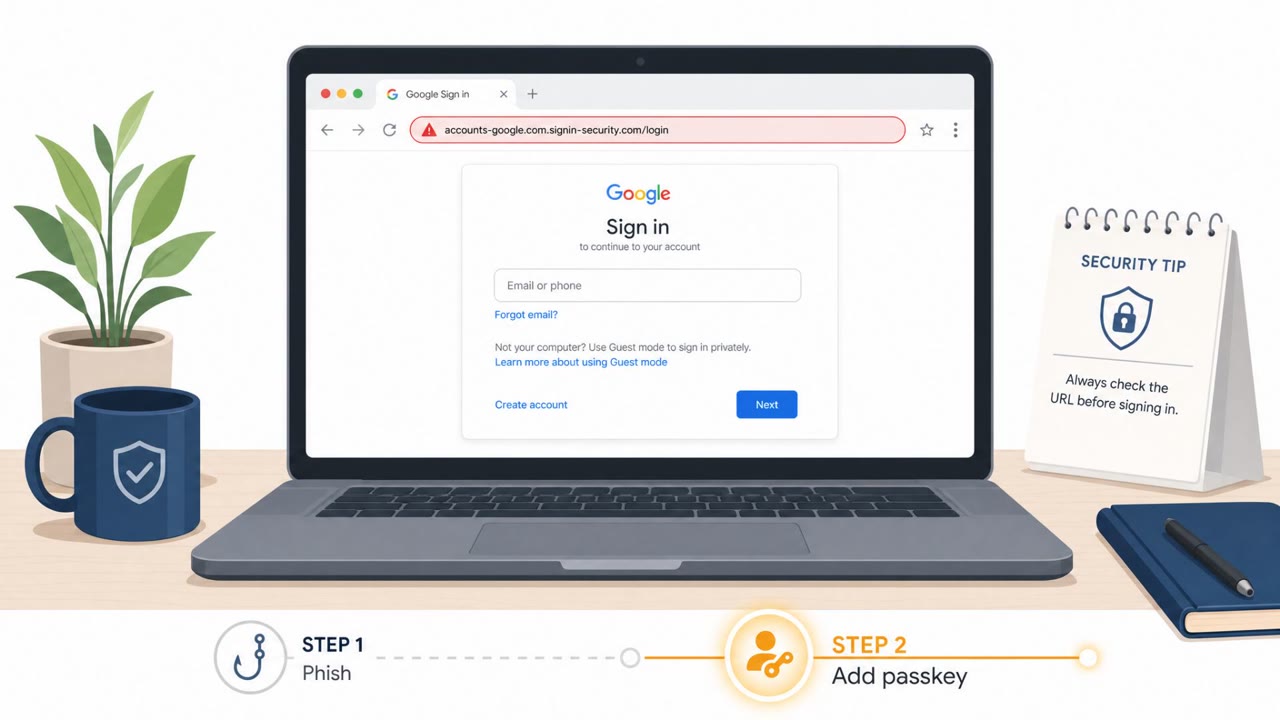
Researchers described iAuthFlow v2, a phishing toolkit that steals a live Google login session and then uses that access to enroll an attacker-controlled passkey. Because passkeys are separate login methods, the attacker can often get back into the account even after the victim changes their password and sessions are revoked. The kit uses a browser-in-the-middle setup to relay credentials and 2FA codes to the attacker in real time.
How the attack worked
The toolkit known as iAuthFlow v2 targets Google account logins with a browser-in-the-middle relay. The victim receives a message about unusual sign-in activity and is directed to a realistic login page. What the victim sees is genuine-looking, but behind the scenes the toolkit runs a separate browser on the attacker's server, relaying the entered password and 2FA code in real time. Once the attacker's browser holds an authenticated Google session, it uses that access to enroll a new passkey that the attacker controls, all while the victim is held on a generic "Verification, Processing" screen.
Why it succeeded
The attack works because a passkey is treated as a legitimate, separate sign-in method rather than a temporary session artifact. A password reset or session revocation cuts off the attacker's active session, but it does not remove a passkey that was already added to the account. That means the attacker can later select "Try another way" and log back in using the passkey, even after the victim believes the account has been secured. The demo also used a trycloudflare.com subdomain, which provided a valid TLS certificate and made the fake login page appear more trustworthy at a glance.
What to watch for
- A login link hosted on a domain that is not Google's own
- An unexpected waiting or "processing" screen appearing right after you submit your password and 2FA code
- A sign-in experience that looks correct but feels slightly off in flow or timing
- New passkey sign-in options appearing on an account that should not have one
- Continued suspicious account activity even after a password reset has been completed
How to build resistance
Organizations should treat a password reset as only one step in recovery, not the full remediation. Responders need to check for and remove any authentication methods the account owner did not add, along with other forms of persistence such as mail forwarding rules, OAuth application grants, and recovery settings, before considering an account restored. Employees should be encouraged to pause and verify the actual domain of any login page before entering credentials, since a padlock icon alone does not confirm legitimacy. For higher-risk users, enforcing phishing-resistant authentication such as hardware security keys or a "security key only" policy for verification reduces exposure to relay-based phishing like this. Reporting unusual login stalls or verification delays through normal security channels also helps catch this pattern early, since the pause during account takeover is a deliberate part of the toolkit's behavior rather than a normal loading delay.
Key findings
- The kit uses a phished, authenticated Google session to enroll a new attacker-controlled passkey.
- After the victim resets their password (ending sessions), the attacker can sign in again using the passkey the attacker added.
- The attack uses a browser-in-the-middle relay so the victim sees a realistic Google login while the attacker logs in server-side.
- A demo used a trycloudflare.com subdomain to appear more trustworthy (valid TLS certificate).
- The toolkit holds the victim on a “Verification, Processing” page while it makes changes inside the account.
- Incident response must include removing attacker-enrolled passkeys and other persistence (mail rules, OAuth grants, recovery settings), not just password resets.
Who’s being targeted
- Commonly targeted roles: All employees (Google Workspace / Google account users), Executives and other high-value mailbox owners, IT Helpdesk / Identity & Access Management teams, Security Operations / Incident Response.
- Affected industries: Any organization using Google accounts / Google Workspace, Any organization using passkeys (including Microsoft, iCloud, LinkedIn).
- Attack channels: email, website.
- Impersonated: Google sign-in / Google Workspace security, Google sign-in flow, Google sign-in options.
Red flags to watch for
- Login link is hosted on a non-Google domain (e.g., a trycloudflare.com subdomain)
- Unexpected extra waiting screen like “Verification, Processing” after you log in
- Any sign-in prompt where the site behavior feels slightly “off” despite looking legitimate
- You are kept waiting on a generic processing screen after providing password and 2FA
- The page provides no clear Google URL/account context while it “processes”
- Unexpected passkey sign-in option appears for an account that shouldn’t have one
- Users report they reset their password but suspicious access continues
Frequently asked questions
How does the phishing toolkit survive a password reset?
It uses a stolen, authenticated Google session to enroll a new passkey controlled by the attacker. A password reset ends the session but does not remove that passkey, so the attacker can still sign back in with it.
What is a browser-in-the-middle attack in this case?
The victim sees what looks like a real Google login page while the toolkit runs a second browser on the attacker's server, relaying the credentials and 2FA in real time to log in as the victim.
What red flags indicate this kind of attack in progress?
Watch for a login link on an unexpected domain such as a trycloudflare.com subdomain, and an unusual waiting screen like a generic 'Verification, Processing' page after entering your password and 2FA.
What should incident responders do beyond resetting the password?
They should review and remove any unauthorized authentication methods, such as attacker-added passkeys, along with other persistence like mail rules, OAuth grants, or recovery settings, before considering the account restored.
Read the video transcript
Imagine you change your Google password… but the intruder still walks right back in. You get an email: “Google Account Verification Required.” The link goes to a page that looks exactly like Google, padlock and all, but the address is something like login-secure.trycloudflare.com. You enter your password and 2-step code. Then you’re stuck on a plain “Verification, Processing” screen. While you wait, their toolkit quietly adds a new passkey to your Google account that survives your password reset. If any Google login feels off, odd URL or a weird “processing” stall, close the browser and report it, then check your account’s passkeys and remove anything you didn’t add.