Researchers described a real phishing campaign using a platform called “ZeroTokens” that lets a live operator watch what a victim types and change the next phishing prompts in real time. The lure used “W-8BEN tax-documentation reviews” and spoofed financial institutions’ multi-step verification screens to steal credentials and sensitive identity/financial details, which were then used against the real institution.
How the attack worked
The campaign centered on a phishing platform called ZeroTokens that gave a live human operator real-time visibility into what a victim was typing. Rather than relying on a static fake login page, the platform relayed victim inputs to an operator console over a persistent connection, letting the operator choose which screen to display next. Victims received emails using a W-8BEN tax-documentation review pretext, a plausible reason for anyone with US securities holdings to click a link and complete a form.
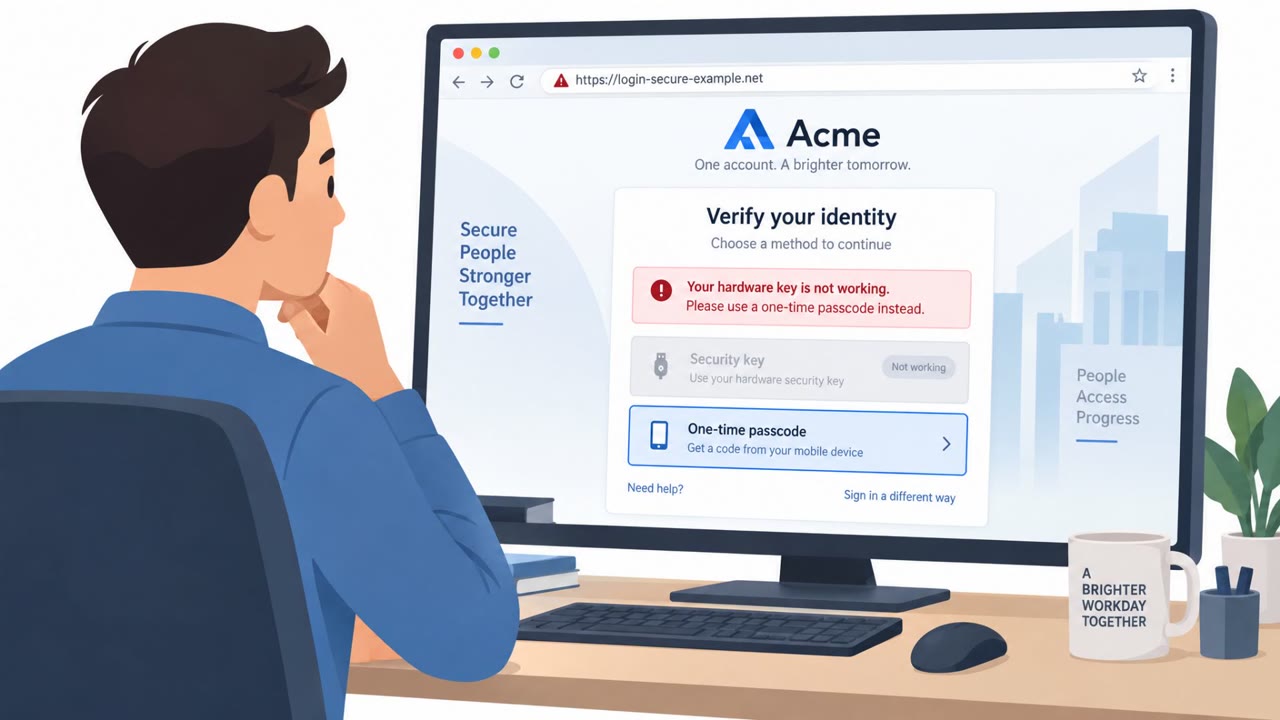
Once on the phishing site, victims were guided through up to eight stages modeled on a real financial institution's verification process. The flow was designed to collect login credentials, identity documents like driver's license details, card information, SMS verification codes, app-based approvals, and even a separate trading password. Because an operator could watch the session live, they could respond to failed verification attempts by presenting another prompt, keeping the victim engaged rather than letting the session end.
Why it succeeded
Several factors worked together to make this campaign effective:
- The emails passed SPF, DKIM and DMARC authentication checks, which many people mistakenly treat as a guarantee of legitimacy.
- The tax-documentation pretext was believable and time-sensitive, giving recipients a plausible reason to act quickly.
- The multi-step verification flow closely mirrored a real institution's process, reducing suspicion at each stage.
- Live operator involvement meant the scam could adapt to a victim's hesitation or errors instead of failing outright.
What to watch for
Defenders and end users should be alert to a few specific signals from this type of attack:
- Unexpected requests to complete tax or compliance documentation via an email link.
- Verification flows that ask for unusually sensitive data, including SMS codes, app approvals, or a secondary trading password.
- Sites that keep adding new verification steps after a reported failure instead of directing users to official support channels.
- Being redirected to the real institution's website after submitting data, which can be used to reduce suspicion after the fact.
Building resistance
Organizations, particularly in finance, should reinforce that passing email authentication checks does not mean a message is safe. Employees and customers should be trained to verify tax or compliance requests through a known official channel rather than clicking email links. Staff should also understand that legitimate verification processes will not repeatedly request MFA codes or app approvals mid-session, and that adaptive, unusually interactive web forms can indicate a live operator steering a scam rather than a normal automated system.
Key findings
- A phishing platform (“ZeroTokens”) gave attackers live visibility into victim sessions and let them adapt prompts in real time.
- The campaign used a believable compliance/tax pretext: “W-8BEN tax-documentation reviews.”
- Messages were sent at scale: “more than 45,000 messages… to over 24,000 recipients across more than 700 organizations.”
- Email infrastructure evaded basic authentication checks: messages “passed SPF, DKIM and DMARC checks” and abused “nine abused SendGrid accounts.”
- The phishing flow could mimic a financial institution’s verification process with “up to eight stages” and collected credentials, identity and payment data plus MFA codes/approvals.
- Stolen data was used outside the phishing kit: operators could use harvested info “against the genuine institution.”
Who’s being targeted
- Commonly targeted roles: Finance, All employees (general awareness), Executives, Customer support / client services.
- Affected industries: Finance (banks, brokerages, card issuers).
- Attack channels: email, website.
- Impersonated: Targeted financial institution (bank/brokerage), Targeted financial institution’s online verification process.
Red flags to watch for
- Unexpected request to complete tax documentation review via a link in an email
- Multi-step verification asks for unusually sensitive data (driver’s license, card details, trading password, SMS codes)
- Being redirected to the real site after entering data (could be used to reduce suspicion)
- Site keeps adding new verification steps after ‘failure’ instead of directing you to official support
- Requests MFA codes/approvals and additional sensitive data to “fix” verification issues
- The interaction feels unusually interactive/adaptive for a normal web form
Frequently asked questions
What is ZeroTokens?
ZeroTokens is a phishing platform described in the campaign that gave attackers live visibility into victim sessions, letting an operator watch what a victim typed and adapt the next prompts in real time.
What pretext did the ZeroTokens campaign use?
The campaign used a W-8BEN tax-documentation review pretext, targeting recipients with US securities holdings and spoofing a financial institution's multi-step verification screens.
Did passing email authentication checks mean the messages were safe?
No. The phishing messages passed SPF, DKIM and DMARC checks, showing that authentication passes alone do not guarantee a message is legitimate.
What kind of data did the phishing flow collect?
The observed flow collected login credentials, driver's license and card details, SMS verification codes, app-based approvals and a separate trading password.
Read the video transcript
You get an email: “Action required: W-8BEN tax-documentation review” from your brokerage, and it even passes SPF, DKIM, and DMARC. You click. A perfect copy of your bank’s site loads, then walks you through up to eight “verification” steps, login, driver’s license, card details, SMS codes, even a separate trading password. Behind the scenes, a platform called ZeroTokens is watching every keystroke over a live WebSocket. If you “fail” verification, it just invents another step to keep you entering more data, until they have everything they need to hit the real bank. If you get a W-8BEN or other tax-compliance email, don’t touch the link, go to your bank or brokerage site yourself and check for any alerts there.