An active campaign (“Phantom Raven”) targets developers by exploiting AI coding assistants that suggest non-existent package names. Attackers register those hallucinated names in public repositories and plant malicious code so that automated installs can quietly introduce malware into build pipelines.
How the attack worked
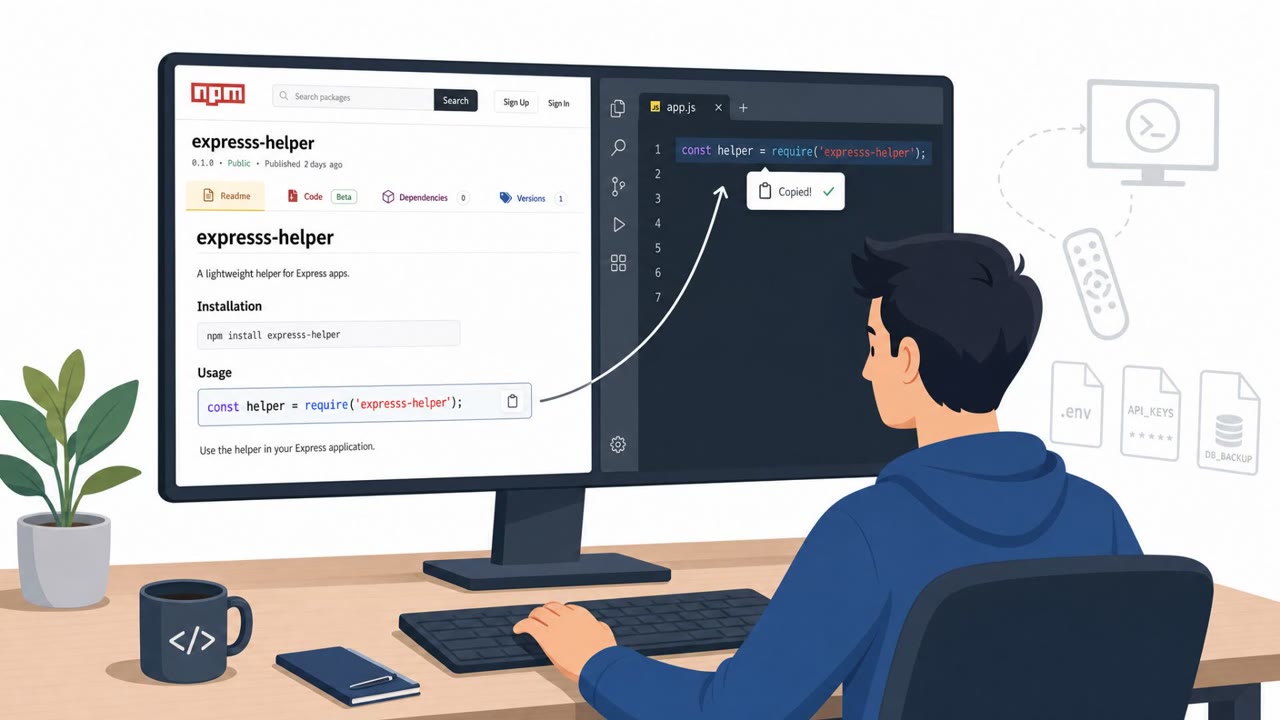
The Phantom Raven campaign targets a quiet gap in modern development workflows: AI coding assistants sometimes suggest software package names that do not actually exist. These hallucinated names sound plausible enough that a developer, moving quickly through a vibe coding session, may not question them. Attackers monitor for these hallucinated names and register them in public package repositories ahead of anyone else, then load the packages with malicious payloads. The trap only works because the fake package looks like a normal dependency sitting in a normal repository.
Why it succeeded
The technique succeeds because it inserts itself at a point where trust is often assumed rather than verified. Developers and automated tooling generally treat a package that appears in a public repository as legitimate by default. When an unmonitored developer script or AI agent automatically fetches the recommended dependency, it silently installs malware into the build pipeline without requiring any deliberate action from a person. The attack does not need to trick a human into clicking a link or opening an attachment; it only needs an automated install step to run without review.
What to watch for
- A package name suggested by an AI tool that cannot be found in official documentation
- New or unfamiliar packages with little history, adoption, or community usage
- Dependency installs that happen automatically through a script or agent with no approval gate
- Build pipeline changes that occur without a clear, traceable human decision
- Trust in a package based solely on its name matching something familiar
These red flags apply whether the dependency was suggested during interactive coding or pulled in automatically as part of a CI/CD process.
How to build resistance
Organizations relying on open-source dependencies and AI coding assistants should treat AI-suggested package names as untrusted until the name, maintainer, and history can be verified. Since most active AI-related supply chain incidents right now are hitting basic developer workflows and open-source repositories rather than model weights or infrastructure, the practical fixes are workflow-level: require review before automated dependency installs run, and avoid letting scripts or agents fetch and install packages without a checkpoint.
Segmentation is highlighted as a higher-return control than adding more AI tooling instrumentation. If the network around a developer machine or build process prevents it from reaching adjacent corporate assets, a compromised package has a much harder time turning into a broader breach. It is also worth noting that self-hosting an AI model does not remove this risk on its own; an agent interacting with a self-hosted model can still execute malicious local commands or pull unverified dependencies if its execution environment lacks boundaries. Combining dependency verification with environment segmentation addresses both the entry point and the potential blast radius.
Key findings
- Most real-world AI supply chain incidents are currently hitting developer workflows and open-source package repositories, not model weights or MCP servers.
- The “Phantom Raven” campaign registers AI-hallucinated dependency names and embeds malicious payloads in those packages.
- Risk increases when developer scripts or AI agents automatically fetch and install dependencies without monitoring or review.
- Segmentation/containment is positioned as a higher ROI control than adding more AI tooling instrumentation.
Who’s being targeted
- Commonly targeted roles: Software Developers, DevOps, Platform Engineering, CI/CD Pipeline Owners, Security Engineering (AppSec).
- Affected industries: Software development, Technology, Any organization using open-source dependencies and AI coding assistants.
- Attack channels: website.
- Impersonated: A legitimate open-source package (lookalike/hallucinated name registered by attacker), Public open-source package repository dependency.
Red flags to watch for
- Package name can’t be found in official docs but appears in AI output
- New/unknown package with little history or community usage
- Automated install happens “unmonitored” or via an agent/script without review
- Dependency installation is automated with no approval gate
- Build pipeline changes occur without a clear human decision
- Repository/package trust is assumed based on name alone
Frequently asked questions
What is the Phantom Raven campaign?
Phantom Raven is an active campaign where attackers register package names that AI coding assistants hallucinate during vibe coding sessions, then load those packages with malicious payloads.
Why do AI coding assistants create this risk?
Generative AI tools sometimes suggest software package names that do not actually exist, and attackers watch for these hallucinated names to register them in public repositories before developers do.
How does the malware actually get installed?
When an unmonitored developer script or AI agent automatically fetches the recommended dependency, it can silently install malware into the build pipeline without a human noticing.
What control reduces this risk most effectively?
Environment segmentation is described as delivering more risk reduction per dollar than additional AI tooling instrumentation, since it contains damage if a dev machine or process is compromised.
Read the video transcript
You’re vibe coding with an AI assistant, it says: “Install phantom-raven-utils to enable tracing.” Looks legit, right? Here’s the Phantom Raven trick: they watch which fake package names AI tools hallucinate, then register those names on public repos and load them with malware. Aha moment: your script or AI agent auto-runs `npm install phantom-raven-utils` with no review. That’s how Phantom Raven quietly lands malware right inside your CI/CD pipeline. Next time AI suggests a new package, pause. Before you install, verify the package name and history yourself in the official repo.