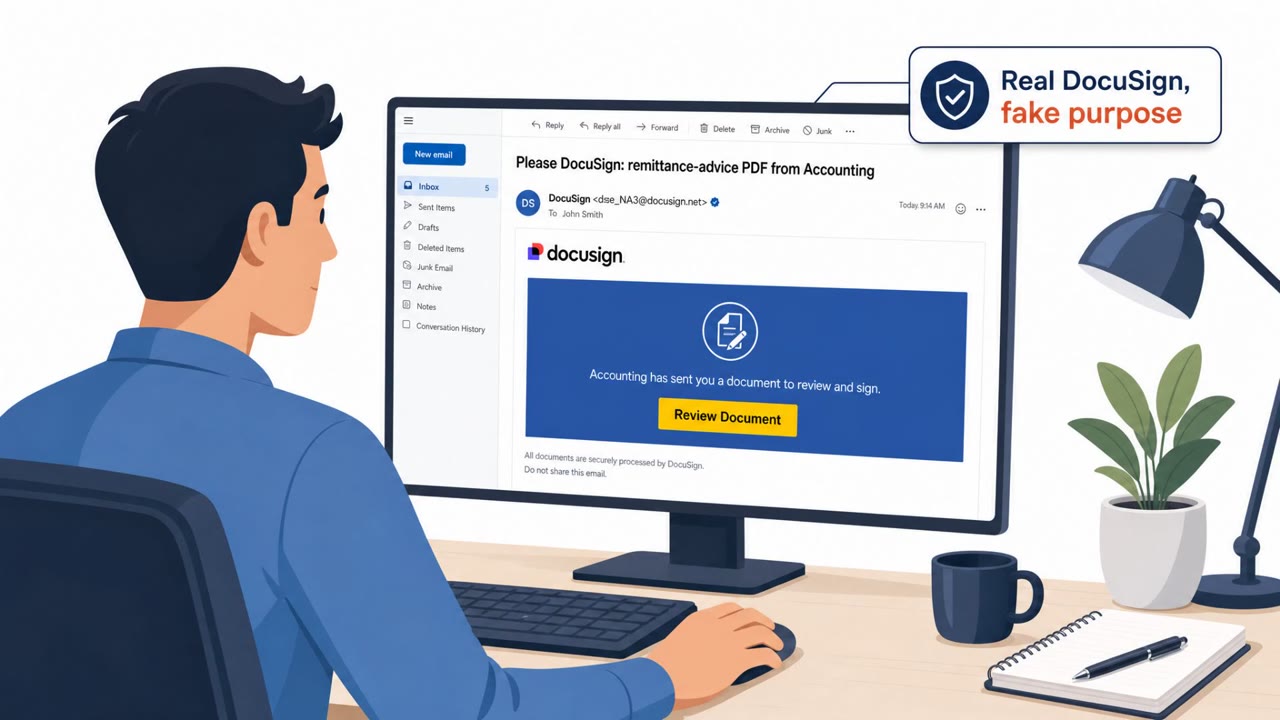
Researchers found a DocuSign lookalike phishing workflow that guides people through a realistic “document viewing” experience and then convinces them to download legitimate remote access tools. Instead of classic malware, the attackers install trusted IT administration software (RMM) to keep long-term access on both Windows and macOS while blending into normal IT activity.
How the attack worked
This campaign starts with a phishing page designed to look like a DocuSign document ready for review. Victims are told to click an "Open in Acrobat" style button, which loads a convincing fake viewer complete with a progress bar, document preview, and navigation panel. Before the download button activates, victims must pass a Cloudflare Turnstile verification check. This step adds a layer of legitimacy and also helps the attackers filter out automated security scanners from real targets.
Once verification passes, the victim is offered a download. Rather than delivering traditional malware, the file installs legitimate remote monitoring and management (RMM) software such as MeshAgent, ScreenConnect, SimpleHelp, or Zoho ManageEngine UEMSAgent. The campaign has shifted delivery methods over time, initially using a Visual Basic Script installer before moving to ScreenConnect installers hosted on Dropbox.
Why it succeeded
The workflow succeeds because it closely imitates a routine business process: signing or reviewing a document through DocuSign. Each stage, from the loading screen to the verification check, reinforces a sense of legitimacy. By delivering real administrative tools instead of custom malware, the attackers gain a major advantage: security teams that watch for known malicious files may overlook RMM software that IT departments already use for support and management tasks.
The kit also uses user-agent filtering and staged validation checks, which suggests the operators are deliberately screening out researchers and automated tools while focusing on genuine victims. Telemetry such as IP addresses, browser details, and filenames is reportedly sent to the attackers through the Telegram Bot API once a victim reaches the download stage.
What to watch for
- A "DocuSign" page that asks you to download or run software just to view a document
- Unexpected verification steps, like a Turnstile challenge, tied to a document workflow
- Installer scripts that request User Account Control (UAC) elevation or admin approval
- Downloads hosted on consumer file-sharing services rather than official document platforms
- Unapproved RMM or remote access software appearing on a device
Building resistance
Organizations can reduce risk from this type of attack by training employees to verify unexpected e-signature requests through a separate, trusted communication channel before downloading anything. IT and security teams should also monitor for RMM installations that were not requested or approved, since legitimate tools can still be misused for persistent access. Detection should extend beyond known malware signatures to include suspicious scripting behavior, such as wscript.exe launching PowerShell or attempts to disable Microsoft Defender, since these actions often accompany this kind of installation.
Key findings
- Attackers used “realistic DocuSign-themed phishing pages” to deliver legitimate remote monitoring and management (RMM) tools instead of traditional malware.
- The kit uses staged loading screens, user-agent filtering, and Cloudflare Turnstile checks to look legitimate and filter victims.
- Tools observed include MeshAgent, ScreenConnect, SimpleHelp, and Zoho ManageEngine UEMSAgent, enabling persistent remote access on Windows and macOS.
- Telemetry (IP, browser details, timestamps, filenames) is sent to attackers via the Telegram Bot API when a victim reaches the download stage.
- The campaign was described as sustained and scalable, seen across “numerous unrelated domains” with consistent workflow logic.
Who’s being targeted
- Commonly targeted roles: All employees, Finance, Legal, Sales, Procurement, IT / Helpdesk, Security Operations.
- Affected industries: Cross-industry (any organization using e-signature workflows), Enterprises with IT-managed endpoints (Windows and macOS).
- Attack channels: website.
- Impersonated: DocuSign (document-signing workflow) / Adobe Acrobat-style viewer, DocuSign (download stage of signing/viewing process).
Red flags to watch for
- A “DocuSign” page that asks you to download/run software to view a document
- Unusual verification step before a download (e.g., Turnstile) paired with a document workflow
- Browser/OS blocking behavior or prompts to switch browsers (e.g., told to avoid Edge)
- A document workflow that results in installing remote access or IT management software
- Script-driven install behavior (prompts for admin/UAC) that is not normal for signing a document
- Downloads hosted on consumer file-sharing services (e.g., Dropbox) for a business signing process
Frequently asked questions
What is the fake DocuSign phishing attack?
It is a phishing workflow that mimics a DocuSign document viewing experience, complete with a fake Adobe Acrobat style interface, to convince victims to download software that turns out to be legitimate remote monitoring and management (RMM) tools.
Why is this attack hard to detect?
Because it installs legitimate IT administration tools such as MeshAgent, ScreenConnect, SimpleHelp, and Zoho ManageEngine UEMSAgent instead of traditional malware, allowing the activity to blend into normal IT operations.
What are the warning signs of this scam?
Red flags include a document workflow that asks you to download or run software, an unusual verification step like Cloudflare Turnstile before a download, and installer scripts that request admin or UAC elevation.
How can organizations defend against this technique?
Train employees to verify unexpected e-signature requests through a trusted channel, monitor for unapproved RMM installs, and detect suspicious scripting activity such as attempts to disable Microsoft Defender.
Read the video transcript
You get a DocuSign link, click it, and a super-polished PDF viewer pops up with an “Open in Acrobat” button. Looks normal, right? Behind the scenes, this fake DocuSign flow walks you through a Cloudflare Turnstile check, then tells you to download a “viewer” that’s actually MeshAgent or ScreenConnect remote access software. Here’s the tell: real DocuSign never makes you install software, run a script, or approve an admin prompt just to view a document, especially not something hosted on Dropbox. If a DocuSign link ever asks you to download or install anything, stop and go to docusign.com directly or call the sender to confirm before you click.