The article highlights real, ongoing campaigns where attackers trick people into installing malware via fake software-download websites and a disguised browser extension. These lures are used to steal credentials, browser cookies, and authenticated sessions, letting attackers take over accounts even when MFA is enabled.
How the attack worked
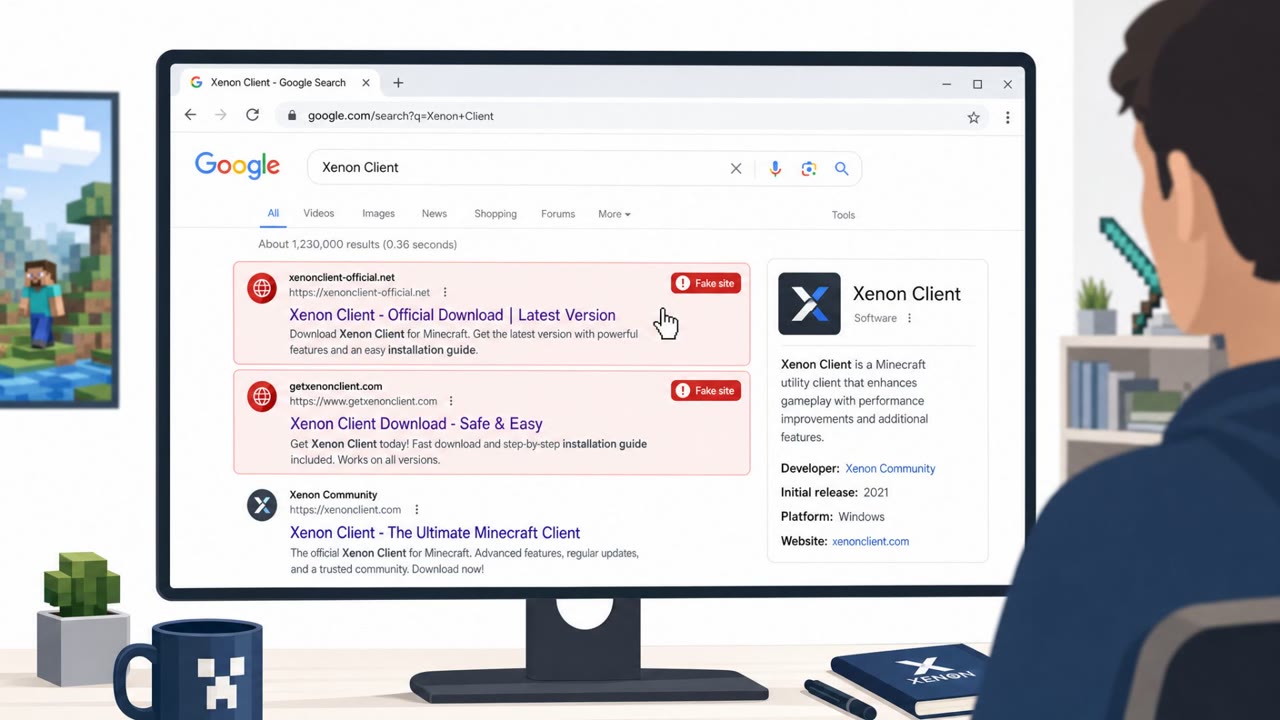
These campaigns rely on two related lures. In the first, attackers set up fraudulent Minecraft download sites and spread links through Discord, GitHub, and Dropbox, along with search-engine optimization poisoning to push the fake sites higher in search results. Victims looking for a free copy of the game or related mods and tools instead run malware, identified as WeedHack, that steals credentials, cookies, and session IDs.
In the second, a browser extension marketed as a "Smart Bookmarks" productivity tool is actually malware called PEEP. Once installed in Chrome or Edge, it can steal browser information and authenticated sessions while also executing system commands, giving attackers a foothold that goes well beyond stolen logins.
Why it succeeded
Both lures work because they piggyback on trusted, everyday behavior. Downloading a game or installer from a site that looks official, or adding a small browser extension to stay organized, feels routine rather than risky. Distributing the malware through legitimate platforms like Discord, GitHub, and Dropbox adds a layer of perceived legitimacy, since these are services employees already use and trust.
The payoff for attackers is session theft rather than just password theft. Stolen cookies and session IDs allow account takeover that can bypass traditional MFA protections, since the session is already authenticated. This makes the initial download or install decision far more consequential than it appears.
What to watch for
- Free or unofficial download sites offering paid software like Minecraft
- Software links routed through file-sharing or code-hosting services such as Dropbox and GitHub
- Browser extensions requesting broad permissions unrelated to their stated purpose, such as a bookmarks tool asking for system-level access
- Unexpected browser behavior changes after installing a new extension
- Signs that a problem persists even after removing the file or extension that seemed to cause it
Building resistance
Organizations can reduce exposure to this kind of attack by reinforcing a few habits. Employees should only download software and tools from approved or official sources and avoid "free" copies of paid products. Browser extensions should be treated as high-risk software, with unapproved installs discouraged and suspicious permission requests reported.
Because session and cookie theft can lead to account takeover even with MFA enabled, quick action matters: logging out of suspicious sessions and resetting credentials should happen as soon as compromise is suspected. Finally, if malware is suspected, simple removal may not be sufficient. IT or security operations should be involved to fully clean the endpoint and revoke any compromised sessions, since persistence mechanisms can survive the removal of the original file or extension.
Key findings
- Attackers are using fraudulent Minecraft download sites and popular platforms (Discord, GitHub, Dropbox) to distribute credential- and session-stealing malware.
- A malicious browser extension disguised as a legitimate “Smart Bookmarks” tool can steal authenticated sessions and run system commands, and may persist even after users remove the initial file/extension.
- Session theft enables account takeover that can bypass traditional MFA, increasing the value of cookie/session protection and device-based access controls.
Who’s being targeted
- Commonly targeted roles: All Employees, Executives, IT Helpdesk/Endpoint Support, Security Operations, HR/Training (security awareness).
- Affected industries: Technology/Software, Education (end users downloading games/tools), Any organization using Microsoft 365 and web-based sessions.
- Attack channels: website, discord, github, dropbox.
- Impersonated: Minecraft download site / community sharer, Browser extension developer (Smart Bookmarks).
Red flags to watch for
- Unofficial/free download site for paid software
- Links routed through file-sharing or code-hosting services
- Pressure to download a tool/installer outside approved channels
- Extension asks for broad permissions unrelated to bookmarks
- Unexpected prompts or changes in browser behavior after install
- Signs the issue persists even after removing the visible extension
Frequently asked questions
How do fake Minecraft download sites steal credentials?
They distribute malware like WeedHack through fraudulent download sites, Discord, GitHub, and Dropbox, which steals credentials, cookies, and session IDs once installed.
Can session theft bypass multi-factor authentication?
Yes, stolen cookies and session IDs let attackers take over an authenticated session without needing to pass MFA again, since the session is already logged in.
Is removing a malicious extension enough to fix an infected device?
Not always. The persistence mechanisms seen in the PEEP extension show that deleting the initial file or extension may not fully clean an endpoint, so IT or SecOps involvement is recommended.
What is the PEEP browser extension?
PEEP is malware disguised as a Smart Bookmarks extension that can steal browser information and authenticated sessions while executing system commands on Chrome and Edge.
Read the video transcript
You grab a “free Minecraft download” from a random site… and ten minutes later, someone’s in your accounts even with MFA on. These fake Minecraft sites are pushing malware called WeedHack through Discord, GitHub, and Dropbox. WeedHack steals your passwords, cookies, and session IDs, so attackers just reuse your logged‑in sessions and skip your MFA. There’s also a fake “Smart Bookmarks” browser extension. It asks for huge permissions, then turns Chrome or Edge into a persistent backdoor, stealing authenticated sessions and running system commands, even if you delete the original file. Here’s the move: if you ever download tools or extensions from outside our approved stores and then see anything weird, stop using that device and contact IT or SecOps immediately.