Microsoft reports criminals are using “ASCII smuggling” (invisible Unicode tag characters) to hide finance-related phishing keywords inside emails so detection rules miss them. The campaign used many disposable, finance-themed sender domains and was relayed through infrastructure tied to the legitimate email-marketing platform ActiveCampaign.
How the attack worked
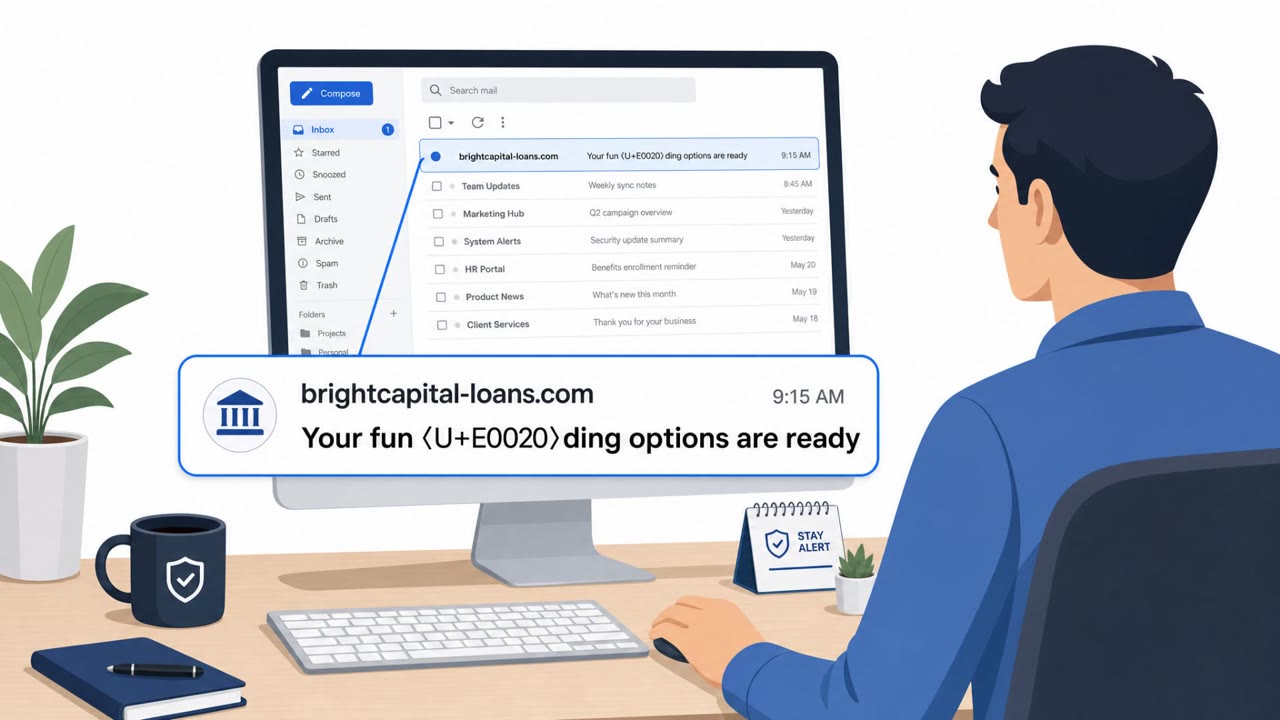
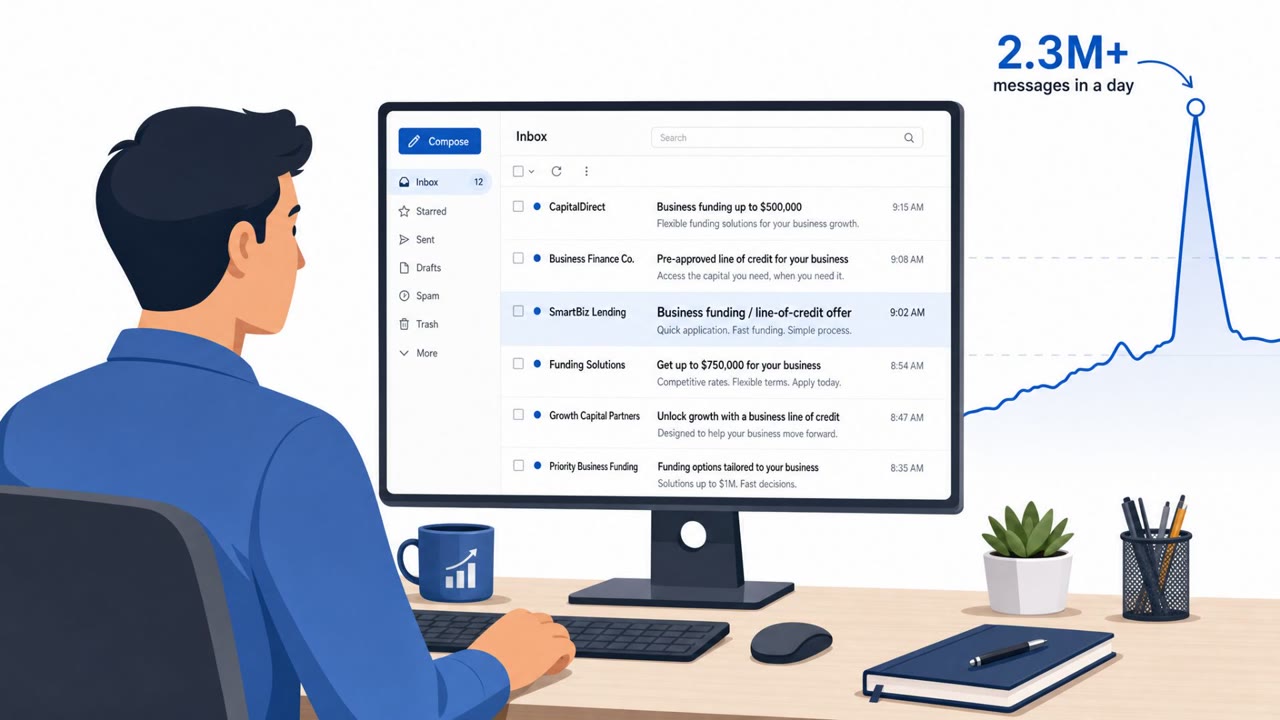
This campaign relied on a technique known as ASCII smuggling, where attackers embed invisible Unicode tag characters inside otherwise ordinary finance keywords. A word like "funding" could be split apart with a hidden character in the middle, so the email still reads normally to a human but no longer matches the exact keyword or signature that a filter is scanning for. The lures themselves followed familiar finance phishing patterns, including business loan, line-of-credit, and advance-funding offers, the kind of messaging often tied to fraud or credential-harvesting funnels.
Why it succeeded
The technique succeeded because it targets a mismatch between how humans and machines read text. A person sees a clean, legible word. A keyword-matching filter sees a broken string that fails to trigger a known signature. Compounding this, the campaign used hundreds of disposable, finance-themed sender domains, making it harder for defenders to build a reliable blocklist. Messages were also relayed through infrastructure associated with a legitimate email-marketing platform, which can add a layer of apparent legitimacy to the delivery path.
What to watch for
- Finance-related emails referencing loans, lines of credit, or advance funding that arrive unprompted
- A sending pattern that looks automated: high volume on weekdays with a pause on weekends
- Sender domains that appear finance-themed but are unfamiliar or recently registered
- Any email prompting a click-through to a funding or loan application page that requests business credentials
Because the hidden characters are invisible to the reader, the visual content of the email will not look suspicious on its own. The strongest signals are the behavioral pattern of the campaign and the unsolicited nature of the financial offer.
How to build resistance
For individual readers, the primary defense is treating unexpected loan or credit offers as high-risk and verifying them independently before clicking any link or submitting business credentials. Finance, accounts payable, treasury staff, and business owners are the most likely targets given the subject matter of these lures.
For security teams, Microsoft recommends stripping or normalizing Unicode tag characters and other zero-width or invisible code points from email subject and body text before applying spam and phishing content signatures. The same normalization should be applied upstream of any AI system that ingests email content, since hidden characters can otherwise slip through automated analysis just as easily as they slip through traditional filters. Combining this technical control with awareness of the campaign's behavioral fingerprint, bulk sends from disposable domains on a strict weekday schedule, gives defenders a better chance of catching this technique before it reaches an inbox.
Key findings
- Attackers inserted invisible Unicode tag characters inside common finance keywords so simple keyword/signature checks fail.
- The campaign used “hundreds of disposable, finance-themed sender domains” and followed a weekday-on/weekend-off sending rhythm.
- Lures resembled “business loan, line-of-credit, and advance-funding” phishing patterns often tied to fraud or credential-harvesting.
- Messages were relayed through infrastructure associated with ActiveCampaign (a legitimate email-marketing platform).
- Microsoft recommends normalizing/stripping Unicode tag characters before applying phishing signatures, and applying the same control before AI systems ingest email content.
Who’s being targeted
- Commonly targeted roles: Finance, Accounts Payable, Treasury, Executives, Business Owners, Security Awareness Training Program.
- Affected industries: Cross-industry (finance-themed lures targeting business users), Finance departments (Accounts Payable/Treasury), Small and mid-sized businesses.
- Attack channels: email.
- Impersonated: Business lender / finance provider.
Red flags to watch for
- Finance keywords may be split by invisible characters (looks normal to the reader but defeats keyword scanning).
- Sender uses a disposable, finance-themed domain.
- Bulk messages sent on a weekday-on/weekend-off schedule.
Frequently asked questions
What is ASCII smuggling in phishing emails?
It is a technique where attackers insert invisible Unicode tag characters inside common finance keywords, splitting the word apart so keyword or signature-based filters fail to match it while the text still looks normal to the reader.
What kind of lures used this technique?
The lures resembled business loan, line-of-credit, and advance-funding phishing patterns often associated with fraud or credential-harvesting funnels.
How can organizations detect this kind of hidden character abuse?
Microsoft recommends stripping or normalizing Unicode tag characters and other zero-width or invisible code points from email subject and body text before applying phishing signatures, and applying the same normalization before AI systems ingest email content.
What behavioral pattern can help spot this campaign?
Defenders should look for bulk volume from churning, finance-themed disposable domains sent on a strict weekday-on/weekend-off schedule.
Read the video transcript
You get an email: “Pre‑approved funding for your business, line of credit.” Looks boring, legit, finance stuff, right? Behind the scenes, it’s using “ASCII smuggling”, invisible Unicode tag characters jammed inside words like funding, loan, and credit so filters don’t see them, but you do. These come from hundreds of throwaway finance domains, sent like a marketing campaign through platforms like ActiveCampaign, nudging you into a fake loan or line-of-credit “application” to steal credentials. If you get an unexpected loan or line-of-credit offer, don’t click the application link. Instead, go to your bank or lender’s official site yourself or call them to confirm.