A real-world text message scam uses the recipient’s real name followed by a question mark to trigger an automatic reply like “Who’s this?”. The goal is to get the victim to engage so the scammer can steer the conversation toward information theft or a longer con (including investment fraud), or at minimum confirm the number is “active” and responsive for future scams.
How the Attack Worked
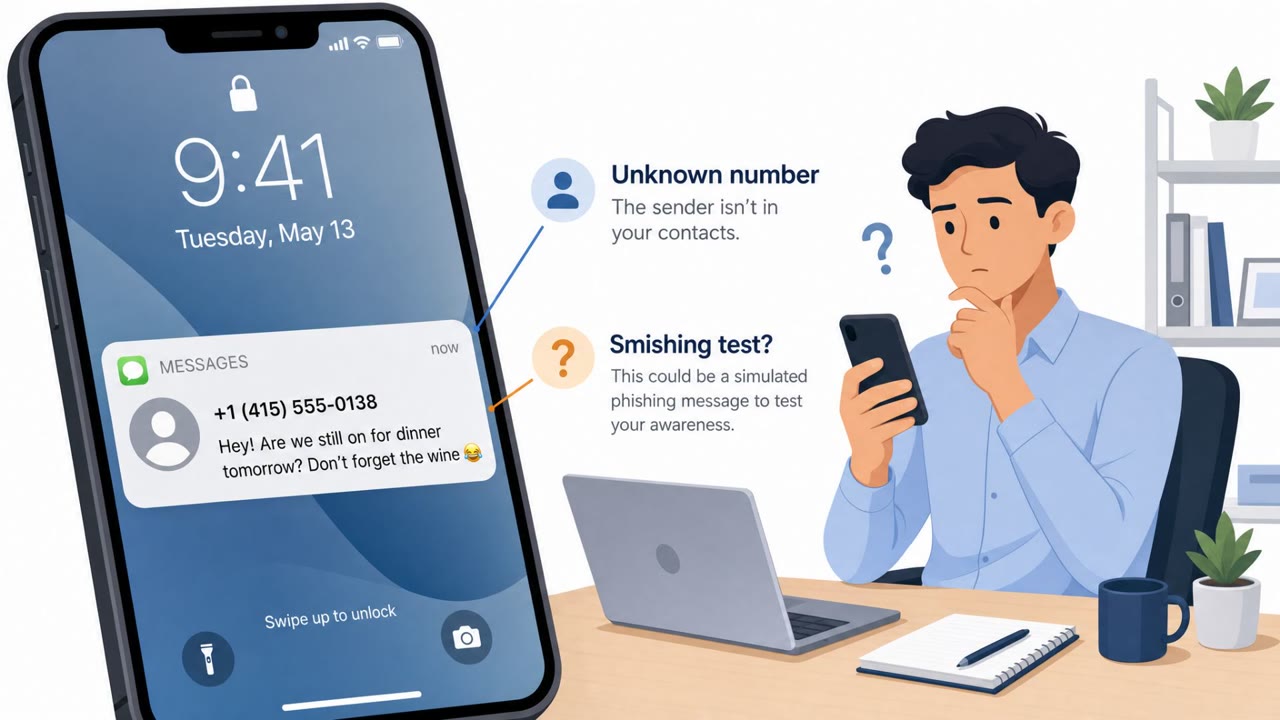
This scam strips smishing down to its simplest possible form. The text message contains nothing but the recipient's real name followed by a question mark, with no link, no company name, and no stated reason for contacting the person. That bare simplicity is the point. A message like this invites an almost automatic response such as "Yes?" or "Who's this?" because human curiosity and politeness push people to answer a question addressed directly to them by name.
Once the recipient replies, the scammer has what they actually wanted: proof the number is active and a person willing to engage. From there, documented paths include building rapport through a "wrong number" style exchange that later pivots into a pitch, including cryptocurrency investment fraud. Even if no further scam unfolds immediately, the reply itself has value, since the number can be reused or sold for future campaigns.
Why It Succeeded
The attack works because it exploits a reasonable but flawed assumption: "They have my name and number, so this must be someone I know." In reality, name-and-phone-number combinations can come from breached data traded by cybercriminals, meaning a scammer doesn't need any real relationship with the target to make a message feel personal. The low sophistication of the message, just a name and a question mark, also means it slips past the usual red flags people watch for, like suspicious links or urgent demands for money.
What to Watch For
- An unexpected text from an unknown number using your real name but giving no context for why they're reaching out
- A message clearly built to provoke a reflexive reply, such as "Yes?" or "Who's this?"
- No identifying details about who the sender is, what they want, or how they know you
- Any follow-up conversation that eventually shifts toward personal information, money, or an investment opportunity
How to Build Resistance
The single most effective defense is also the simplest: don't reply. Sometimes the first thing a scammer is asking for is simply a reply, and even a dismissive response like "Who's this?" or "Wrong number" tells them the number is live and the person behind it is willing to engage.
Organizations can build resistance by training employees and family members to treat any unsolicited name-only text as a prompt for engagement rather than a genuine message from someone they know. If there's a real chance the sender is legitimate, the safer move is to contact that person through a number or channel already trusted, rather than continuing the conversation in the unknown thread. If a reply has already been sent, the advice is to stop engaging immediately. Finally, encourage people to report the message using their messaging app's reporting option before blocking the sender, since reporting helps flag the pattern for others.
Key findings
- The scam text is extremely minimal: the recipient’s name followed by a question mark, with no link or obvious hook.
- The primary objective is to prompt engagement (any reply), which can later lead to requests for money or personal information.
- Attackers may use breached data (name + phone number) to make the text look personally targeted.
- Documented scam paths include “wrong number” style rapport-building that later introduces an investment pitch (including cryptocurrency investment fraud).
- Even if no further scam unfolds, a reply confirms the number is responsive and may be reused/sold for other campaigns.
Who’s being targeted
- Commonly targeted roles: All employees, Executives, HR, Finance, Customer-facing staff.
- Affected industries: Consumers / General public.
- Attack channels: smishing.
- Impersonated: An acquaintance/unknown person who ‘knows’ the recipient.
Red flags to watch for
- Unexpected text from an unknown number using your name but giving no context
- Message is designed to provoke a reflexive reply (e.g., “Who’s this?”)
- No identifying details about who the sender is or why they’re contacting you
Frequently asked questions
What does the one-word name text scam look like?
The scam text contains only the recipient's real name followed by a question mark, with no link or other context, designed to trigger an almost automatic reply.
Why do scammers just send a name and a question mark?
The goal is simply to get the recipient to engage, since any reply confirms the number is active and opens the door to later requests for money or personal information.
How did the scammer get my name and phone number?
Name-and-phone-number combinations can come from breached data traded by cybercriminals, so knowing your name is not proof the sender actually knows you.
What should I do if I get one of these texts?
Don't reply, even with something like 'Who's this?' or 'Wrong number.' If you think it could be someone you know, contact them through a channel you already trust, and report the message before blocking the sender.
Read the video transcript
You get a text from an unknown number. It just says your name… and a question mark. This is a smishing setup. They use breached data so it feels personal, hoping you’ll reflex-reply with “Yes?” or “Who’s this?” so they can start a longer scam. Here’s the trick: the message has your real name, but zero context. No “Hi, it’s Alex from HR,” no reason they’re texting. That’s your red flag. If you get a one-word name-plus-question-mark text from an unknown number, don’t reply. Report it in your messaging app, then block.