Bitdefender reports that Google Play’s “Early Access” apps can’t be publicly rated or reviewed, reducing a key warning signal employees use to spot deceptive apps. The research found thousands of suspicious Early Access apps (including fake casino/reward apps and utilities) promoted on social media, sometimes with AI-generated celebrity deepfakes. One example QR scanner tried to become the phone’s launcher, an unusual permission that could enable ad fraud or even fake login screens and interception of 2FA codes.
How the Attack Worked
Google Play's Early Access program lets developers publish apps before they open to the general public. According to Bitdefender research, this stage carries a hidden downside: users cannot publicly rate or review an app while it remains in Early Access. That removes one of the most common signals employees use to judge whether an app is trustworthy.
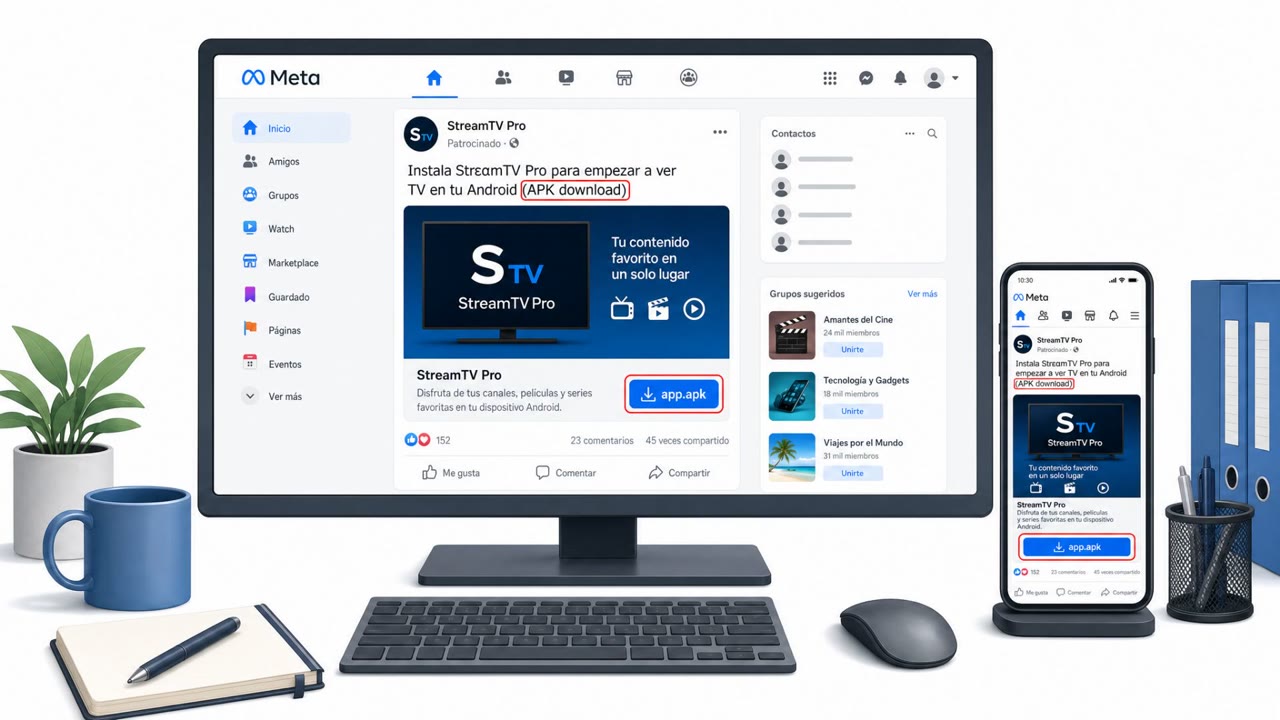
Bitdefender Labs identified thousands of Early Access apps that appeared to include fake casino and reward games, misleading utilities, and apps using recognizable third-party trademarks. Many of these were promoted through TikTok, Facebook, and other social platforms, with some ads featuring AI-generated deepfakes of celebrities and other public figures to build false credibility.
One documented example involved a QR code scanner app that tried to persuade a user to replace the phone's official Android launcher. A basic QR scanner only needs camera access, so requesting launcher-level control is far beyond what the app's stated function requires.
Why It Succeeded
The absence of public ratings and reviews during Early Access removes a layer of social proof that many users rely on, even subconsciously, before installing an app. Combined with polished social media promotion and celebrity-style endorsements, some of which may be AI-generated, these apps can appear more legitimate than they are. On personal or BYOD Android devices used for work, there is often no additional gatekeeping to catch what the app store review process might otherwise flag.
What to Watch For
- Apps requesting permissions or settings changes unrelated to their stated function, such as a QR scanner asking to become the home screen launcher
- Requests that would let an app run continuously in the background
- "Early Access" labeling, which limits visibility into public user warnings
- Overly generous "earn money" or reward promises tied to casino-style apps
- Celebrity or public-figure endorsements promoting an app, which could be AI-generated deepfakes
How to Build Resistance
- Treat unusual permission requests from simple utility apps as a warning sign, not a routine prompt to accept
- Avoid installing Early Access apps promoted through social media ads without independent verification
- Do not rely solely on app-store ratings or reviews for safety, since Early Access apps may not have any
- Consider separating work and personal apps and data using a work profile feature on Android devices
- IT and MDM admins can restrict or disable Early Access app installation by organizational policy where available
Key findings
- Early Access apps cannot be publicly rated or reviewed, removing a common way users spot deceptive apps.
- Bitdefender observed “thousands” of Early Access apps including fake casino/reward games and misleading utilities, some using recognizable third-party trademarks.
- Some apps were promoted via social platforms (TikTok/Facebook), including ads featuring AI-generated celebrity deepfakes.
- A QR scanner app tried to get the user to replace the Android launcher, which could enable continuous background activity and abuse like hidden web views or fake login screens.
Who’s being targeted
- Commonly targeted roles: All employees (Android users/BYOD), Executives, IT / Mobile device management (MDM) admins, Security awareness training owners.
- Affected industries: Any organization with Android devices (especially BYOD).
- Attack channels: website.
- Impersonated: QR scanner / utility app in Google Play Early Access, Celebrity/public figure endorsement (AI-generated deepfake) and/or recognizable third-party trademark branding.
Red flags to watch for
- A QR scanner asks for permissions/settings unrelated to scanning (e.g., replacing the home screen/launcher).
- The request would make the app run continuously in the background.
- The app is in “Early Access,” limiting visibility into public user warnings.
- Overly good-to-be-true ‘earn money’ or reward promises.
- Use of celebrity/public-figure endorsements that may be AI-generated deepfakes.
- App is in Early Access, so there are no public ratings/reviews to validate trust.
Frequently asked questions
What is the risk with Google Play's Early Access apps?
Early Access apps cannot be publicly rated or reviewed, which removes a common way users spot deceptive apps before installing them.
What kinds of malicious apps were found in Early Access?
Bitdefender identified thousands of Early Access apps including fake casino and reward games, misleading utilities, and apps using recognizable third-party trademarks.
How were these apps promoted to users?
Many apps were promoted through TikTok, Facebook, and other social platforms, including ads featuring AI-generated deepfakes of celebrities and other public figures.
What unusual permission request should employees watch for?
A QR scanner app tried to get users to set it as their phone's launcher, an unusual request that has no legitimate scanning purpose and could enable continuous background activity.
Read the video transcript
On Google Play, “Early Access” apps look legit, but you can’t see any public ratings or reviews. Bitdefender found thousands of sketchy Early Access apps, fake casino and reward games, and even a QR scanner that tried to replace the Android home screen. Some are pushed on TikTok and Facebook with AI-generated celebrity promos: “Install this Early Access rewards app to earn money and claim prizes.” No reviews, just hype. If any simple app, like a QR scanner or rewards game, asks for weird permissions or launcher access, especially in Early Access, don’t install it on your work phone. Stop there.