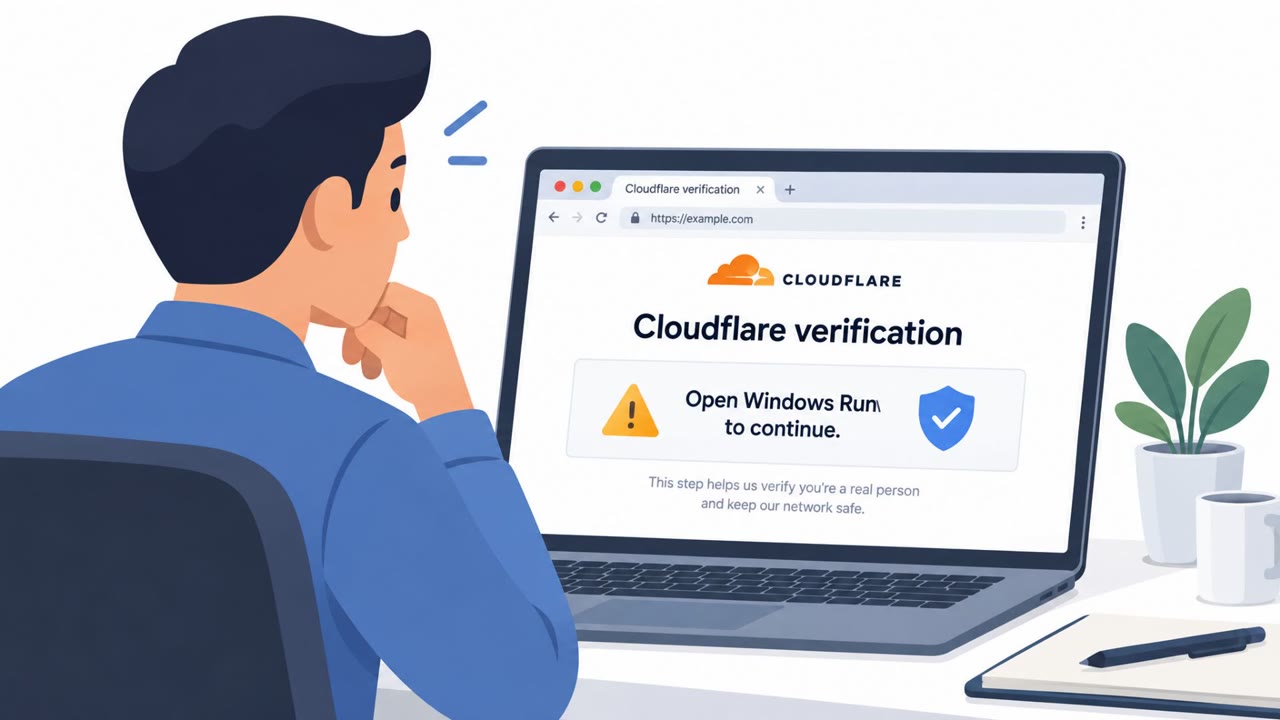
This article describes ClickFix attacks in which fraudulent or compromised websites display fake technical warnings and persuade visitors to copy and run harmful commands. The scam may claim a browser update, failed security check, or urgent technical repair is needed, then directs the user to use legitimate tools such as PowerShell or Command Prompt.
How the Attack Worked
ClickFix attacks rely on fabricated technical problems to persuade victims into executing harmful commands. A fraudulent or compromised website displays a fake warning, often claiming that a browser update is required, a security check has failed, or an urgent technical repair is needed. The page then instructs the visitor to copy a command and run it using a legitimate operating system utility. On Windows machines, this frequently involves PowerShell or Command Prompt, tools that are trusted by IT staff and often unmonitored by end users.
Why It Succeeded
The scam works because it borrows credibility from familiar system processes. Victims are not asked to download an obviously suspicious file, they are asked to use tools already present on their machine. This bypasses some of the instinctive caution people apply to unknown attachments or links. The urgency built into the fake message, whether it is a failed verification or a claimed technical emergency, pushes users to act quickly rather than pause and evaluate the request.
What to Watch For
Defenders and employees should be alert to these red flags:
- A website asks you to run a command in PowerShell or Command Prompt.
- The page creates urgency around a browser update, failed verification, or technical repair.
- The requested command is unfamiliar and originates from a webpage rather than approved IT support.
These patterns apply broadly, since the targets include all employees, remote workers, IT support staff, system administrators, and security operations teams across industries that use Google Chrome.
Building Resistance
Organizations can reduce exposure to ClickFix style attacks with a few practical steps:
- Train employees to never copy and run a command from a website, even when the page claims it is required for a browser update, security check, or technical repair.
- Treat unexpected browser warnings demanding urgent action as suspicious, particularly when they request use of PowerShell or Command Prompt.
- Keep browser security protections, such as Chrome's Enhanced Protection, enabled and current, while recognizing that warnings alone should not be the sole basis for trusting a site.
- Encourage employees to report suspected scam pages to IT or security staff rather than following any instructions on the page.
Recognizing suspicious instructions remains essential to staying safe online, since technical protections like Chrome's new warnings are designed to disrupt the attack before a user moves from a deceptive webpage to executing malicious commands, not to replace user judgment entirely. This technique aligns with MITRE ATT&CK T1204.002 and T1656, both relevant to understanding user-execution based intrusion methods.
Key findings
- ClickFix attacks use fabricated technical problems to persuade victims to copy and execute harmful commands.
- The fraudulent page may claim that a browser update is required, a security check failed, or an urgent technical repair is needed.
- Attackers commonly direct Windows users to run copied commands in legitimate utilities such as PowerShell or Command Prompt.
- Google Chrome's Enhanced Protection is adding warnings for suspicious commands copied from websites before a user executes them.
- Google also distinguishes between lower-confidence suspicious websites and confirmed dangerous websites in its warnings.
Who’s being targeted
- Commonly targeted roles: All employees, Remote workers, IT support staff, System administrators, Security operations teams, Chrome browser administrators.
- Affected industries: All industries, Organizations using Google Chrome, Information technology.
- Attack channels: website.
- Impersonated: Browser security or technical support service.
Red flags to watch for
- A website asks you to run a command in PowerShell or Command Prompt.
- The page creates urgency around a browser update, failed verification, or technical repair.
- The requested command is unfamiliar and comes from a webpage rather than approved IT support.
Frequently asked questions
What is a ClickFix attack?
ClickFix is a social engineering technique where a fraudulent or compromised website displays a fake technical problem and persuades the victim to copy and execute a harmful command using a legitimate utility like PowerShell or Command Prompt.
What fake messages do ClickFix pages use to trick victims?
The fraudulent page may claim that a browser update is required, a security check has failed, or an urgent technical repair is needed, pressuring the user into action.
How is Google Chrome responding to ClickFix attacks?
Chrome's Enhanced Protection is adding warnings for suspicious commands copied from websites before a user executes them, and distinguishes between lower-confidence suspicious sites and confirmed dangerous ones.
What should employees do if a website asks them to run a command?
Employees should never copy and run a command from a website, even if it claims to be for a browser update, security check, or technical repair, and should report the page to IT or security instead.
Read the video transcript
A website says your browser needs an urgent update? That's ClickFix: a fake browser error or failed security check tells you to copy a command, then run it in PowerShell or Command Prompt. Here's the giveaway: real browser updates don't need commands from random webpages. Chrome Enhanced Protection may warn about suspicious copied commands, but don't wait for a warning. If a page asks you to run a command, don't copy it. Report the page to IT.