Researchers investigated a fake Android app posing as a Chinese public security bureau service and traced it to a broader criminal ecosystem using a leaked Android remote-access tool (RAT) framework called “Flying Eagle.” The tooling lets criminals build convincing look‑alike apps and then steal credentials through in-app “overlay” login prompts targeting payment, banking, and government service apps.
How the Attack Worked
Researchers began by examining a fraudulent Android app impersonating a Chinese Provincial Public Security Bureau service. That investigation expanded into a much larger criminal ecosystem built around a leaked Android remote-access tool framework known as Flying Eagle. The framework includes an APK generation module that lets operators customize lured text, application names, icons, and command-and-control callback addresses before building a signed, convincing fake app.
Once installed, these apps use phishing overlays, fake login screens layered on top of real app interfaces, to capture credentials for financial, government service, and other targeted apps. Researchers mapped 170 active servers running the framework and identified two Telegram channels distributing modified versions of the stolen codebase, showing the scale and reach of this ecosystem.
Why It Succeeded
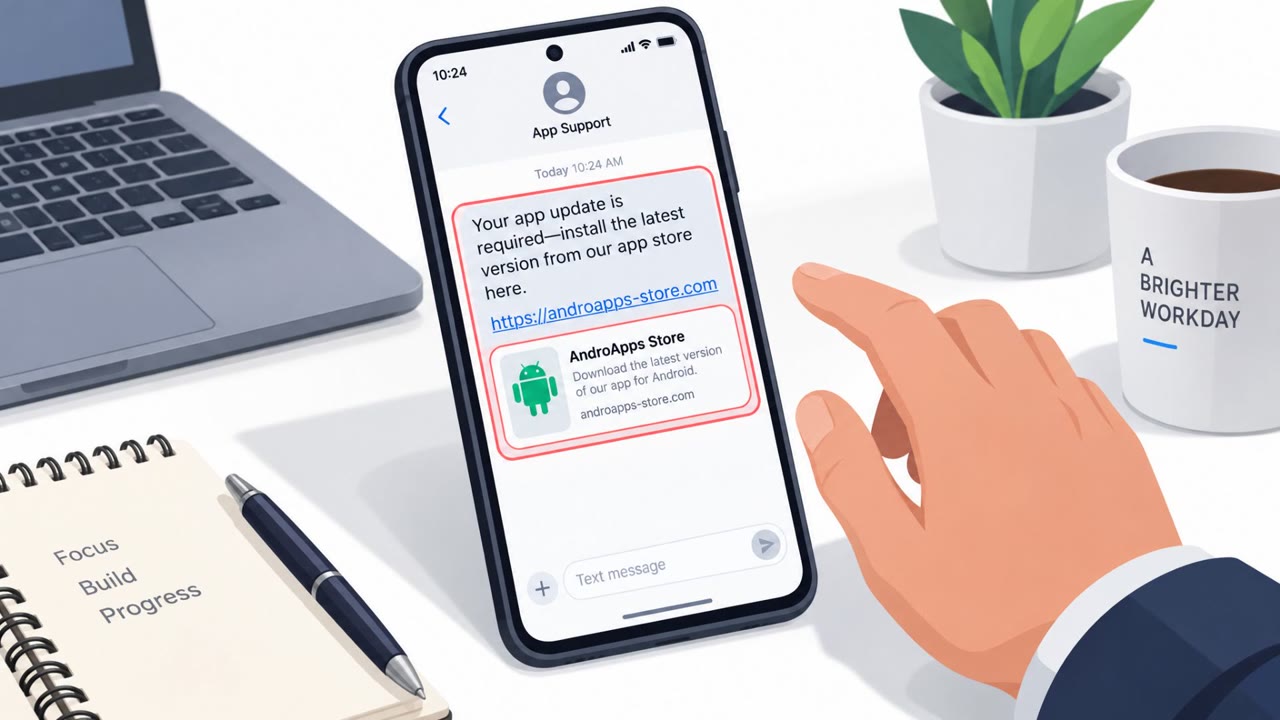
The operation succeeded by combining authority impersonation with a technically capable delivery mechanism. Posing as a government public security service created urgency and trust that pushed victims to install software outside official app stores. Because the app was distributed as a direct APK download rather than through a vetted marketplace, victims had fewer signals to verify its legitimacy before installing it.
Once inside the device, the phishing overlay system made credential theft nearly seamless. Operators could deploy overlays with single-click shortcuts targeting specific apps like Alipay, WeChat, and major Chinese banks, reducing the friction needed to harvest sensitive login data.
What to Watch For
- Android apps offered as direct APK downloads instead of through an official app store
- Apps that use government, public safety, or law enforcement branding to create urgency
- Login prompts or overlay screens appearing unexpectedly inside an app, especially for banking, payment, or crypto wallet apps
- Fake update screens or hidden app icons, features associated with the newer Night Dragon variant of this tooling
Building Resistance
Organizations and individuals can reduce risk from this type of campaign by treating unsolicited APK downloads as inherently risky, regardless of how official they appear. Employees should be trained to recognize that legitimate government services rarely require installing software through direct links rather than app stores.
Additional resistance-building steps include:
- Encouraging users to verify app publishers and only install from official stores
- Building awareness that overlay-style login prompts inside apps can be fraudulent
- Reinforcing skepticism toward authority-themed messaging that pressures quick action
- Extending phishing and social engineering training to cover mobile-specific threats, not just email
This case illustrates how a single impersonation lure can be a gateway into a much larger, well-resourced criminal infrastructure targeting financial and government service credentials at scale.
Key findings
- Investigation began with a “fraudulent Android app impersonating a Chinese Provincial Public Security Bureau service,” then expanded to a larger ecosystem using the leaked Flying Eagle Android RAT framework.
- Researchers mapped “170 active servers” running the framework and found “two Telegram channels distributing modified versions of the stolen codebase.”
- The builder supports creating lured APKs by letting operators choose “lured text, application names, icons, and C2 callback addresses,” enabling believable fake apps.
- The malware ecosystem includes phishing overlays targeting “financial, adult, and government service apps,” and a newer successor called “Night Dragon” with features to hide activity (black-screen fake updates, icon hiding) and one-click credential overlays for major payment/bank/crypto apps.
Who’s being targeted
- Commonly targeted roles: All employees (mobile device users), Finance and payments teams, Executives and admins with high-value accounts, Anyone using mobile banking/crypto wallet apps.
- Affected industries: Finance / payments, Banking, Government services, Cryptocurrency / wallets.
- Attack channels: website.
- Impersonated: Chinese Provincial Public Security Bureau (government service).
Red flags to watch for
- App is delivered as a downloadable APK (not via an official app store)
- The app impersonates a government service to create urgency and trust
- After installation, the app shows login prompts/overlays for financial apps (credential capture)
Frequently asked questions
What was the fake China police app?
It was a fraudulent Android APK impersonating a Chinese Provincial Public Security Bureau service, used to lure victims into installing malware disguised as an official government app.
How did the malware steal credentials?
The malware displayed phishing overlays inside legitimate-looking apps, capturing login credentials for financial, government, and payment apps such as Alipay, WeChat, and major banks.
What is the Flying Eagle framework?
Flying Eagle is a leaked Android RAT builder that lets criminals generate custom lured APKs with chosen names, icons, and command-and-control addresses, and it has a successor called Night Dragon with added stealth features.
Why did this attack succeed?
The app exploited trust in a government authority and was distributed as a direct APK download rather than through an official app store, making it harder for victims to verify legitimacy.
Read the video transcript
You see a site saying, “Download the official Provincial Public Security Bureau service app” for Android. Looks like a real police portal, right? Behind that APK could be the Flying Eagle Android RAT. Criminals use it to build fake police and welfare apps, complete with copied icons and text, all controlled from one of over 170 known servers. Once installed, it can pop up perfect-looking overlays on top of your banking or payment apps. You think you’re logging into your bank, but you’re handing credentials straight to their Night Dragon successor. Your move: if an 'official' app comes as an APK download link, skip it. Only install government or banking apps from the official app store with the verified publisher name.