North Korea-linked BlueNoroff is using fake Zoom and Microsoft Teams meeting pages shared from hijacked trusted contacts (often via Telegram) to trick victims into “updating” Zoom/Teams and running malicious commands. The phishing kit also fingerprints the victim’s browser to identify installed cryptocurrency wallet extensions and selectively targets high-value victims before delivering malware.
How the attack worked
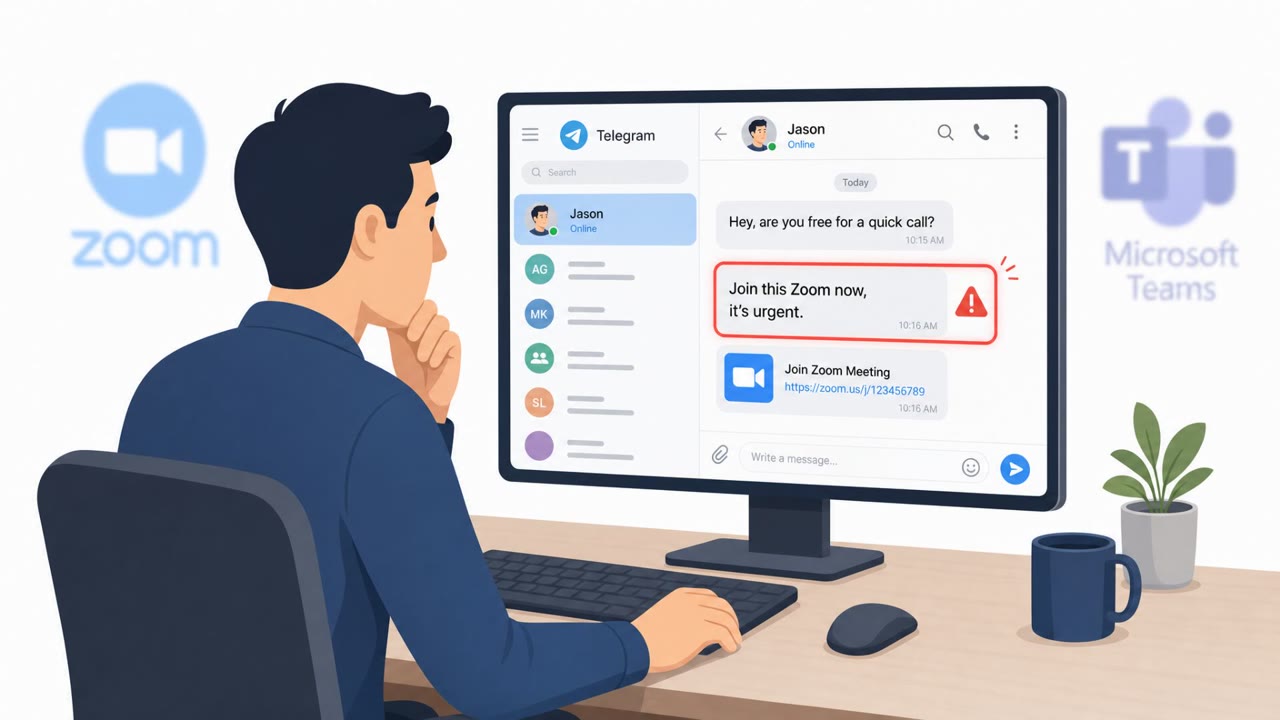
The campaign, attributed to BlueNoroff, begins with a message from an account the target already trusts and has met in real life. That trust exists because the attackers hijacked a legitimate Telegram account rather than creating a new one. The message contains a Calendly link that appears to schedule a normal Zoom or Teams meeting.
Once the victim clicks through, they land on a domain that looks like Zoom or Teams but is actually a fake page impersonating the videoconferencing service. The page requests webcam permissions and streams video back to an operator panel before the meeting even starts. After the victim joins, they are shown a screen stating they are waiting for other participants, alone in the call.
At that point a human operator intervenes, sending a fake message claiming the microphone is not working and prompting a "Zoom SDK Update." Following that update triggers a ClickFix-style command that downloads a fake Zoom or Teams installer and delivers malware.
Why it succeeded
Several factors made this attack effective:
- The lure came from a real contact's account, not a stranger, removing the usual suspicion around unsolicited meeting invites.
- The fake meeting experience mimicked expected behavior closely enough (waiting screens, mic troubleshooting) that victims followed normal call etiquette.
- The kit fingerprinted browsers to inventory installed cryptocurrency wallet extensions, letting attackers focus effort on higher-value targets rather than acting indiscriminately.
- Reused, stolen Telegram sessions let the operation self-propagate, feeding new victims from each successful compromise.
What to watch for
- Meeting links that resolve to a domain that only resembles Zoom or Teams rather than the official service.
- Webcam permission prompts appearing before any legitimate meeting has actually started.
- Being left alone on a "waiting for other participants" screen followed by an unexpected troubleshooting request.
- Any prompt to run commands, scripts, or an "SDK update" to fix audio or video during a call.
How to build resistance
Treat meeting links as unverified even when they come from known contacts, and confirm unusual invites through a separate channel before joining. Never run commands or install updates mid-call to resolve audio or video issues; legitimate software updates do not work that way. Report unusual meeting invites or account behavior immediately, since a single compromised messenger account can be reused against its own contact list. Teams that manage digital assets should expect extra scrutiny and profiling attempts, and should apply added verification steps for meeting invites and in-call software prompts.
Key findings
- Attackers use hijacked trusted Telegram accounts to send lure links and build a self-propagating chain by reusing stolen Telegram sessions.
- Victims are routed from a Calendly link to a fake Zoom/Teams domain that collects name/webcam permissions and streams webcam video back to an operator panel.
- After the victim “joins” a fake meeting, the operator sends fake troubleshooting prompts (e.g., mic issues) and triggers a “Zoom SDK Update” to deliver ClickFix malware.
- The kit fingerprints the browser to inventory installed cryptocurrency wallet extensions and selectively targets higher-value victims before malware delivery.
- The fake meeting may show a pre-edited video with AI-generated headshots composited onto real body movements captured from previous victims.
Who’s being targeted
- Commonly targeted roles: Executives, Finance/Treasury, Crypto/Web3 teams, Investment/VC teams, Anyone using Telegram for business communications.
- Affected industries: Cryptocurrency / Digital assets, Venture capital and investment firms, Technology companies with Web3 exposure.
- Attack channels: telegram, website.
- Impersonated: A real-world contact (via hijacked Telegram) and the Zoom meeting experience, Zoom/Teams meeting page and an 'admin' in the meeting.
Red flags to watch for
- Meeting link resolves to a lookalike/typosquatted Zoom domain rather than an official Zoom domain
- The page requests webcam permissions before a legitimate meeting begins
- Unexpected troubleshooting prompts push you to run an “update” or commands to fix mic/audio
- You are alone in a meeting with a persistent “waiting” screen and then get pushed to install an update
- The meeting experience feels like a web page imitation (not the expected client behavior) and pushes an installer/update unexpectedly
- Update/install request appears tied to urgency or ‘audio/video problems’ rather than normal software update channels
Frequently asked questions
How do attackers get victims to click a fake Zoom or Teams link?
Attackers hijack a trusted contact's Telegram account and send a Calendly link that leads to a lookalike Zoom or Teams domain rather than the real videoconferencing service.
What happens after a victim joins the fake meeting?
The victim is left on a waiting screen, an operator sends a fake mic or audio problem message, and then prompts a 'Zoom SDK Update' that delivers the ClickFix malware payload.
Why does this campaign target cryptocurrency users specifically?
The phishing kit fingerprints the victim's browser to inventory installed cryptocurrency wallet extensions, allowing attackers to selectively target higher-value victims before delivering malware.
How does the attack spread to new victims?
If a victim runs the payload with Telegram open, their Telegram session can be stolen and reused to send the same lure to their own trusted contacts, creating a self-propagating chain.
Read the video transcript
Your colleague pings you on Telegram: “Hi, here’s my Calendly link to book our Zoom.” Looks normal, right? That link quietly redirects you to a fake Zoom page on a lookalike domain, asks for your webcam, and shows a “waiting for other participants” screen that feels like Zoom but runs entirely in the browser. Behind that page, BlueNoroff operators watch your webcam feed, fingerprint your browser for crypto wallet extensions, then push a fake “Zoom SDK Update” pop-up that actually installs their ClickFix malware. If any meeting ever tells you to install a Zoom or Teams “SDK update” to fix audio or video, stop immediately and call IT or your contact using a separate channel before you click anything.