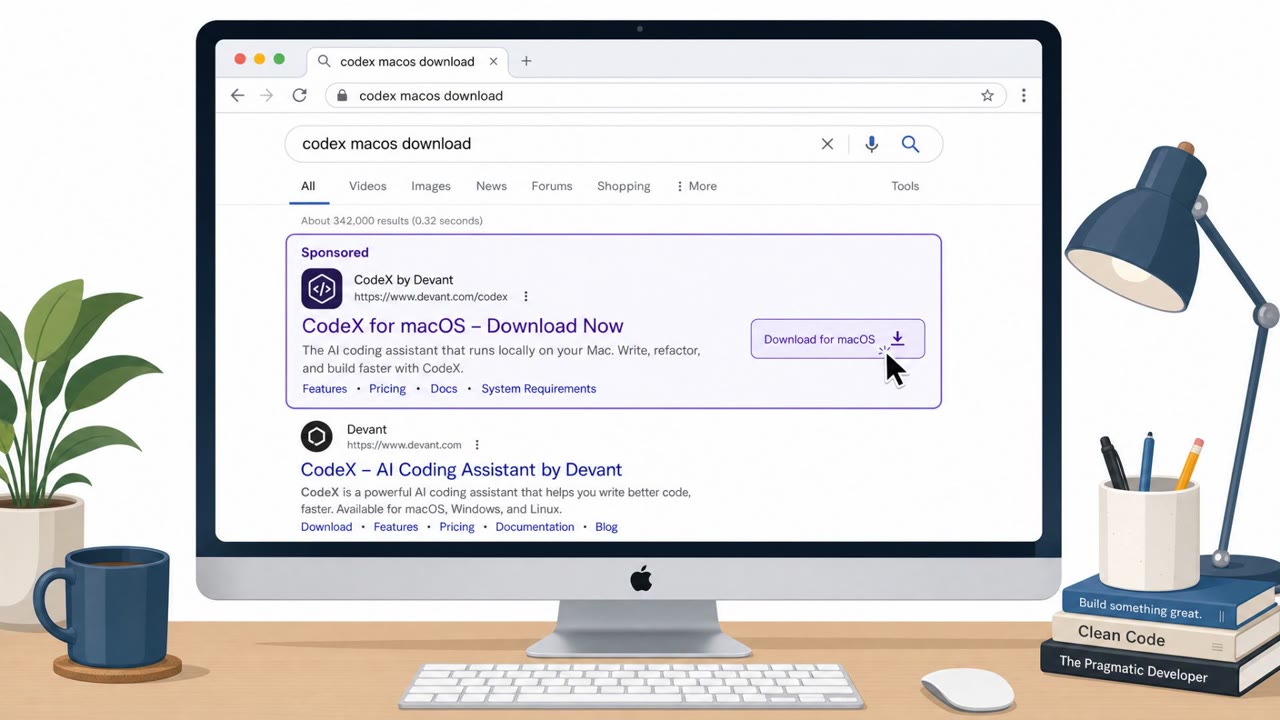
Attackers are buying sponsored Google search ads that send Mac developers to fake OpenAI Codex download pages. The pages instruct victims to paste a Terminal command that looks like a normal install step, but actually downloads and runs a multi-stage malware payload.
Key findings
- Sponsored Google search ads lead to a convincing fake OpenAI Codex download page hosted on Google Sites.
- Victims are instructed to open Terminal and run a pasted command as part of a supposed install process (ClickFix-style).
- The command decodes a Base64 URL, fetches an attacker shell script, and pipes it into zsh, leading to a multi-stage infection.
- Later stages download a Mach-O payload to "/tmp/helper" and attempt to remove macOS security metadata used to flag suspicious downloads.
- The campaign appears similar to Atomic macOS Stealer (AMOS) distribution patterns, though Cato did not fully attribute it.
Who’s being targeted
- Commonly targeted roles: Developers, Engineering, DevOps, IT.
- Affected industries: Software development, Technology, Professional services.
- Attack channels: website.
- Impersonated: OpenAI Codex download page (OpenAI branding) hosted via Google Sites, Legitimate npm-based Codex installer instructions.
Awareness takeaways
- Treat sponsored search results for downloads as untrusted and navigate to the vendor’s official site directly.
- Be suspicious of any ‘installation’ process that asks you to paste and run Terminal commands from a website.
- Watch for obfuscation and risky command patterns (Base64 decoding, curl/wget, piping into a shell) as strong indicators of malicious intent.
- Assume lookalike branding and reputable hosting platforms can still be used to deliver attacks; verify the exact domain and source.
Red flags to watch for
- Sponsored search ad redirects to a non-official hosting location (Google Sites) for a software download
- Site asks user to run a pasted Terminal command instead of providing a normal installer
- Command includes obfuscated content (e.g., Base64 decoding) and pipes to a shell
- Install command has extra appended code beyond a typical npm install
- Uses Base64 decoding and fetches a remote script
- Pipes downloaded content directly into zsh
Read the video transcript
You Google “OpenAI Codex download for macOS” and click the top result, looks legit, OpenAI logo and all. But that click lands you on a Google Sites page impersonating the Codex download. Instead of a normal installer, it says: “Install Codex for macOS: open Terminal and paste the following command to complete installation.” The command looks like a normal npm install, but tacked on is obfuscated Base64, curl, and a pipe into zsh, quietly pulling a Mach-O payload into /tmp/helper and stripping macOS security flags. One paste, multi-stage infection. If any website tells you to paste a long install command into Terminal, stop. Instead, go directly to openai.com yourself and only follow install steps from there.