Fake Teams IT Support Pushes Remote Access

Cybersecurity News · High sophistication
Last updated October 27, 2026

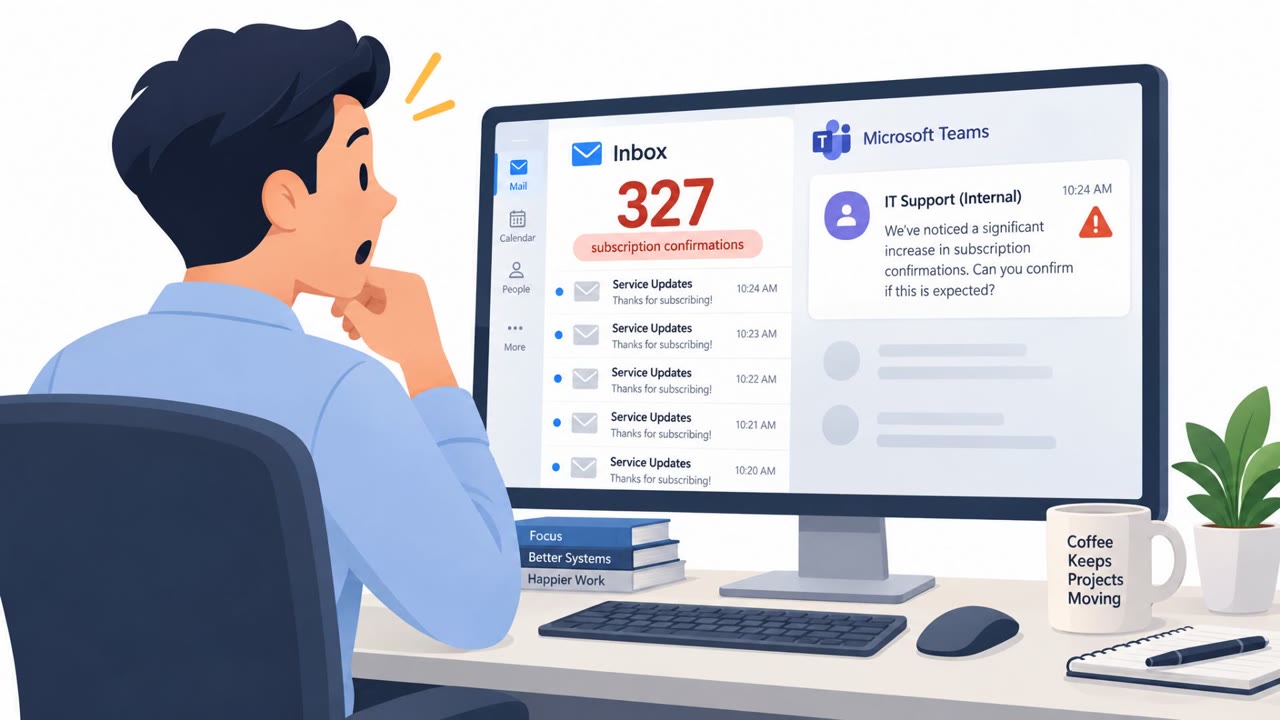
Attackers used external Microsoft Teams chats to impersonate internal IT support and convince employees to grant remote access to their Windows computers. In many cases, they first flooded inboxes with subscriptions or confirmation emails, then offered fake assistance and persuaded victims to use remote-support tools or run PowerShell commands that installed malware.

Key findings

  • Attackers use Microsoft Teams external chat to pose as internal IT or helpdesk staff.
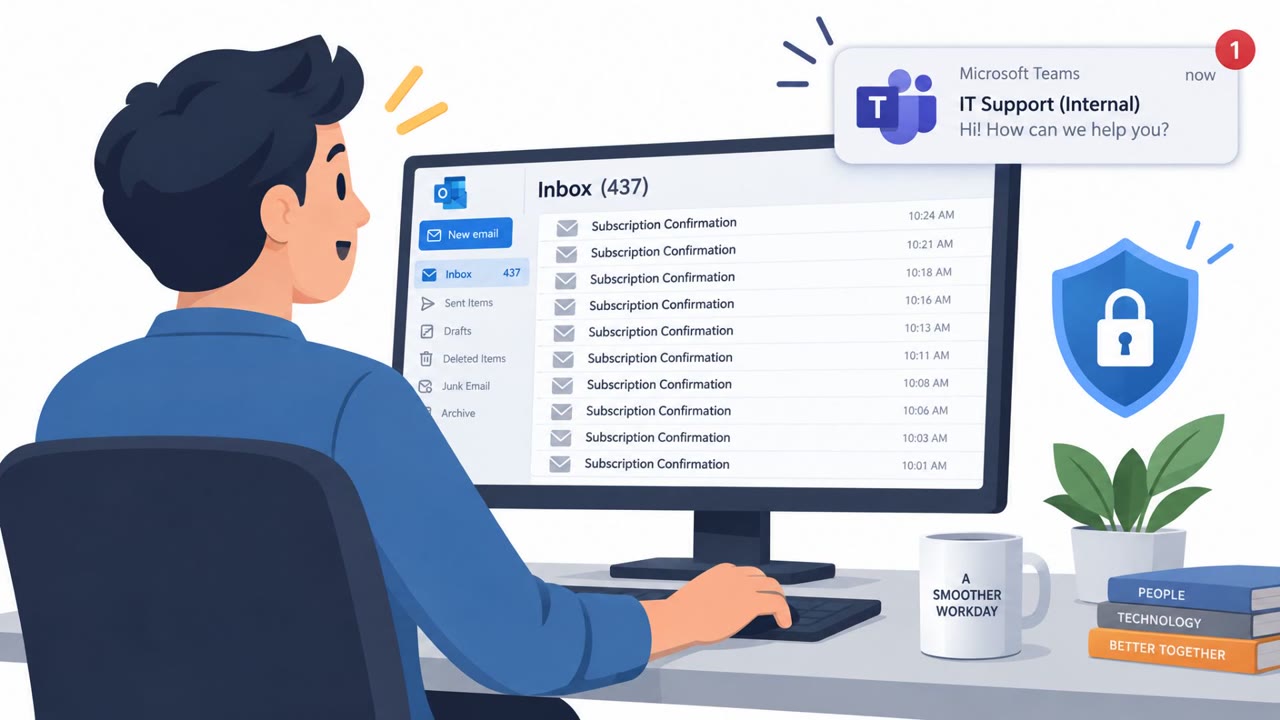
  • Email flooding creates urgency and confusion before the fake support contact offers help.
  • Attackers use trusted remote-support tools including Quick Assist, AnyDesk, ScreenConnect, TeamViewer, and Atera.
  • Victims may be instructed to share their screen, grant remote control, install software, or run a PowerShell command.
  • Arctic Wolf analyzed more than 400 incidents involving abuse of Teams external chat.
  • Victims reported malware execution within 15 minutes of engaging with the impersonator.
  • Attackers sometimes install a second remote-management tool after gaining access, preserving another route into the device.

Who’s being targeted

  • Commonly targeted roles: All employees, Microsoft Teams users, Windows users, IT support and service desk personnel, Security operations teams, Helpdesk managers.
  • Affected industries: Cross-industry organizations using Microsoft 365 and Microsoft Teams, Organizations with Windows endpoints.
  • Attack channels: email, teams.
  • Impersonated: Internal IT Support / Help Desk, IT Service Desk.

Awareness takeaways

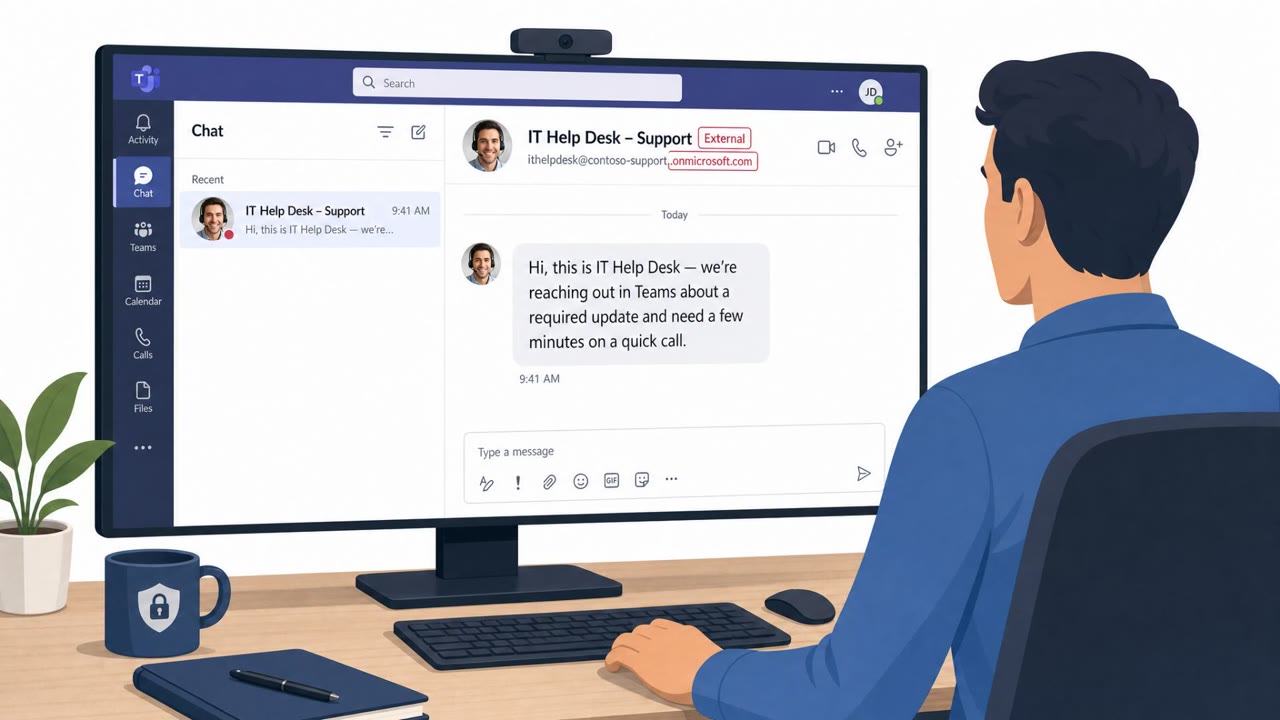
  • Treat unexpected Teams messages from IT as unverified, especially when Teams labels the sender as external. Confirm the request through your known helpdesk number or service portal before sharing a screen, granting remote control, or installing anything.
  • Do not let an email flood create urgency. A sudden surge of newsletters or confirmations may be designed to make a fake support offer seem legitimate.
  • Never run PowerShell commands or install software at the direction of an unsolicited chat contact, even if the person appears to be IT support.
  • Recognize that legitimate remote-support products can be abused. Do not grant access through Quick Assist, AnyDesk, TeamViewer, or similar tools unless the support interaction was independently verified.

Red flags to watch for

  • The Teams contact is marked as an external user.
  • The employee did not open an IT support ticket or request help.
  • The request follows an unusual burst of newsletter subscriptions or confirmation emails.
  • The account uses a reassuring display name such as “IT Support (Internal)” rather than a verified internal identity.
  • Unsolicited support staff ask an employee to run PowerShell commands.
  • The requested installer is downloaded from an external location rather than the approved software portal.
  • The helper is an external Teams user or uses a lookalike support identity.
Try Mirage

Mirage safely runs attacks like this one against your own team, so you find out what happens before a real adversary does.

Get a demo
Read the video transcript

Hundreds of newsletter emails, then a Teams message: “I can help.” It says “IT Support (Internal),” but Teams marks the sender external. They offer to fix the flood, then ask you to open Quick Assist and grant control. That’s the trick: the email flood makes fake help feel timely. They may also push AnyDesk or a PowerShell installer. Malware has followed within fifteen minutes. No ticket? External sender? Before sharing anything, call your helpdesk using the number you already know.

Similar attacks

Fake Teams Support Chats Open Door to Ransomware

Fake Teams Support Chats Open Door to Ransomware

Attackers are using Microsoft Teams external chat to pose as internal IT support staff, often after overwhelming employees with email subscription messages. They persuade victims to join a voice call, approve remote-control tools, or run commands, with some incidents ending in malware infections…

October 27, 2026
Fake Teams IT Support Pushes Remote Access

Fake Teams IT Support Pushes Remote Access

Attackers are posing as internal IT support staff in Microsoft Teams, often after flooding an employee’s inbox with subscription emails to create urgency. They persuade victims to grant remote access through legitimate support tools, then install malware, steal information, and in some cases deploy…

October 26, 2026
Spam Flood Sets Up Fake Teams IT Support

Spam Flood Sets Up Fake Teams IT Support

Attackers overwhelm employees with hundreds of spam messages, then contact them through Microsoft Teams while posing as internal IT support. They offer to fix the inbox problem, move victims into a voice call, and persuade them to install or use remote-access tools such as Quick Assist. The scams…

October 27, 2026
Teams Helpdesk Vishing Pushes Remote Control Tools

Teams Helpdesk Vishing Pushes Remote Control Tools

Researchers observed a coordinated social-engineering operation (“Spring Ring”) where attackers used external Microsoft Teams accounts to pose as internal IT help desk staff and start voice calls. Victims were pressured to install remote-control tools (like Quick Assist or other RMM software) or…

August 31, 2026
Larva-24009 Lures Firms With Fake Doc Attachments

Larva-24009 Lures Firms With Fake Doc Attachments

AhnLab reports Larva-24009 has continued phishing campaigns through 2026, sending emails that trick employees into opening fake “document” attachments that are actually shortcut (LNK) files. When opened, the attachment runs hidden PowerShell commands, shows a decoy document, and silently downloads…

August 3, 2026
Fake IT Helpdesk Tricks Users Into Remote Access

Fake IT Helpdesk Tricks Users Into Remote Access

This bulletin describes multiple real-world social engineering campaigns where attackers impersonate IT support or use trusted-looking sharing and “Allow” prompts to gain access. Several campaigns abuse Microsoft Teams and document-sharing lures to trick employees into installing remote tools or…

September 3, 2026