Researchers describe a real Android banking-trojan operation (Hirudo) that tricks users into installing malware through fake in-app update prompts and fake Google Play-like pages pushed via social media ads. Once installed, it can steal credentials and take over the device, and it can even replace legitimate banking apps with near-identical tampered versions to bypass security checks.
How the attack worked
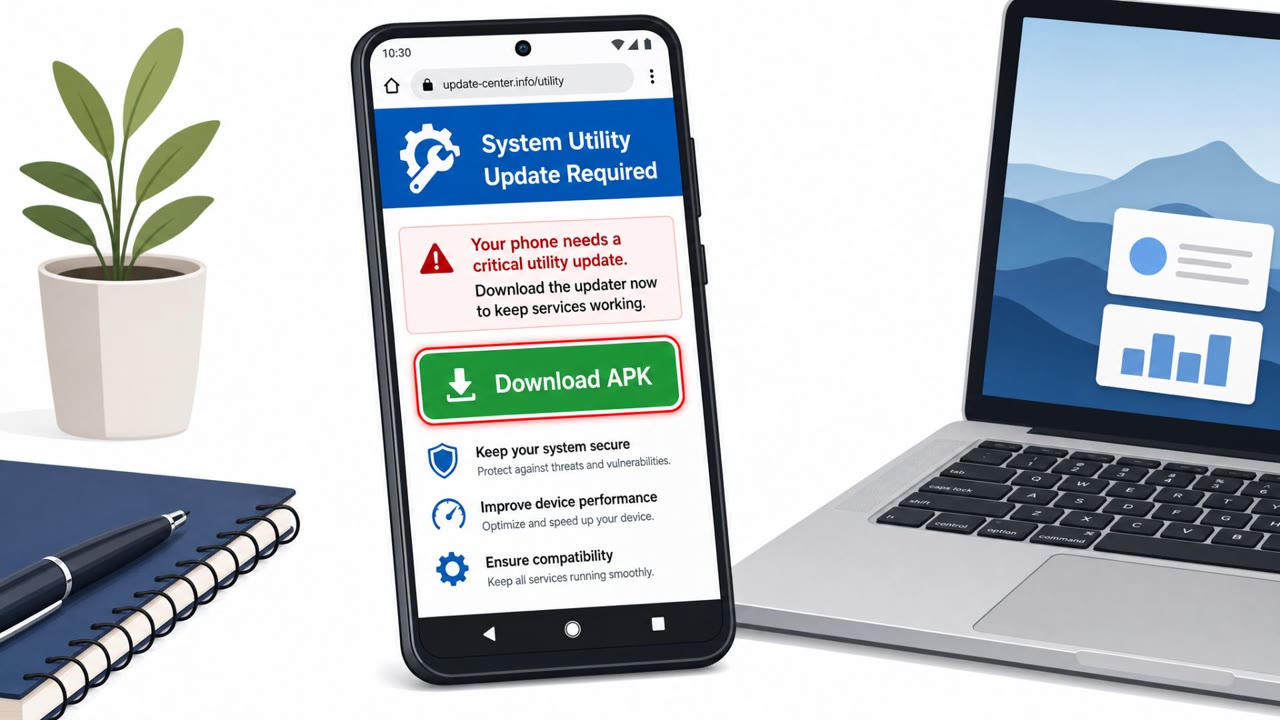
Hirudo begins with dropper apps covering shopping, adult video, or entertainment content that look like ordinary, functional apps. These droppers carry the trojan as a separate installation package and serve it to the user as a fake in-app update. Once a victim accepts the prompt, Hirudo installs as a second app and requests its own permissions, including accessibility service and notification access, before it can act.
A second distribution path relies on fake web pages masquerading as Google Play Store landing pages for shopping, short drama, and football apps. Traffic to these pages is assessed to come largely from ads on Meta-owned social media platforms, meaning victims may never open an official app store at all.
The banking app replacement technique
The most notable escalation documented is Hirudo's ability to detect an installed banking app through accessibility access, check its signing certificate against a stored reference, and then show a fake update prompt. If the user proceeds, the malware opens Android's uninstaller for the genuine banking app without waiting for a tap, while downloading a near-identical, bank-specific replacement in parallel. This lets the attacker swap in a tampered app that bypasses the bank's own security checks, a mechanism researchers describe as requiring the app's removal as a real constraint it works around.
Why it succeeded
- Update prompts are a normal, expected part of mobile app use, so a fake one blends in with legitimate behavior.
- Social media ad placement adds a layer of apparent legitimacy and reach that a cold download link would lack.
- Requiring a second installation and extra permissions mirrors how some legitimate apps behave, making the request feel routine rather than alarming.
- The bank-app replacement step exploits trust in the update process itself rather than trying to defeat the app's security checks directly.
What to watch for
- Any app asking to install an additional package as an "update," rather than updating through the official store.
- Download links reached through social media ads instead of a verified app store.
- A banking app prompting an uninstall step before a reinstall or update.
- Requests for accessibility service or notification access from apps that have no clear need for them.
Building resistance
Organizations and individuals should treat in-app update prompts as suspicious unless the update clearly originates from the official app store, install apps only from verified official sources rather than ad-driven landing pages, and pause immediately if a financial app requests uninstallation before replacement. High-risk permission requests like accessibility and notification access should require explicit IT approval before being granted, especially on devices used for banking or wallet apps.
Key findings
- Hirudo is delivered via “dropper apps” that show real-looking content, then display a fake in-app update prompt to install the malware.
- The trojan can present bogus screens to capture payment PINs and bank/wallet logins, and can take remote control of the device.
- A notable escalation: Hirudo can uninstall a legitimate banking app and install a patched, near-identical replacement to bypass the bank app’s own security checks.
- Distribution includes “fake web pages masquerading as Google Play Store landing pages,” with traffic likely driven by Meta social-media ads.
- ThreatFabric identified replacements for eight Indonesian banking apps; credential targeting spans multiple countries.
Who’s being targeted
- Commonly targeted roles: All employees, Executives, Finance, Anyone using corporate or personal Android devices for banking/wallet apps.
- Affected industries: Banking, Financial services, Fintech / digital wallets, Mobile app ecosystems.
- Attack channels: website, email.
- Impersonated: Google Play Store (lookalike landing page), The app’s built-in updater / system update prompt, User’s banking app update process.
Red flags to watch for
- App is offered from a web page (not the real Play Store app)
- Traffic comes from social media ads rather than an official source
- The page is only ‘masquerading’ as Google Play
- Update is delivered as an extra installation (a ‘second app’)
- User is asked to grant high-risk permissions (Accessibility/Notification access)
- Update prompt appears inside a non-official app rather than via the Play Store
- An “update” unexpectedly opens the uninstaller for the existing banking app
- Replacement app is ‘near-identical’ but not from the official store/vendor
- Update behavior is unusually aggressive/automatic
Frequently asked questions
How does Hirudo get installed on a device?
Hirudo is delivered through dropper apps that look legitimate, then display a fake in-app update prompt that installs the trojan as a second app requiring its own permissions.
What makes Hirudo different from typical banking trojans?
Hirudo can uninstall a user's genuine banking app and install a near-identical patched replacement, bypassing the original app's own security checks.
Where do victims encounter Hirudo?
Victims are often directed via Meta social media ads to fake web pages masquerading as Google Play Store landing pages for shopping, short drama, and football apps.
What permissions should raise a red flag?
Requests for accessibility service and notification access are high-risk and should be treated as a hard stop unless explicitly approved by IT.
Read the video transcript
Imagine this: you tap a shopping app from a Facebook ad… and that "update" it shows quietly replaces your banking app. This is the Hirudo banking trojan. It’s pushed through Meta social-media ads to fake Google Play pages for shopping, short drama, or football apps. You tap install, but instead of Play Store, a web page downloads a lookalike app. Inside that dropper app, a pop-up says, "Update required: install the latest in-app update to continue." It installs a second app, asks for Accessibility and Notification access, then can uninstall your real banking app and install a near-identical, tampered version to grab your PIN and logins. Your move: if any mobile "update" comes from inside an app or a web page instead of the official Play Store app, and especially if it asks for Accessibility or Notification access, stop, don’t tap, and install or update only through the real Play Store.