Zimperium reports ToxicPanda 2.0 is a mobile banking trojan that targets 349 financial apps across 16 countries by impersonating legitimate screens and prompts to trick users into granting permissions. After installation, it uses Android Accessibility and Wireless Debugging to gain deeper control of the phone and steal banking credentials and even the device lock-screen PIN/password.
How the Attack Worked
ToxicPanda 2.0 begins with deception rather than exploitation. The malware pretends to be a legitimate app and shows a fake installation screen that asks the victim to approve VPN permissions to "complete setup." Once granted, it uses that access to block Google Play Protect while quietly installing the real malicious payload hidden inside the app's files.
From there, the malware abuses Android's Accessibility Service to observe everything happening on the screen. It automates enabling Wireless Debugging and unlocking developer options, tapping the build number repeatedly without user involvement, to gain shell-level access and escalate its control over the device.
Why It Succeeded
The scheme works because each step looks like a normal part of using a phone. A fake installer screen resembles a routine permission request. Once the malware watches which app a victim opens, it matches it against a list of 349 targeted financial institutions and either overlays a fake login screen or deploys an invisible layer that captures every touch and PIN entry directly. Because the overlay closely mimics the real banking or crypto app, victims have little reason to suspect anything is wrong.
The malware goes a step further by overlaying a convincing fake version of the phone's own lock screen, allowing it to steal the device PIN, pattern, or password outright. Distribution through Amazon AWS-hosted buckets also complicates straightforward blocking efforts.
What to Watch For
- Apps requesting VPN permissions during installation without a clear business reason
- Unexpected prompts that don't match normal Play Store installation flows
- Login screens in banking or crypto apps that look slightly different than usual
- Repeated login prompts even after a successful sign-in
- Lock screens appearing unexpectedly while actively using the phone
- Settings changes, such as Developer Options or Wireless Debugging being enabled, without user action
How to Build Resistance
Treat unusual permission requests, particularly VPN and Accessibility Service prompts, as a stop-and-verify moment rather than something to approve just to finish an installation. Employees who use mobile banking or crypto apps should be encouraged to exit the app and contact the institution through a known-good method if they see sudden or repeated login prompts. Any unexpected lock screen behavior or unexplained settings changes, like Developer Options or Wireless Debugging being enabled, should be reported immediately since these can indicate a device takeover rather than a simple glitch. Building this habit of pausing before granting permissions is one of the most effective defenses against overlay-based credential theft like this.
Key findings
- Targets expanded to '349 financial institutions across 16 countries' (up from 16 apps previously).
- Initial install uses deception: it 'pretends to be a legitimate app' and shows a 'fake installation screen' to request VPN permissions.
- Uses Accessibility Service to observe the screen and enable 'overlay-based credential theft' against targeted banking/crypto apps.
- Automates enabling Android Wireless Debugging/ADB (including unlocking developer options) to gain 'shell-level access' and escalate privileges.
- Can steal device unlock credentials by overlaying 'a convincing fake version of the phone’s own lock screen'.
- Distribution shifted to 'Amazon AWS-hosted buckets', complicating straightforward blocking.
Who’s being targeted
- Commonly targeted roles: All employees (Android users), Executives, Finance, IT/Helpdesk, Mobile/Endpoint Management (MDM) team.
- Affected industries: Banking/Financial Services, Cryptocurrency/Fintech, Mobile/Consumer devices (Android users).
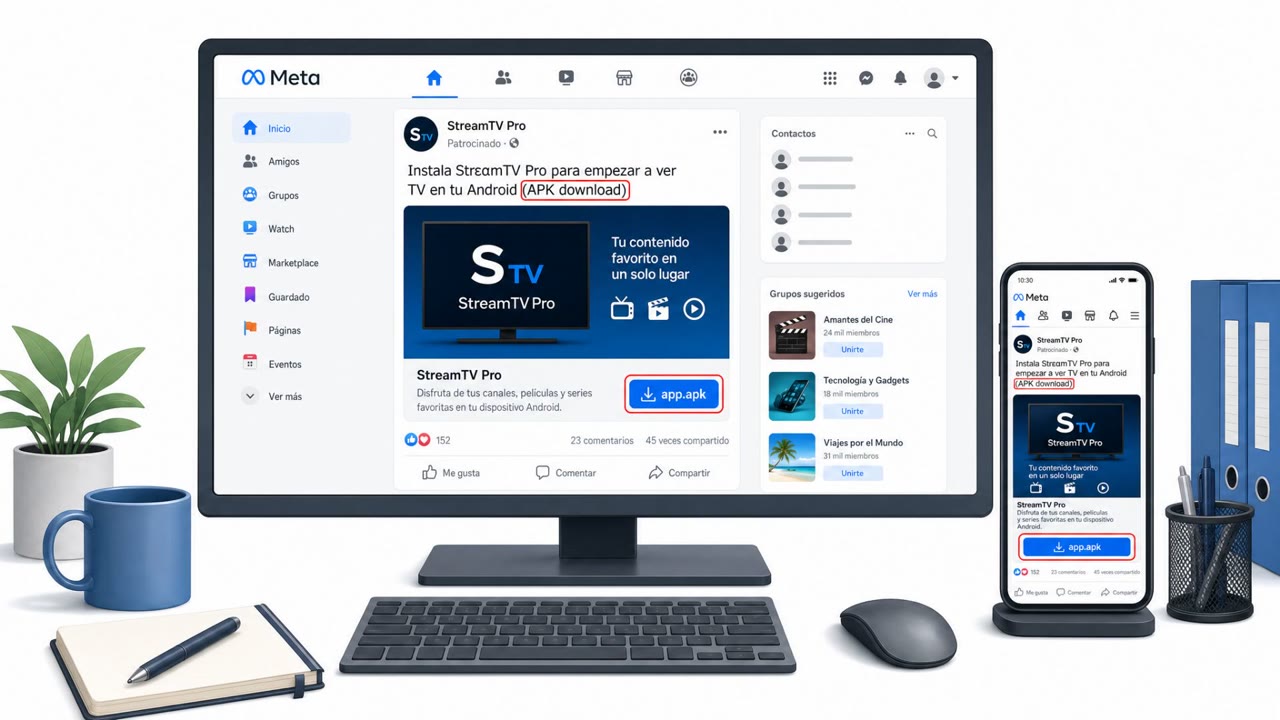
- Attack channels: website.
- Impersonated: Legitimate app installer / Android system installation flow, The victim’s bank/crypto app login screen, Android lock screen.
Red flags to watch for
- App requests VPN permissions without a clear business reason
- Unexpected prompts during installation that don’t match normal Play Store flows
- Any app behavior that appears to disable or interfere with mobile security protections
- Login screen appearance slightly different than usual (fonts/layout)
- Repeated login prompts even after successful sign-in
- App requests Accessibility permissions or behaves like it is “watching”/controlling the screen
- Lock screen appears unexpectedly while actively using the phone
- Unlock prompt repeats or behaves differently than normal
- Phone shows signs of being controlled (settings toggled, developer options enabled) without user action
Frequently asked questions
What is ToxicPanda 2.0?
ToxicPanda 2.0 is an Android banking trojan that targets 349 financial institutions across 16 countries by impersonating legitimate app screens and login prompts to trick users into granting permissions and revealing credentials.
How does ToxicPanda trick users into installing it?
It pretends to be a legitimate app and shows a fake installation screen that asks for VPN permissions, which it later uses to block Google Play Protect while secretly installing the real malware.
Can ToxicPanda steal a phone's lock screen PIN?
Yes, it can overlay a convincing fake version of the phone's own lock screen to capture the device PIN, pattern, or password directly.
What permissions should Android users be cautious about?
Users should treat unexpected requests for VPN permissions or Android Accessibility Service access as red flags, especially when they appear during app installation or normal use.
Read the video transcript
There’s a new mobile threat called ToxicPanda 2.0 that can steal your banking logins and even your phone’s unlock PIN. It starts as a normal-looking app from a website. During install, a fake setup screen suddenly demands VPN permission so it can 'finish', then quietly turns off Google Play Protect and hides the real malware inside. Here’s the nasty part: when you open your banking or crypto app, ToxicPanda uses Android Accessibility to watch the screen and drop a fake login over the real one, or even a fake lock screen, to capture every tap, password, and PIN. Your move: if any app asks for VPN or Accessibility during install and you’re not 100% sure why, stop right there, close it, don’t tap Allow, and report it to IT.