A real, active phishing campaign impersonating Bank of America tricks victims into downloading a fake “Account Guard” that installs ScreenConnect remote access on Windows, while Mac users are redirected to a credential-stealing page asking for banking and identity details. Separately, Microsoft described a macOS “ClickFix” campaign that uses cloaked fake download sites to lure users into copying and running a Terminal command that installs infostealer malware.
How the attack worked
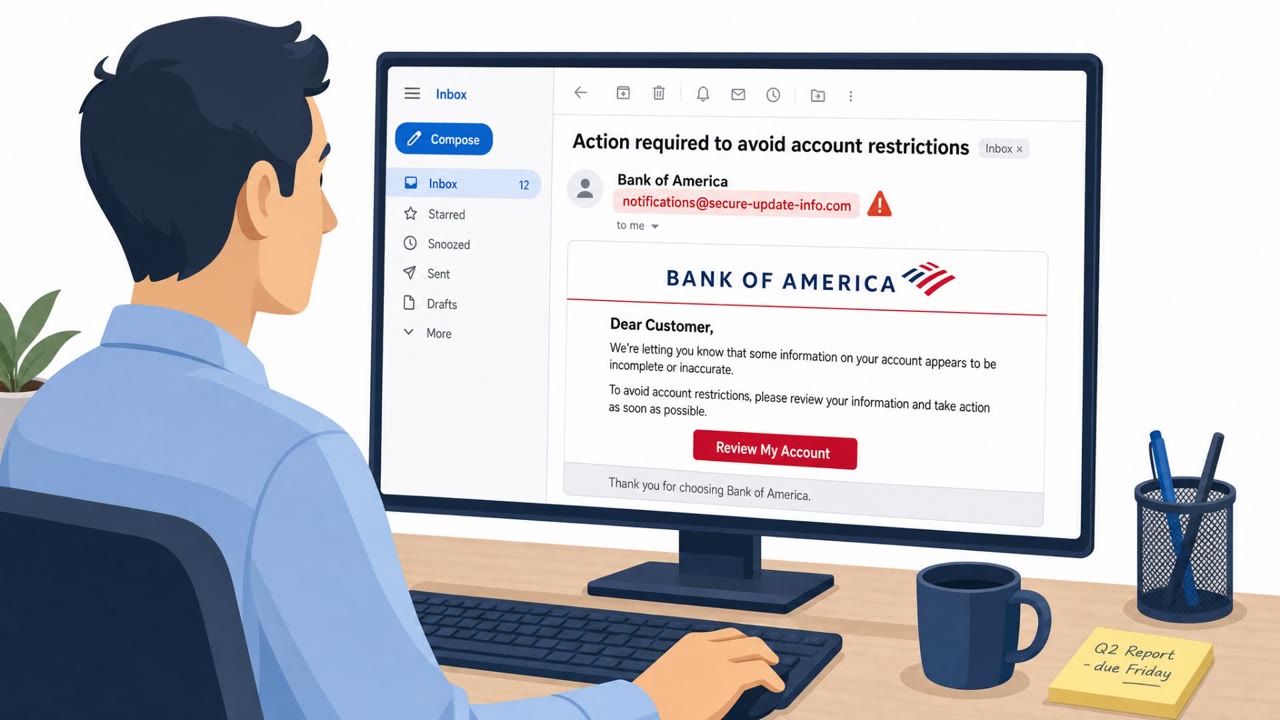
This campaign impersonates Bank of America to push a fake security download called Account Guard. Windows users who download and run it get ScreenConnect remote access software disguised as a Windows Security service. The tool is set up with layered permission changes that block the victim from viewing or uninstalling it through normal tools like services.msc or Get-Service, making cleanup harder for the average user.
Mac users who click the same phishing link are not sent down the remote-access path. Instead they land on a credential-harvesting page that requests their banking login details plus full personal and financial information, including government ID and Social Security numbers. This split by operating system shows the attacker adapting the payload to what will actually work on each platform.
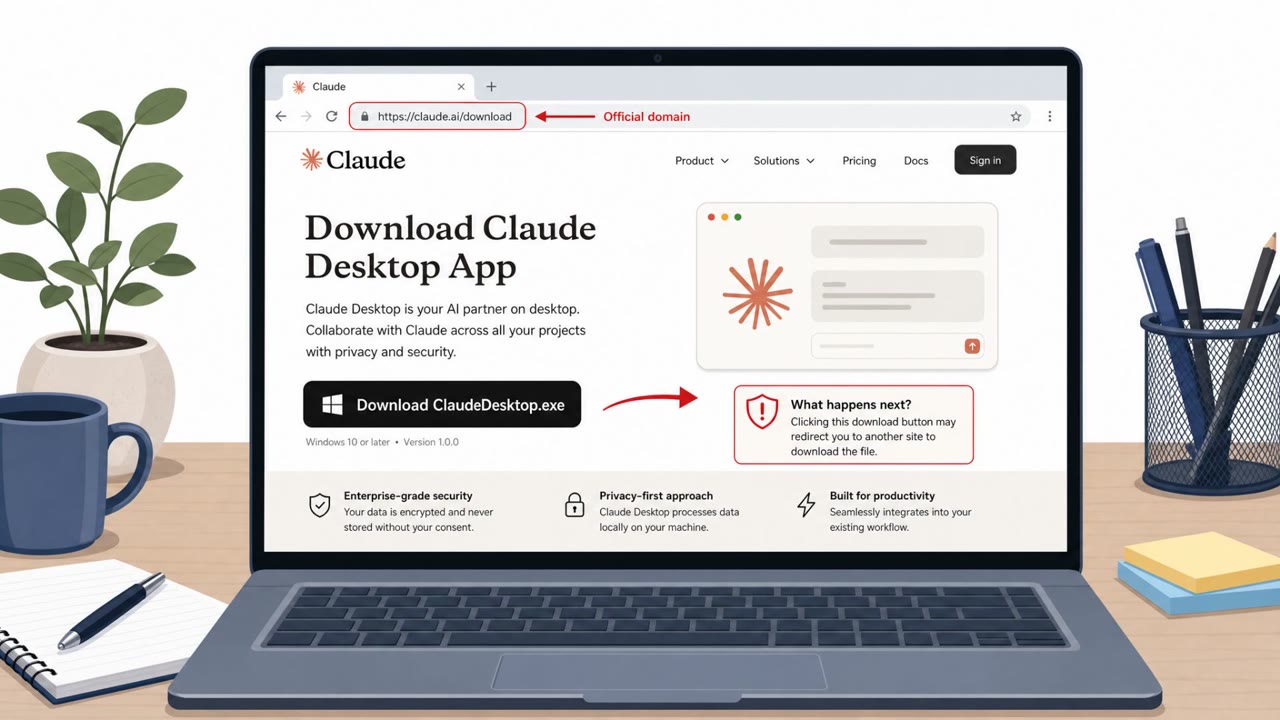
A related but separate campaign, described by Microsoft, targets macOS users through fake software download sites. These sites fingerprint visitors before deciding whether to serve a malicious page, hiding it from crawlers, sandboxes, and non-Mac visitors. Qualifying targets see a convincing fake Download for macOS page complete with a forged verified-publisher badge, then are told to copy and run an obfuscated Terminal command. That command results in infection with MacSync or Atomic Stealer.
Why it succeeded
Brand impersonation of a trusted bank lowers suspicion, and the campaign is assessed as a broad, untargeted blast rather than a spear-phishing operation, meaning it relies on volume rather than precision targeting. The use of a fake verified-publisher badge and legitimate-sounding names like Account Guard and Windows Security adds a layer of visual trust that many users will not question.
What to watch for
- Unexpected security software download prompts arriving by email, especially ones claiming to be from a bank
- Requests for highly sensitive identity data, like SSNs or government ID, tied to a routine account verification
- Web pages that instruct you to open Terminal and paste in a command to finish installing something
- Trust badges or verified-publisher labels on unfamiliar download pages
Building resistance
Teams should verify unexpected security tool requests through official banking channels rather than clicking email links. Sensitive identity data should never be submitted through a form linked from an unsolicited email without independent confirmation. IT and developer staff, who are more comfortable using command-line tools, should be reminded that legitimate software installs rarely require copying and pasting a Terminal command from a website, and that verified-publisher badges can be forged.
Key findings
- An active phishing campaign impersonates Bank of America and pushes victims to a fake “Account Guard” download.
- On Windows, the download installs ScreenConnect remote access, disguised as a “Windows Security” service, and is made difficult to remove via normal tools.
- On macOS, victims are redirected to a credential-harvesting page requesting banking logins plus personal/financial information including government ID and Social Security numbers.
- Microsoft described a macOS ClickFix campaign using many rotating “download” domains that fingerprint visitors and show a fake “Download for macOS” page with a forged verified-publisher badge.
- ClickFix victims are instructed to copy/run an obfuscated Terminal command, resulting in infostealer infections (MacSync or Atomic Stealer/AMOS).
Who’s being targeted
- Commonly targeted roles: All employees, Finance, Executives, IT, Developers, Customer support.
- Affected industries: Finance and banking, Consumers/retail banking customers, Technology (macOS endpoints), General business users (Windows endpoints).
- Attack channels: email, website.
- Impersonated: Bank of America, Software download site / verified publisher.
Red flags to watch for
- Unexpected security software download pushed via email
- Brand impersonation (bank look-and-feel, but nonstandard install flow)
- Pressure to install a tool that enables remote access
- Sensitive identity requests that go beyond normal login (ID/SSN)
- Email drives to a web form for highly sensitive data
- Mismatch between device type and what the page requests (different flows for Mac/Windows)
- Website instructs running Terminal commands to install software
- “Verified”/trust badges that may be forged
- Download pages that appear only after device ‘checks’ (fingerprinting)
Frequently asked questions
What is the fake Account Guard phishing campaign?
It is an active phishing campaign impersonating Bank of America that pushes Windows users toward a fake Account Guard download which actually installs the ScreenConnect remote access tool disguised as a Windows Security service.
What happens to Mac users who click the same phishing link?
Mac users are instead directed to a credential-harvesting page requesting banking login details along with full personal and financial information, including government ID and Social Security numbers.
What is the separate ClickFix campaign mentioned alongside this?
Microsoft described a macOS ClickFix campaign that uses rotating fake download domains and a forged verified-publisher badge to trick users into copying and running a Terminal command that installs infostealer malware.
Why is running a Terminal command from a website risky?
Victims who copy and run the obfuscated Terminal command are ultimately infected with MacSync or Atomic Stealer, so any site asking users to paste commands into Terminal should be treated as suspicious.
Read the video transcript
You get an email: “Your Bank of America account needs ‘Account Guard’ protection, download now.” Looks urgent, looks legit. Click it on Windows, and that “Account Guard” quietly installs ScreenConnect remote access, disguised as a Windows Security service that barely shows up and is hard to remove. On macOS, the same email can send you to a fake Bank of America page asking for your banking login, government ID, and Social Security number, or a “Download for macOS” page with a forged verified-publisher badge telling you to copy a weird Terminal command. If any “bank” email tells you to install protection software or run a Terminal command, stop, go to the bank’s website or app yourself and check from there.