
CrashStealer Tricks Users to Bypass macOS Gatekeeper
Researchers found a macOS info‑stealing malware, CrashStealer, delivered through a signed and Apple‑notarized installer so it looks legitimate and passes…
July 13, 2026
Researchers found a real macOS infostealer campaign that tricks users into running a signed, Apple-notarized app (“Werkbit Setup”) that passes Gatekeeper and then quietly installs a credential-stealing payload. The malware impersonates Apple’s Crash Reporter, prompts users for their Mac password and broad permissions, steals browser and wallet data, then encrypts what it steals before sending it to attacker servers.
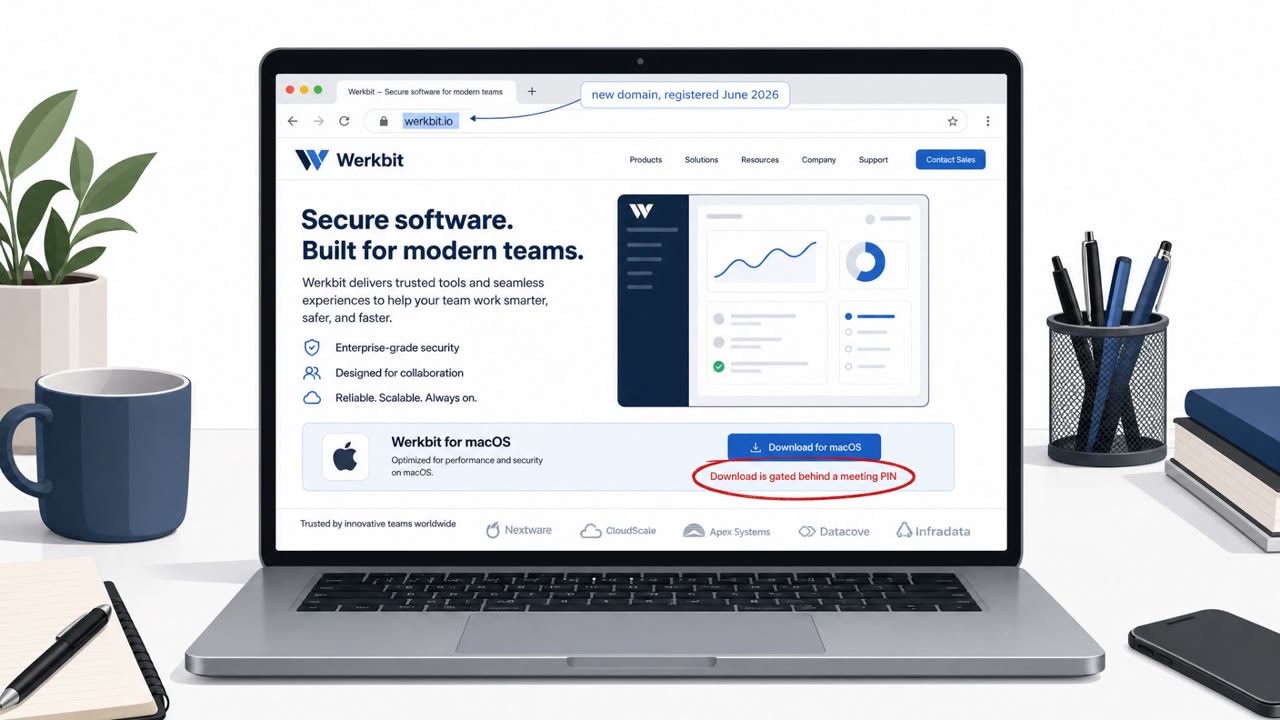
CrashStealer begins with a disk image called "Werkbit Setup" that contains a single signed and Apple-notarized application, Werkbit.app. Because the app carries a valid Developer ID and a stapled notarization ticket, it clears Gatekeeper on first launch without triggering any macOS warning. Access to the installer is gated behind a meeting PIN, which keeps casual visitors from stumbling onto it and limits early detection.
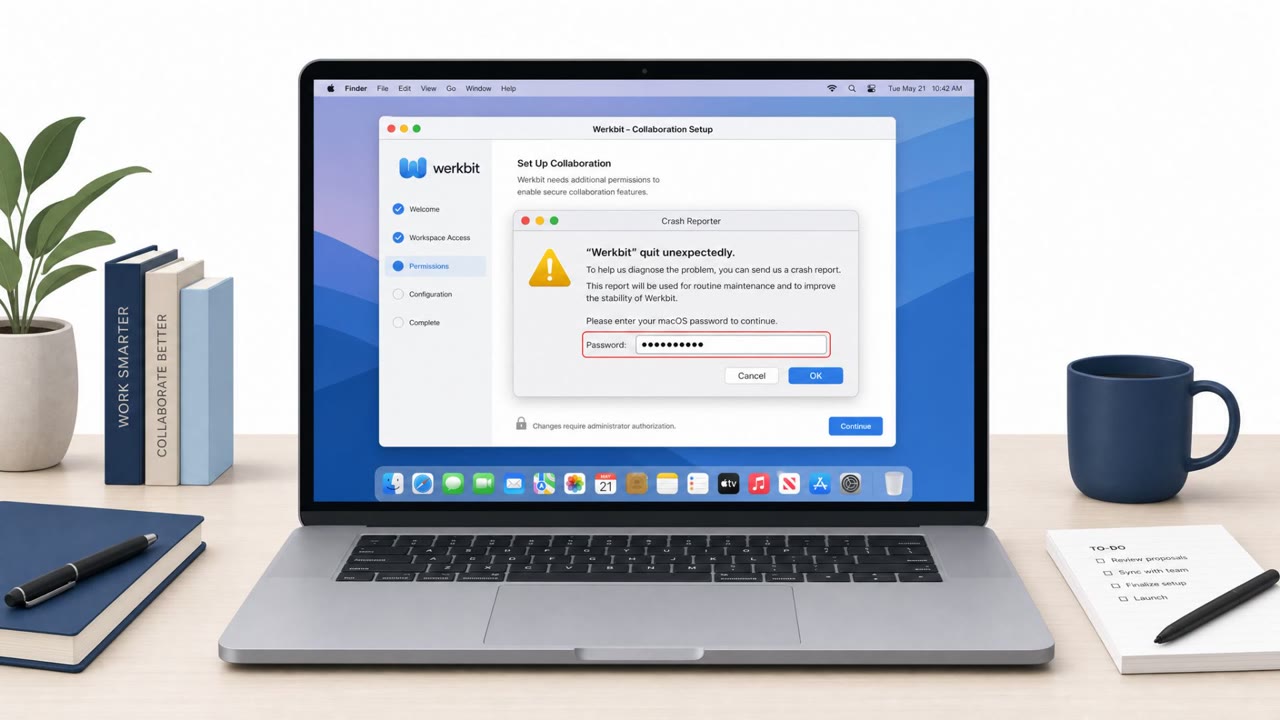
Once run, the dropper pulls a command from GitHub API content, which triggers a Base64-delivered shell script. That script downloads a payload DMG over plain HTTP, mounts it without any verification, and runs the app from a hidden temporary directory. The payload impersonates Apple's built-in Crash Reporter, using the bundle identifier com.apple.crashreporter and a matching icon to appear legitimate.
The use of a genuinely signed and notarized dropper is what separates this campaign from a typical unsigned lure. Users and even security-conscious staff are trained to trust Gatekeeper's clearance as a signal of safety, but that signal does not confirm the app's behavior after launch. The fake Crash Reporter then leans on a familiar macOS interface, the native password prompt, to make credential capture feel routine rather than suspicious.
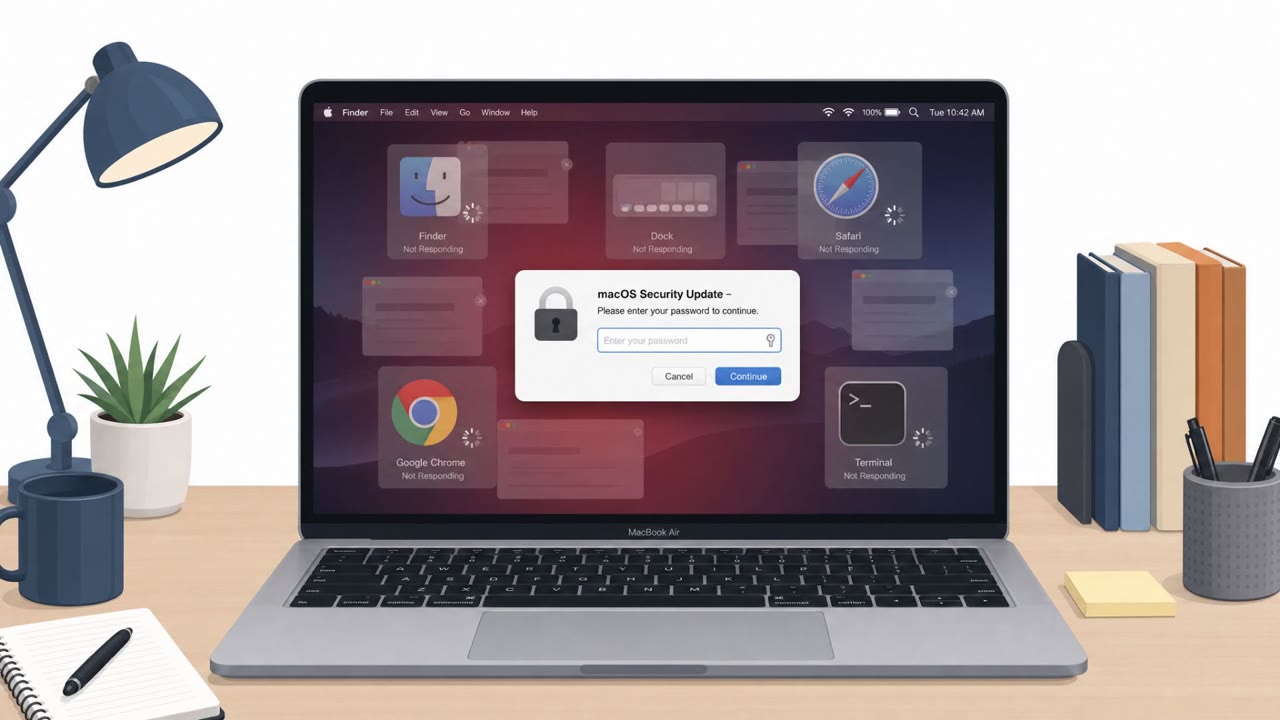
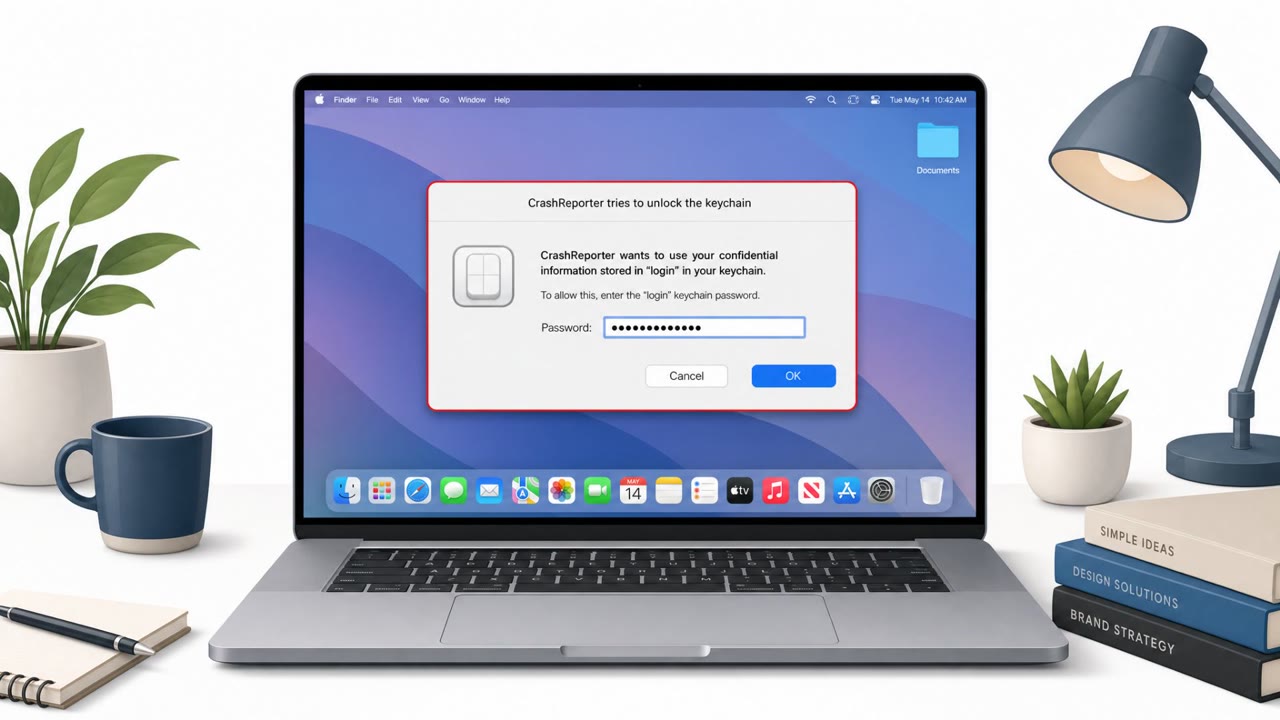
The malware also loops the password prompt until the correct password is entered, and it immediately reuses that password to unlock the login keychain. Broad permission requests, framed as needed "for system administration," extend access to Desktop, Documents, Downloads, and removable volumes.
Organizations should reinforce that Gatekeeper clearance and Apple notarization do not guarantee an app is safe, since a signed and notarized dropper was central to this campaign. Staff should be encouraged to verify any unexpected installer request, particularly ones tied to a meeting invitation or PIN, through IT or security before running it. Most importantly, employees should treat any unexpected macOS password prompt from a newly installed app as a signal to stop and confirm with IT rather than complete it, and should question permission requests that go far beyond what the app claims to do.
Mirage safely runs attacks like this one against your own team, so you find out what happens before a real adversary does.
The initial dropper, Werkbit.app, is signed with a valid Apple Developer ID and carries a stapled notarization ticket, so it clears Gatekeeper on first launch without any warning to the user.
It targets major browsers, Firefox stores, many crypto wallet extensions, and popular password managers, and also searches Documents and Downloads folders for sensitive files.
It impersonates Apple's built-in Crash Reporter and shows a native macOS password prompt, looping until the correct password is entered so it can reuse that password to unlock the login keychain.
Red flags include an installer download gated behind a meeting PIN, a newly registered distribution domain, and a supposed crash reporter requesting Full Disk Access plus Desktop, Documents, and Downloads permissions.
You’re sent a link to “Werkbit Setup” for a meeting, with a PIN to unlock the download. Looks legit, even passes Gatekeeper. Behind that installer, CrashStealer quietly pulls a second DMG, runs an app pretending to be Apple Crash Reporter, and starts hunting for browser logins, crypto wallets, and password managers. Here’s the tell: right after you run Werkbit.app, a “CrashReporter requires Full Disk Access for system administration” window appears, plus a native Mac password prompt that keeps retrying until you type the right password. If any new app pops up as “CrashReporter” and wants your Mac password or Full Disk Access, stop and call IT, do not type your password.
Researchers found a macOS info‑stealing malware, CrashStealer, delivered through a signed and Apple‑notarized installer so it looks legitimate and passes…

Kaspersky reports an active OkoBot malware campaign targeting Windows users who manage cryptocurrency. Victims are lured via “ClickFix” fake-error pages that…
Researchers observed a real macOS information-stealing campaign that tricks victims into pasting a command into Terminal from a “ClickFix” web page. After…
Researchers found a macOS infostealer that disguises itself as a legitimate collaboration app and then impersonates Apple’s crash-reporting tools. After the…

Kaspersky reports an active malware campaign (“OkoBot”) that tricks people into running malicious scripts via a ClickFix-style prompt or by downloading a fake…
Researchers warn about a new macOS infostealer called “CrashStealer” that pretends to be Apple’s Crash Reporter. It uses a legitimate-looking installer and a…