A group of young scammers stole more than $240 million in bitcoin by calling a wealthy crypto investor and impersonating trusted companies. The callers claimed the victim’s accounts and wallet were under attack, then tricked him into granting access and sharing security codes that enabled the theft. The case highlights how convincing phone-based “account security” stories can bypass technical safeguards when people are pressured to act fast.
How the Attack Worked
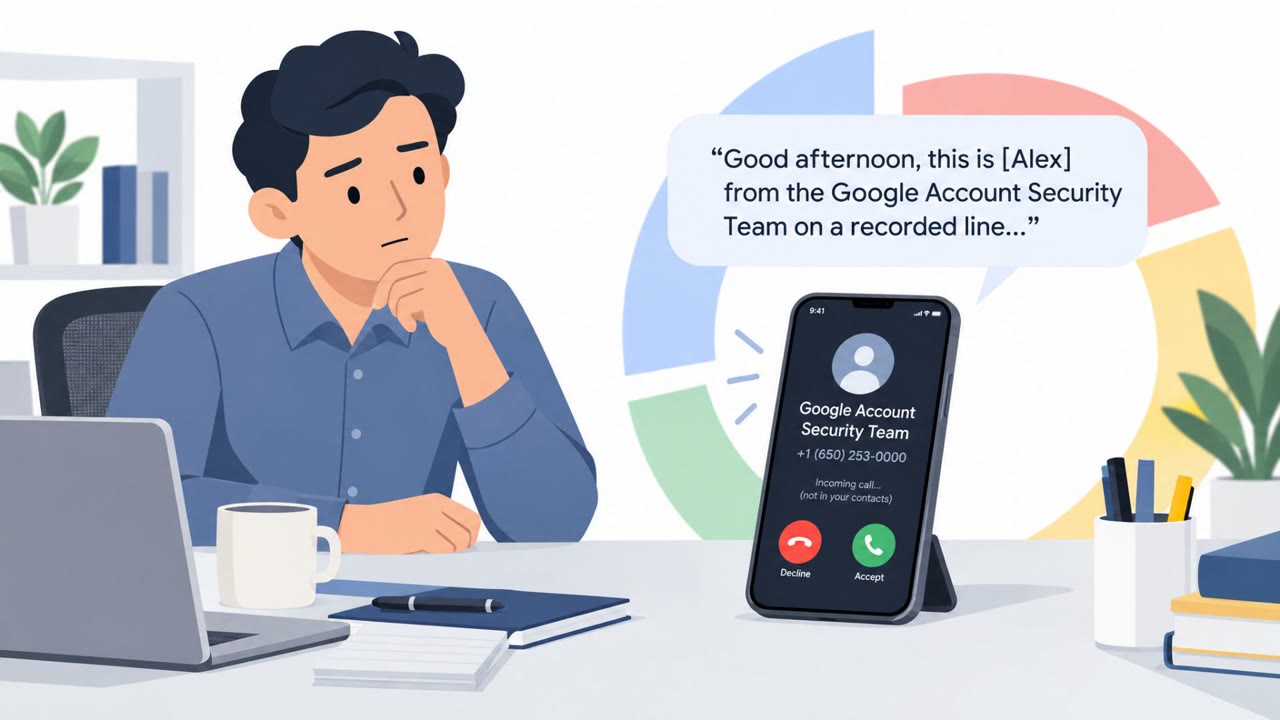
The scheme began with a phone call. A man was contacted at home by someone claiming to be a Google representative, warning him of attempts to breach his account. Shortly after, a second caller claimed to be from the Gemini crypto exchange and warned of a malware attack affecting his crypto wallet. This two-call structure built layered credibility, with each impersonated organization reinforcing the other's urgent warning.
Under this pressure, the victim was manipulated into granting access to his Google Drive and revealing security codes. Those codes and that access allowed the attackers to siphon off more than 4,100 bitcoin, valued at over $240 million. The stolen funds were then laundered through multiple exchanges and converted to cash.
Why It Succeeded
The attack combined several classic social engineering elements:
- Multiple impersonated entities (Google and Gemini) created a sense of coordinated, legitimate concern
- A false narrative of an active breach and malware attack manufactured urgency
- The victim was a wealthy, longtime crypto investor, meaning the attackers had likely done research to justify the specific pretext used
- The request to grant Drive access and share security codes was framed as part of "securing" the account, not as a suspicious ask
This reflects techniques like phishing for information (T1598) and using victim contact information to build trust and pressure (T1656).
What to Watch For
- Unsolicited calls claiming an account breach or malware infection, especially referencing cryptocurrency holdings
- Requests to share one-time passcodes or security codes over the phone
- Requests to grant access to cloud storage or accounts as part of an "investigation" or "remediation" process
- Multiple callers referencing different companies in the same incident, which can be used to reinforce a false sense of legitimacy
How to Build Resistance
Organizations and individuals, particularly executives, finance and treasury staff, and anyone holding cryptocurrency, should treat unsolicited account security calls with skepticism. Rather than acting on the caller's instructions, hang up and independently contact the company through an official number found on its website or app. No legitimate support representative should ever ask for a one-time passcode or security code over the phone, and requests to grant access to files or drives during an unsolicited call should be treated as a red flag rather than a routine security step. High-net-worth individuals and known crypto holders should be aware they can be specifically targeted with tailored, multi-person impersonation schemes designed to feel credible and urgent.
Key findings
- Attackers used phone calls to impersonate a Google representative and a Gemini crypto exchange employee to create urgency and credibility.
- They convinced the victim to provide access to Google Drive and to reveal security codes, enabling the theft of over 4,100 bitcoin (over $240M).
- The operation targeted a specific person described as a wealthy, longtime crypto investor (high-value targeting).
- The scheme involved laundering stolen cryptocurrency through multiple exchanges and converting it to cash.
- Prosecutors describe this as part of a broader pattern: the group had committed other multimillion-dollar thefts since late 2023 using a similar playbook.
Who’s being targeted
- Commonly targeted roles: Executives, Finance/Treasury, Customer support teams handling account security escalations, Employees who use Google Workspace/Google Drive, Employees and clients who hold or manage cryptocurrency.
- Affected industries: Cryptocurrency exchanges, Financial services / investing, High-net-worth individuals (personal finance).
- Attack channels: vishing.
- Impersonated: Google support and Gemini crypto exchange support.
Red flags to watch for
- Unsolicited call claiming an urgent account breach/malware incident
- Request to share security codes/one-time passcodes
- Pressure to grant access to cloud storage (Google Drive) during the call
Frequently asked questions
How did the attackers steal the bitcoin?
Scammers called the victim posing as a Google representative and later a Gemini crypto exchange employee, warning of a breach and malware, then convinced him to grant access to his Google Drive and share security codes that enabled the theft of over 4,100 bitcoin.
Why was this particular victim targeted?
Prosecutors said the group targeted the man because he was a wealthy, longtime crypto investor, making him a high-value target for a tailored impersonation scheme.
What should someone do if they get a call claiming their account was breached?
Hang up and contact the company directly using an official number from its website or app, and never share security codes or one-time passcodes with a caller.
Was this an isolated incident?
No, prosecutors describe it as part of a broader pattern, with the group linked to other multimillion-dollar thefts using a similar playbook since late 2023.
Read the video transcript
A crypto investor lost over two hundred forty million dollars… from a phone call that sounded like Google and Gemini support. First call: someone says, 'I’m from Google, we see attempts to breach your account.' Then a second caller claims to be Gemini, warning of malware in your crypto wallet and asking for Google Drive access and security codes. Here’s the trick: they sound helpful, talk about protecting your account, but they’re really after one thing, your one-time codes and file access. That’s how they drained over four thousand one hundred bitcoin. Your move: if anyone calls about an urgent Google, Gemini, or account breach, hang up and call back using the official number from the website or app, never read them security codes.