A real “fake recruiter” phishing campaign (tracked as RecruitTrap) is targeting employees’ corporate credentials, especially on mobile devices. The scam uses lookalike recruitment domains and full-screen fake login pages that hide browser cues, and it rejects personal email addresses to focus on enterprise accounts that can unlock company apps and data.
How the Attack Worked
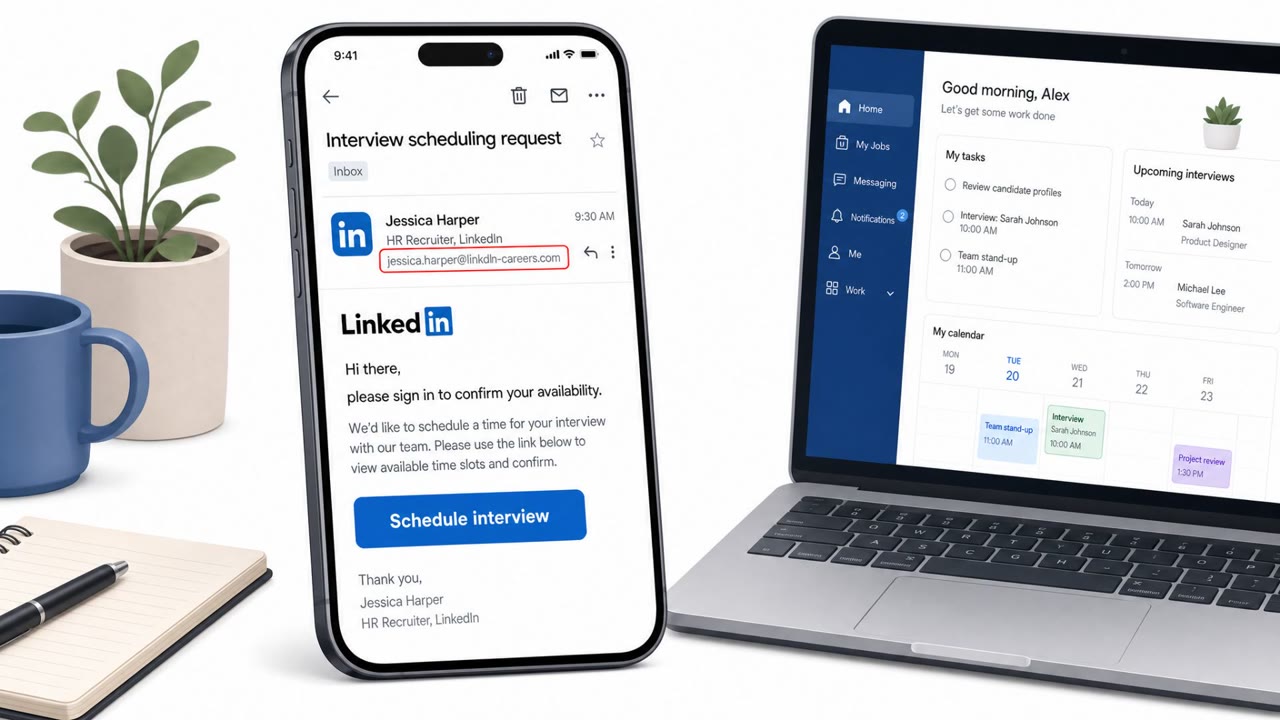
RecruitTrap is a real-world phishing campaign that impersonates recruiters and employers, including recognizable brand names, through lookalike recruitment and careers domains. Victims are lured with a job application or recruiting portal pretext and asked to sign in to view or continue their application. On mobile devices, the phishing flow presents a full-screen counterfeit login page that removes browser elements such as the address bar, stripping away one of the easiest ways users normally spot a fake site. On desktop, some victims instead encounter a simulated browser-in-the-browser login window designed to look like a legitimate pop-up.
Why It Succeeded
The campaign built in a pre-qualification step that rejected personal email domains and required a corporate email address. This filtering focused the attack on accounts that could unlock enterprise resources rather than wasting effort on personal inboxes. Because the scam is wrapped in a familiar job-seeking context and hosted on domains using names associated with careers and global recruitment, it can feel routine to someone actively applying for roles, especially when browsing on a phone where visual cues are already limited.
What to Watch For
- A recruiter or job portal link that leads to a full-screen login page with no visible address bar, particularly on mobile
- A login prompt that appears to pop up inside the page itself, resembling a browser window (browser-in-the-browser)
- A job application page that refuses a personal email address and insists on a corporate email
- A recruitment or careers domain that does not match the actual employer's known domain
- An unexpected request to re-authenticate before viewing job details
Why It Matters
Stolen corporate credentials from this kind of scam could expose OAuth tokens and give attackers a path into internal communications and cloud applications. The campaign's infrastructure has also proven persistent across mainstream hosting and domain parking providers, which can delay how quickly new lookalike domains get added to blocklists, leaving a window where the fake sites remain live and unflagged.
How to Build Resistance
- Treat any recruiter or job-portal login link as high-risk and verify the legitimate company domain before entering credentials, especially on mobile
- Be suspicious of any "application" page that pushes you toward a corporate email instead of a personal one
- Report suspected credential entry on a suspicious recruiting site immediately so access can be reviewed
- Do not rely solely on blocklists, since newly registered lookalike domains can operate before they are flagged
- Encourage mobile-first workers, HR and recruiting staff, and executives to pause and confirm site legitimacy before signing in from a phone
Key findings
- Recruitment-themed phishing domains impersonated employers/recruiters and major brands to steal corporate logins.
- On mobile, the phishing flow uses a full-screen counterfeit login page that removes browser elements like the address bar.
- The phishing kit performs “pre-qualification” by rejecting personal email domains and requiring corporate credentials.
- Stolen corporate access could expose OAuth tokens and enable access to internal communications and cloud applications.
- Infrastructure was persistent across mainstream hosting/parking providers, which can delay blocklisting of newly registered lookalike domains.
Who’s being targeted
- Commonly targeted roles: All employees, HR and Recruiting, Finance, Executives, Mobile-first workers.
- Affected industries: Technology, Aerospace and defense, Professional services/consulting, Airlines/transportation, Consumer goods and beverages, Retail/luxury goods.
- Attack channels: website.
- Impersonated: Recruiter/employer brand (impersonating major companies).
Red flags to watch for
- Full-screen login page hides browser address bar and other browser elements
- Site rejects personal email addresses and pushes users to enter a work email
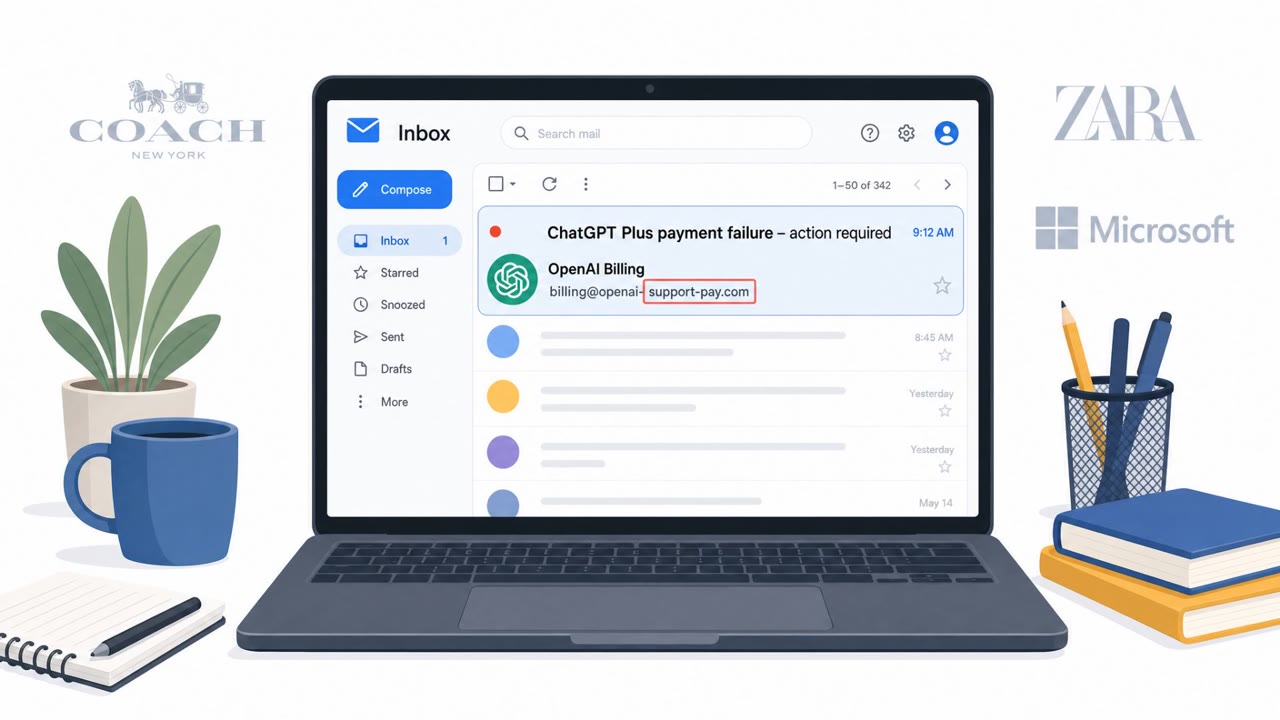
- Lookalike recruitment/careers domain impersonating a well-known brand
- Browser-in-the-browser style login prompt that looks like a pop-up inside the page
- Recruitment/careers domain does not match the legitimate company domain
- Unexpected request to re-authenticate to proceed
Frequently asked questions
What is the RecruitTrap phishing campaign?
RecruitTrap is a fake recruiter phishing campaign that impersonates employers and recruiters through lookalike careers and recruitment domains, aiming to steal corporate login credentials rather than personal ones.
Why does RecruitTrap target mobile devices?
On mobile, the phishing flow presents a full-screen counterfeit login page that removes browser elements like the address bar, making it harder for victims to spot signs of a fake site.
How does the phishing kit filter out personal accounts?
The kit performs a pre-qualification step that rejects personal email domains and requires a corporate email address, since enterprise credentials can unlock company apps and data.
What can attackers do with stolen corporate credentials from this scam?
Stolen corporate access could expose OAuth tokens and let attackers reach internal communications and cloud applications tied to the compromised account.
Read the video transcript
You get a recruiter link on your phone: "Please sign in to continue your application and complete pre-qualification." Looks legit, right? This is RecruitTrap: a fake recruiter site on a lookalike careers domain. On mobile it opens a full-screen counterfeit login, hiding the browser address bar so you can’t see where you really are. Here’s the trick: the page rejects Gmail or Outlook and only accepts your corporate email and password. Those stolen work logins can unlock OAuth tokens, internal chats, and cloud apps, way beyond this one fake job. If a job link on mobile asks for your work login, stop. Don’t sign in there, close it, go to the real company site yourself, and if you already entered credentials, report it to security immediately.