Fake Title IX Claims Push Zoho Assist RAT

Cofense · Medium sophistication
Last updated September 10, 2026

A real phishing campaign is using fabricated sexual misconduct (Title IX-style) allegations to pressure university staff into clicking a link and installing Zoho Assist, a legitimate remote-access tool being abused as malware. The emails impersonate university leaders and route victims through a Google Drive link to hide the final download. The goal is remote control of the victim’s computer, potentially leading to data theft and broader compromise.

Key findings

  • Attackers impersonate university presidents/deans and send emails alleging a sexual misconduct violation to trigger urgency and fear.
  • The campaign uses a Google Drive link as an intermediate step to help evade email security controls before delivering the final payload.
  • The payload is an abused but legitimate remote-access tool (Zoho Assist) that can give attackers full interactive access to the victim’s computer.
  • Targets appear heavily concentrated in healthcare-affiliated universities (medical colleges/teaching hospitals), raising critical-infrastructure and compliance concerns.
  • Emails are designed to look official by spoofing letterhead, signature blocks, and even the university domain.

Who’s being targeted

  • Commonly targeted roles: Higher education administration, Medical school/teaching hospital staff, Title IX / Student Affairs, HR, Legal/Compliance, All staff who handle external university partnerships.
  • Affected industries: Higher Education, Universities and Colleges, Healthcare, Teaching Hospitals/Medical Colleges, Public Health.
  • Attack channels: email, website.
  • Impersonated: Partner university president/dean (university leadership).

Awareness takeaways

  • Treat emotionally charged or high-stakes allegations (e.g., misconduct claims) as a common manipulation tactic, pause and verify through a trusted channel before clicking anything.
  • Be suspicious when an email says a ‘document’ requires installing new software; stop and confirm with IT/security before installing any tool.
  • Watch for multi-hop link chains (email link → Google Drive → second link → download). These are often used to evade security filters.
  • Verify cross-organization requests through legal/compliance using known contact information, especially when the email appears to come from a partner institution’s leadership.

Red flags to watch for

  • External message impersonates senior leadership and leverages an emotionally charged allegation to rush action
  • Link goes to Google Drive first, then to a second download location (multi-hop link chain)
  • Message instructs the user to install a program (Zoho Assist) rather than view a document
Try Mirage

Mirage safely runs attacks like this one against your own team, so you find out what happens before a real adversary does.

Get a demo
Read the video transcript

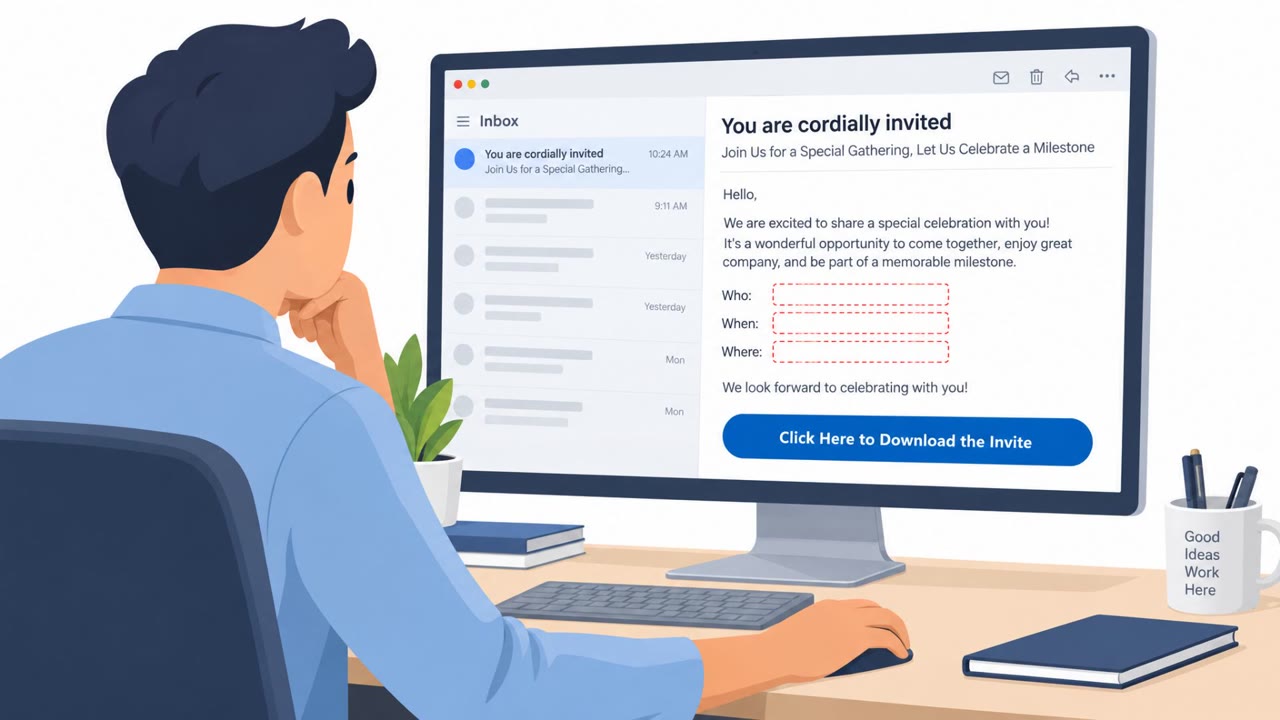
You get an email: “Notification: sexual misconduct concern involving a university student or staff member,” supposedly from a university president. It tells you to click a link, then open a Google Drive file, then click a second link to install something called Zoho Assist to view the “case.” That’s not a process, that’s a trap. Here’s the aha: the misconduct case is fake. The goal is to get Zoho Assist onto your machine so someone else can quietly take remote control of your computer and everything on it. If an email about misconduct tells you to install software or go through a Google Drive link chain, stop. Don’t click, call IT or legal using a known number and have them confirm it.

Similar attacks

Spy Groups Phish Victims Into Chrome Exploit Kit

Spy Groups Phish Victims Into Chrome Exploit Kit

Researchers reported four separate espionage groups using the same “BlueMoon” exploit kit within days, targeting organizations in the US and Southeast Asia. The attacks began with phishing emails that lured recipients to attacker-controlled websites, where Chrome and Windows vulnerabilities were…

September 10, 2026
Fake Install Guides and Helpdesk Calls Drive Attacks

Fake Install Guides and Helpdesk Calls Drive Attacks

This bulletin describes multiple real-world social engineering campaigns where attackers trick people into trusting a familiar screen, like a search result “install guide,” a recruiter outreach, or a helpdesk phone call. The lures push victims to paste commands, install fake software, or reset MFA,…

July 30, 2026
Fake ChatGPT “Custom GPT” Pushes RAT via CAPTCHA

Fake ChatGPT “Custom GPT” Pushes RAT via CAPTCHA

Criminals used sponsored Google search results to promote a malicious ChatGPT “Custom GPT” called “Plus 5.6.” Victims were led to a fake Cloudflare CAPTCHA page that ultimately tricked them into downloading and running a remote access trojan (RAT). This is a realistic web-based lure that can be…

October 4, 2026
Fake ChatGPT ‘Outage’ Lures Users Into Malware

Fake ChatGPT ‘Outage’ Lures Users Into Malware

Attackers are using sponsored Google ads to route people to a malicious “custom GPT” that looks like ChatGPT, even while the user is logged in on the real ChatGPT domain. The fake GPT displays a convincing “service availability” message and pushes a link to a “backup domain” that ultimately…

October 2, 2026
Fake “ChatGPT” GPT Uses ClickFix to Drop RAT

Fake “ChatGPT” GPT Uses ClickFix to Drop RAT

Researchers found a real malware campaign where attackers abused ChatGPT “CustomGPTs” and Google sponsored search results to funnel victims to a fake ChatGPT experience. Victims are shown a fake “Service Availability Notice” and pushed to a “backup domain” that looks like a Cloudflare CAPTCHA,…

September 30, 2026
Fake Custom GPT Pushes ‘CAPTCHA’ RAT Install

Fake Custom GPT Pushes ‘CAPTCHA’ RAT Install

Attackers used sponsored Google search ads to lure people to a malicious ChatGPT Custom GPT (“Plus 5.6”) hosted on the real chatgpt.com site. The Custom GPT redirected victims to a fake Cloudflare CAPTCHA page that instructed them to copy/paste a command into a terminal, leading to installation of…

September 29, 2026