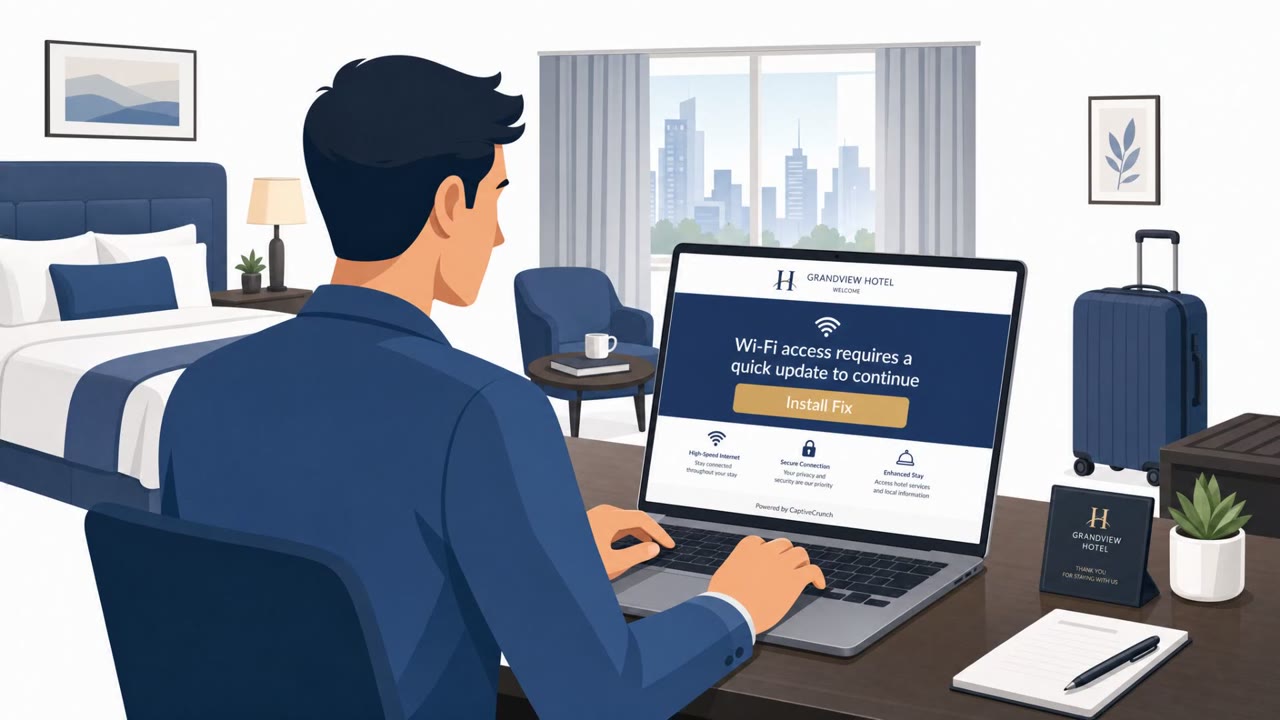
A Russia-linked threat group compromised hotel WiFi captive portals to redirect guests to fake “verification” pages. Victims were pushed toward either copying commands into a terminal to install malware or entering Microsoft credentials on spoofed login pages that added an attacker-controlled device to their account.
Key findings
- Attackers compromised hotel WiFi captive portals/gateways and hijacked DNS to redirect users to fake verification pages.
- One path used “click-to-fix” style prompts that tricked users into copying/pasting terminal commands that install malware.
- Another path used Microsoft-lookalike login pages to capture sign-ins and then prompt victims to paste an authentication URL that adds a new device to the Microsoft account.
- The campaign relied on users ignoring browser security warnings like invalid SSL certificate alerts.
Who’s being targeted
- Commonly targeted roles: All employees who travel, Executives, Sales, Consultants, IT helpdesk (for traveler guidance).
- Affected industries: Hotels / hospitality, Business travelers (cross-industry corporate users), Consumer/home users.
- Attack channels: website.
- Impersonated: Hotel WiFi captive portal / network verification page, Microsoft (spoofed sign-in page).
Awareness takeaways
- Treat public WiFi “verification” steps as suspicious, never run terminal commands to get online.
- Don’t enter Microsoft 365 credentials into a WiFi portal page; verify the domain and use known sign-in paths.
- Heed browser security warnings (like invalid SSL certificates) instead of clicking through.
- For corporate travelers, reduce exposure on public WiFi by using an always-on corporate VPN with company-controlled DNS.
Red flags to watch for
- WiFi portal asks you to run terminal/shell commands to get internet access
- Browser warns about an invalid SSL certificate
- Verification step is unrelated to normal hotel WiFi login (room/name/payment)
- A public WiFi portal demands Microsoft 365 login to get internet access
- Login page is hosted on a lookalike/copycat domain
- After signing in, you’re asked to copy/paste a URL to “authenticate” a device
Read the video transcript
You’re in a hotel, you join the WiFi… and the portal suddenly wants you to “run a command” to get online. This is a hijacked hotel WiFi portal. One path is a fake “click‑to‑fix” page telling you to paste that string into Terminal or PowerShell, behind the scenes, it installs malware. Another path: you’re redirected to a Microsoft‑lookalike login page saying you must sign in to use the Internet. It’s on a copycat domain, and after you sign in, it tells you to paste an “authentication URL” that secretly adds a new device to your Microsoft account. Here’s the move: on any hotel or public WiFi, if the portal ever tells you to run Terminal or PowerShell commands, or to sign in with Microsoft to get online, stop and call IT before you do anything.