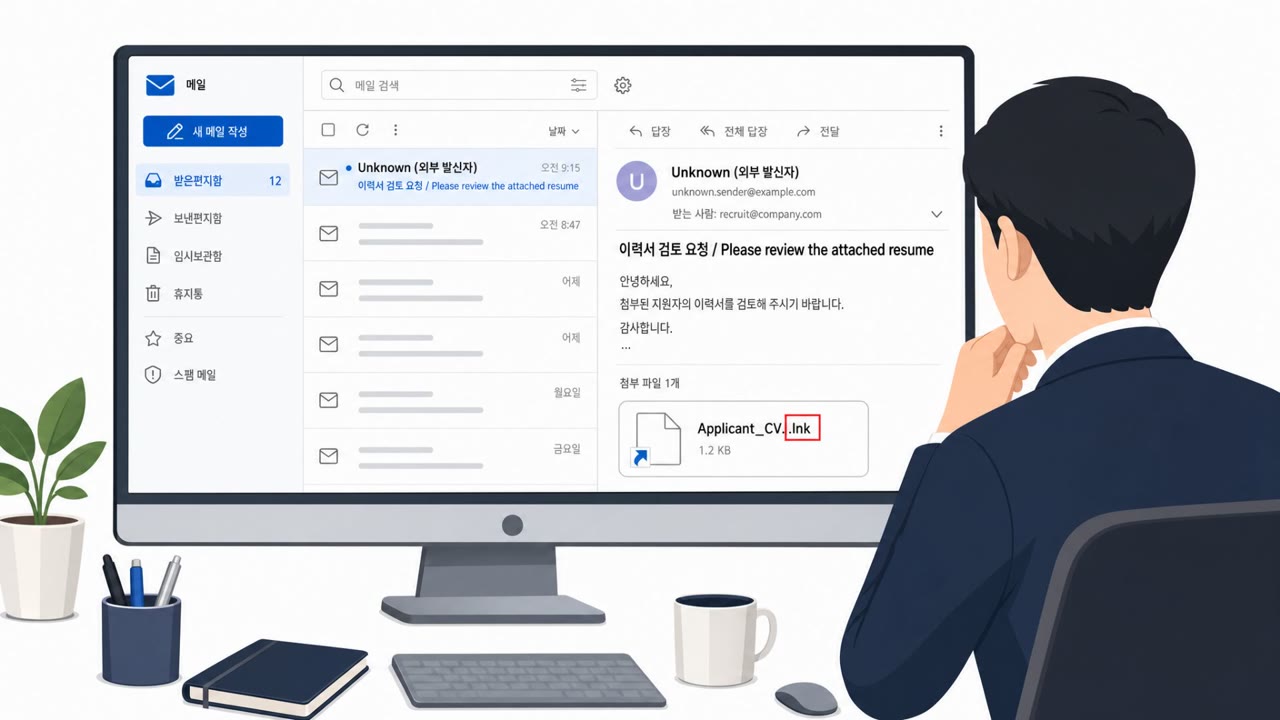
Researchers say a law firm was targeted with a spear‑phishing email that led staff to download an encrypted archive containing a Windows shortcut labeled like legal case files. After the user ran it and approved admin rights, the malware told Microsoft Defender to ignore a folder and a fake “python.exe,” then used DLL sideloading to run a Go-based loader and Rust backdoors. The attackers also used GitHub as a hidden command channel, blending traffic into normal-looking services.
How the Attack Unfolded
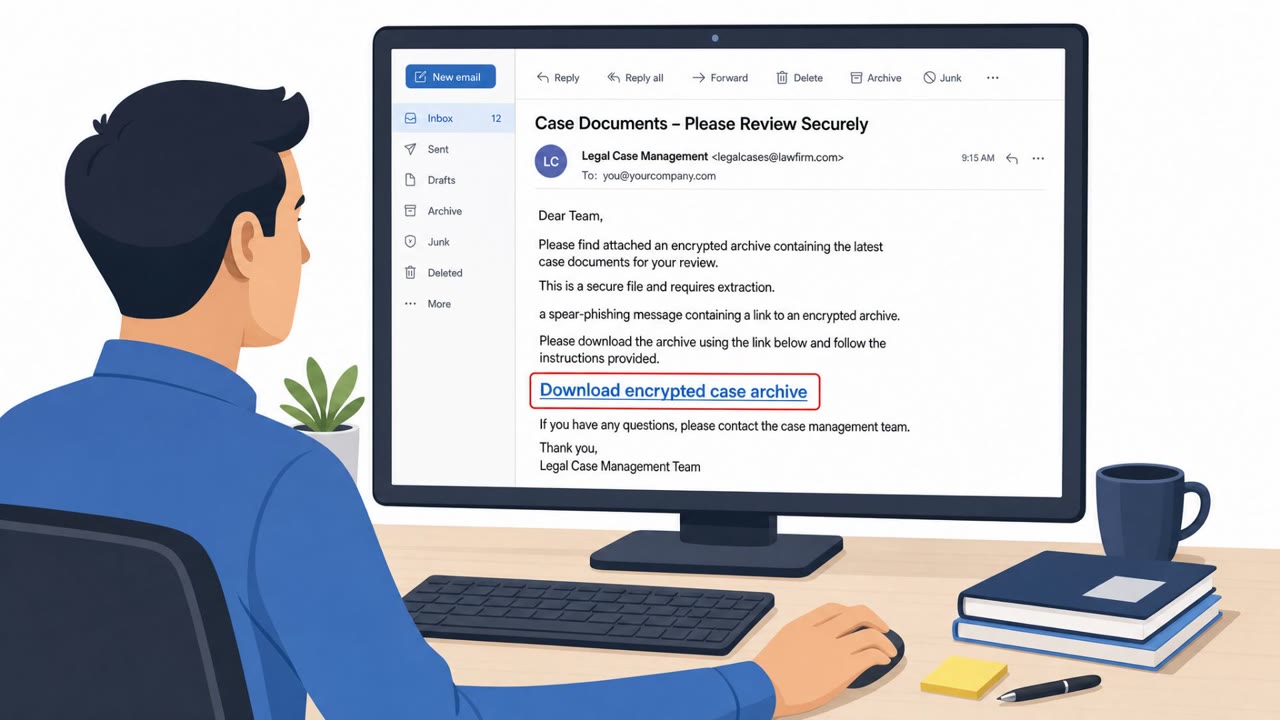
The intrusion began with a spear phishing email sent to several staff at a law firm. The message contained a link that routed recipients through an attacker-controlled redirector to an encrypted archive hosted on Mega, a consumer file-sharing service. Inside the archive was a shortcut file named "Case Documents.lnk" designed to look like legal case materials rather than an executable.
When a user opened the shortcut, it wrote Base64 content to a temporary file, rebuilt a script using the built-in certutil utility, and launched an obfuscated PowerShell chain. This chain prompted the user for administrator rights. Once elevated, the malware created Microsoft Defender exclusions covering a staging directory and the process name python.exe, clearing the way for later payloads to run without triggering alerts.
The Fake Python Runtime
The malware then downloaded a counterfeit Python embedded distribution, including a fake python311.dll, to enable DLL sideloading. This allowed execution of Go-based malicious code, which in turn led to Rust-based backdoors. The archive's filename read "amd96" rather than the correct "amd64," a small inconsistency that a distracted user could easily overlook. The loader supported multiple execution methods, including process ghosting, module stomping, and manual PE mapping, along with several persistence options such as scheduled tasks, WMI event subscriptions, and Startup folder entries.
Why It Succeeded
Several factors combined to make this attack effective:
- A legal-themed pretext that matched the target's daily workflow, increasing the likelihood staff would open the file without hesitation
- Use of a shortcut file rather than an obvious executable, disguising the true nature of the download
- An unexpected administrator-rights prompt disguised as part of viewing a document, which staff approved
- Reliance on GitHub as a command-and-control channel, blending malicious traffic into normal-looking developer service activity
What to Watch For
Defenders and staff should treat several signals as high risk:
- Unexpected "case document" links that lead to encrypted downloads from consumer file-sharing sites
- Shortcut (.lnk) files where a regular document is expected
- Administrator-rights prompts appearing during what should be a simple document review
- Runtime or update downloads with subtle naming inconsistencies, such as an unfamiliar architecture label
- Unexpected GitHub API connections originating from non-browser processes
Building Resistance
Organizations, particularly in legal and professional services, can reduce exposure by training staff to pause on unexpected administrator-rights prompts and verify with IT before approving them. Monitoring for Defender exclusion changes, correlating unusual GitHub API traffic with tasking-file requests, and limiting developer-platform access on non-developer endpoints can help surface this kind of activity before it escalates further.
Key findings
- Intrusion started with a spear‑phishing email link that redirected victims to a Mega-hosted encrypted archive.
- The archive contained a shortcut file (“Case Documents.lnk”) that launched an obfuscated PowerShell chain and requested administrator rights.
- After elevation, the malware created Microsoft Defender exclusions for a staging directory and for “python.exe” before downloading additional payloads.
- Attackers used a counterfeit Python embedded distribution (including a fake python311.dll) to enable DLL sideloading and execute Go-based malicious code.
- The HollowFrame loader supported multiple execution methods (e.g., process ghosting, module stomping, manual PE mapping) and multiple persistence options (scheduled task, WMI event subscription, Startup folder).
- One Matryoshka backdoor variant abused GitHub (private repo directories per victim) as a command-and-control workflow, avoiding a custom C2 server.
Who’s being targeted
- Commonly targeted roles: Legal, Paralegals, Administrative/Support Staff, IT Helpdesk, Security Operations, Endpoint Management/Engineering.
- Affected industries: Legal services, Professional services.
- Attack channels: email, website.
- Impersonated: External sender sharing case documents (legal matter), Document viewer / system prompt implied by the script execution chain.
Red flags to watch for
- Download is an encrypted archive from a consumer file-sharing site (Mega)
- File inside is a shortcut (.lnk) instead of a document
- Link uses a redirector rather than a direct trusted sender location
- Unexpected request for administrator rights when opening “case documents”
- Obfuscated PowerShell activity triggered by a shortcut file
- Chain uses built-in utilities (e.g., certutil) in a way end users wouldn’t expect
Frequently asked questions
How did the attack against the law firm start?
It began with a spear phishing email sent to several staff, containing a link that routed recipients through an attacker-controlled redirector to an encrypted archive hosted on Mega.
What made the fake Python download convincing?
The archive was named to resemble an official Python embedded distribution, though the filename read amd96 rather than amd64, a subtle detail that could be easily missed.
How did the attackers avoid detection?
After gaining administrator rights, the malware created Microsoft Defender exclusions covering a staging directory and the process name python.exe, then used DLL sideloading with a counterfeit python311.dll to run malicious code.
Why did the attackers use GitHub instead of a custom command server?
One backdoor variant assigned each victim a directory in a private GitHub repository holding beacon, command and result files, letting the operator send tasking and transfer files without standing up a custom C2 server.
Read the video transcript
You get an email: “New case documents attached.” The link goes to an encrypted Mega download named Case Documents. Inside the zip, there’s no PDF, just a shortcut called Case Documents.lnk. You run it, and a system prompt suddenly asks for administrator rights to “view” the documents. If you click Yes, that shortcut runs hidden PowerShell, tells Microsoft Defender to ignore a folder and a fake python.exe, then loads Go and Rust malware that quietly talks to GitHub like it’s normal traffic. Aha moment: real case files never need admin rights. If any “case documents” or Python/runtime download pops a UAC prompt, stop immediately and call IT, do not click Yes.