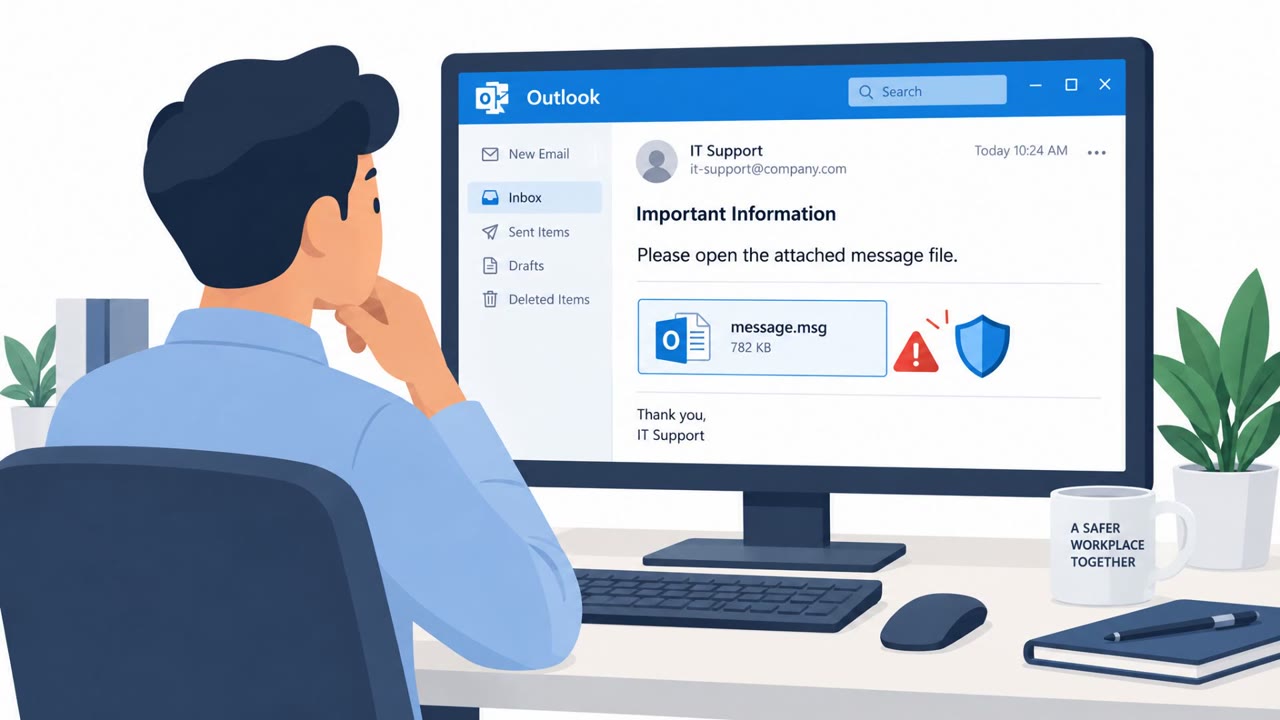
Attackers exploited an Outlook flaw by sending specially crafted message files and persuading recipients to open them. Opening the file makes Outlook connect to an attacker-controlled network location without its normal warning, potentially exposing the recipient’s password hash for attackers to reuse.
How the attack worked
This attack centers on CVE-2026-124194, an Outlook spoofing vulnerability that Microsoft marked as actively exploited before a patch was available. The attack chain is simple on its face: an attacker sends a specially crafted message file and convinces a recipient to open it in Outlook. Once opened, Outlook connects to an attacker-controlled network location without showing the usual external-content warning. That silent connection discloses the user's NTLMv2 hash, which the attacker can then use to authenticate as that person.
The pretext used in this kind of scenario is deliberately mundane, a message file presented as something the recipient simply needs to review. There is no urgent language or impersonation required because the technical flaw does most of the work once the file is opened.
Why it succeeded
The attack succeeded because it exploited a gap in Outlook's normal safeguards rather than relying on an elaborate social engineering pretext. Users are conditioned to expect a warning before Outlook reaches out to external content, and the absence of that warning here meant there was no visible signal that anything unusual was happening. Because the required user action, opening an attached file, is such a routine part of email use, the request did not stand out as suspicious to most recipients.
What to watch for
Defenders and employees should treat the following as red flags:
- An unexpected message-file attachment, especially from a sender who is not clearly verified
- A request to open a file in Outlook without a clear business reason
- Any sign that Outlook is reaching out to an external location without the usual external-content warning
How to build resistance
Organizations using Microsoft Outlook or Exchange should prioritize this fix rather than assuming a lower severity score means it is safe to delay. Employees who handle email attachments, along with IT administrators and security operations teams, should be reminded to treat unexpected message-file attachments as suspicious and to report them instead of opening them. Since opening a malicious file can expose information attackers can use to log in as the victim, building a habit of pausing before opening unfamiliar attachments, and promptly applying security updates when active exploitation is reported, are the most direct ways to reduce exposure to this kind of attack.
Key findings
- Microsoft marked CVE-2026-124194, an Outlook spoofing vulnerability, as actively exploited before a patch was released.
- The attack requires an attacker to send a specially crafted message file and convince a recipient to open it.
- Opening the file can cause Outlook to contact an attacker-controlled network location without the usual external-content warning.
- The connection can disclose the victim’s NTLMv2 hash, which an attacker may use to authenticate as that user.
- The article urges organizations to prioritize the Outlook fix and watch inboxes for suspicious files.
Who’s being targeted
- Commonly targeted roles: All Outlook users, Employees who handle email attachments, IT administrators, Security operations teams.
- Affected industries: Organizations using Microsoft Outlook, Organizations using Microsoft Exchange.
- Attack channels: email.
- Impersonated: Not specified.
Red flags to watch for
- An unexpected message-file attachment
- A request to open a file from an unverified sender
- Outlook may contact an external network location without the usual warning
Frequently asked questions
What is CVE-2026-124194?
It is an Outlook spoofing vulnerability that Microsoft marked as actively exploited before a patch was released. It involves a specially crafted message file that, when opened, can expose a user's password hash.
How does the Outlook attack steal password hashes?
An attacker sends a specially crafted message file and convinces a recipient to open it. Opening the file causes Outlook to connect to an attacker-controlled network location without showing the usual external-content warning, which discloses the user's NTLMv2 hash.
What can an attacker do with a stolen NTLMv2 hash?
The attacker can use that hash to authenticate as the user, potentially gaining unauthorized access to systems and accounts.
Should organizations prioritize patching this Outlook flaw?
Yes, the vulnerability was marked as actively exploited before a patch existed, so it should be prioritized for patching and inboxes should be watched for suspicious files.
Read the video transcript
“Please review the attached message file.” In Outlook? Pause. With CVE-2026-124194, opening a specially crafted message file can make Outlook connect to an outside network location, without its usual warning. That silent connection can expose your NTLMv2 password hash, which could be used to log in as you. No warning doesn’t mean no risk. Unexpected message file from an unverified sender? Don’t open it, report the email.