Days after Revolut disclosed that customer records were shared with an unauthorized party, some customers reported receiving phishing texts that appeared in the same SMS thread as real Revolut messages. The link led to a fake site that asked for camera access to mimic Revolut’s identity “liveness” check and then prompted for a password, an attempt to capture login details and potentially take over accounts.
How the Attack Worked
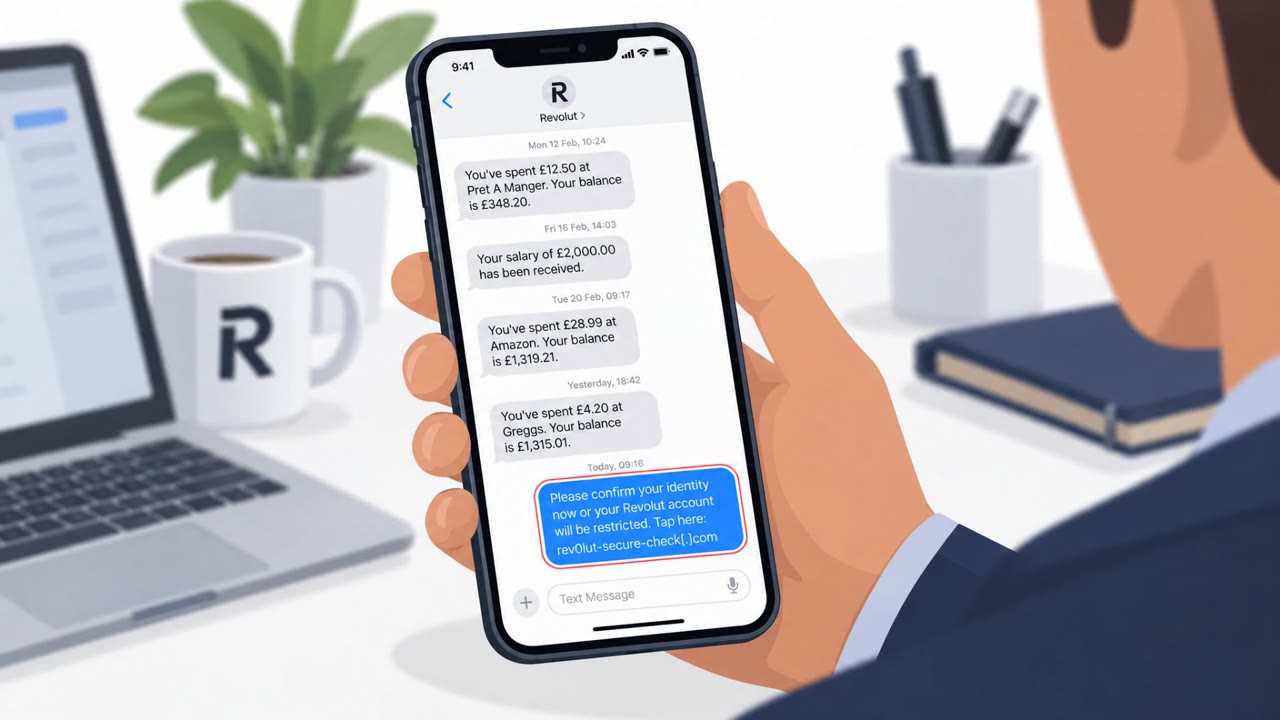
Shortly after Revolut acknowledged a data breach involving fraudulent information requests, some customers began receiving phishing text messages. At least one of these texts appeared inside the same SMS thread as legitimate Revolut messages, which made the fake message look like it came directly from the bank. The text directed recipients to tap a link that led to a fake verification page.
Once on the page, victims were asked to grant camera access. The site reportedly imitated Revolut's live-video identity check, prompting users to "turn your head" as part of a fake liveness check, before asking them to enter a password. This combination of a familiar-looking SMS thread and a realistic-seeming identity verification flow was designed to lower suspicion at each step.
Why It Succeeded
The attack leaned on trust signals that are easy to overlook. A text landing in an existing conversation thread with real Revolut messages can appear more credible than a message from an unknown number, even though thread placement can be spoofed and should not be treated as proof of legitimacy. The fake liveness check also mimicked a legitimate security step that Revolut customers may already be familiar with, making the camera access request feel like a normal part of account verification rather than a red flag.
If the campaign is connected to the breach, attackers may have had access to personal information that made messages feel more targeted and believable, increasing the odds that a customer would comply with the request.
What to Watch For
- Unexpected account security or verification texts, even ones that appear in a thread with real messages
- Links that lead to sites requesting camera access for identity verification
- Web pages that imitate a "turn your head" or similar liveness check before asking for a password
- Domains that do not match the official Revolut app or website
Building Resistance
Customers and staff supporting them should treat unsolicited account texts as untrusted regardless of where they appear, and verify any account concern by opening the official Revolut app directly rather than tapping a link. Before entering a password or approving any verification step, check the actual domain in the browser's address bar to confirm it matches what is expected. Because leaked personal data can make scams more convincing, organizations in finance and fintech should reinforce these habits with customer support, fraud and risk teams, and communications staff, and encourage extra account monitoring when a breach has been disclosed. This maps to techniques such as T1566.002 (spearphishing link) and T1204.001 (user execution via malicious link).
Key findings
- Phishing texts targeting Revolut customers appeared shortly after Revolut acknowledged a data breach involving fraudulent information requests.
- At least one phishing SMS appeared in the same conversation thread as legitimate Revolut texts, increasing credibility.
- The phishing link reportedly led to a page requesting camera access and imitating Revolut’s live-video identity check (“turn your head”), then prompting for a password.
- The phishing domain (93810.app) was first scanned on VirusTotal the same day a customer reported receiving the text.
- If connected to the breach, exposed personal data combined with captured credentials (or approval of login prompts) could enable account takeover.
Who’s being targeted
- Commonly targeted roles: All staff (general awareness), Customer Support, Fraud/Risk Operations, Security Operations, Communications/PR.
- Affected industries: Banking / Fintech, Consumer financial services.
- Attack channels: smishing, website.
- Impersonated: Revolut (bank/fintech support).
Red flags to watch for
- Text appears in an existing SMS thread, which can be spoofed and shouldn’t be trusted as proof of legitimacy
- Website requests camera access unexpectedly
- Link domain does not match an official Revolut domain/app flow
Frequently asked questions
How did the Revolut phishing texts appear legitimate?
At least one phishing SMS appeared in the same conversation thread as legitimate Revolut texts, which made it look like it came directly from the bank.
What did the fake Revolut website ask victims to do?
The phishing link led to a page that requested camera access to imitate Revolut's live-video identity check, then prompted victims to enter a password.
Is this smishing campaign connected to a Revolut data breach?
The phishing texts appeared shortly after Revolut acknowledged a data breach involving fraudulent information requests, and if connected, exposed data combined with captured credentials could enable account takeover.
How can I tell if a Revolut text is fake?
Check the actual domain in your browser's address bar, avoid tapping links in unsolicited messages, and open the official Revolut app directly if you need to verify account activity.
Read the video transcript
You get a text from Revolut in the same thread as all your real bank alerts… but this one says, “Your account requires verification. Tap to complete the live check.” This is the Revolut smishing wave after their breach. Tap the link and you land on 93810.app, a fake site that asks for camera access, makes you do a “turn your head” selfie check, then asks for your password. Here’s the trap: because the text sits in your existing Revolut thread and mentions a real-seeming live check, it feels legit. But Revolut won’t push you to some random .app domain and then ask for camera plus password in the browser. If you get a Revolut “verification” text, don’t tap the link. Open the official Revolut app yourself and check there, that’s your move every single time.