Check Point Research linked three China-nexus espionage clusters to the CopperDragon malware ecosystem. In its SilentDelivery campaign, attackers compromised legitimate websites and replaced them with fake Chrome certificate warnings that urged selected visitors to install a malicious “Certificate Fix” utility. The same operation also used a targeted archive disguised as an Indonesian-language reference document to deliver malware.
How the attack worked
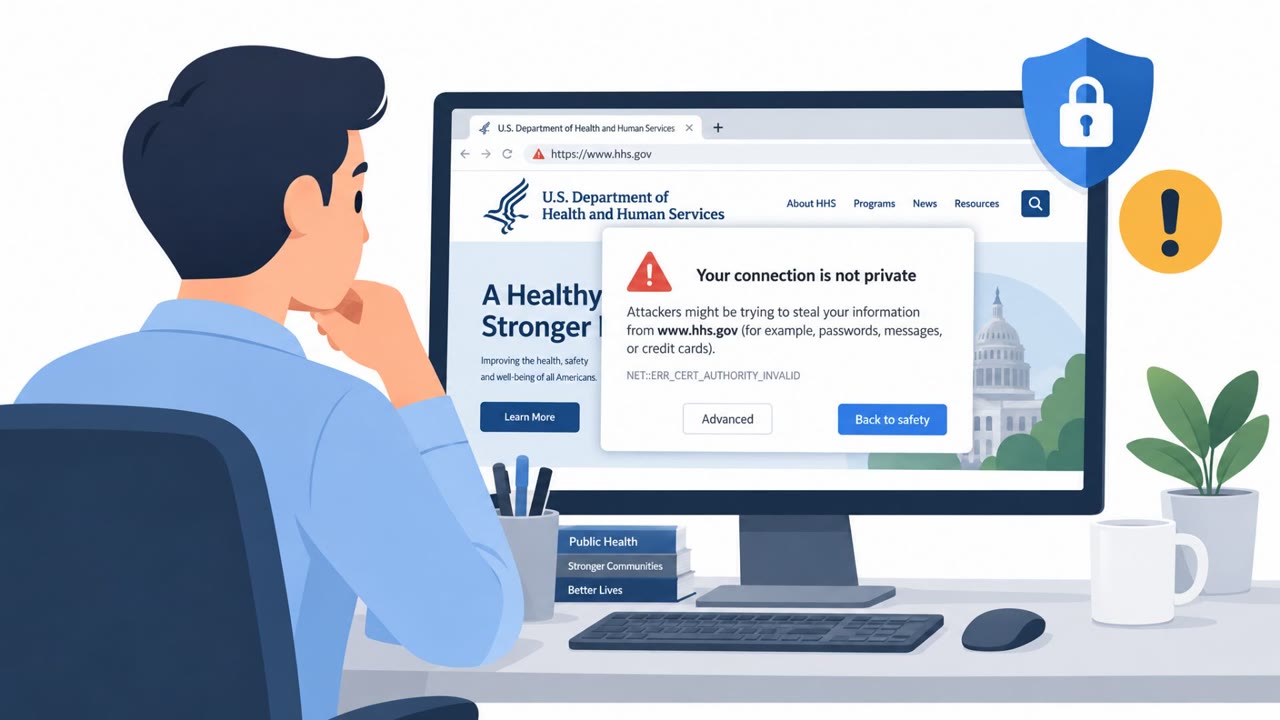
Check Point Research linked three China-nexus espionage clusters to a shared malware ecosystem attributed to CopperDragon, assessed as a possible developer and supplier of the Sparrow malware framework. In the SilentDelivery cluster, attackers compromised legitimate websites belonging to government, shipping, and IT or research organizations. Rather than hosting malware directly, they injected obfuscated JavaScript that replaced a visitor's entire browsing session with a fake Google Chrome SSL certificate warning, localized to match the site's language. Visitors were fingerprinted by IP address and geolocation, allowing the attackers to show the fake warning only to selected targets rather than to every visitor.
The fake certificate fix
The counterfeit warning told visitors their connection had a certificate problem and urged them to install a "Certificate Fix" utility. Clicking the install button triggered a report back to the attacker's infrastructure and downloaded an MSI package from an external storage bucket. That package delivered either a previously undocumented backdoor called SquadC or a variant of SparrowDoor, giving the attackers a foothold on the victim's device (T1189, T1204.002).
A parallel spear-phishing path
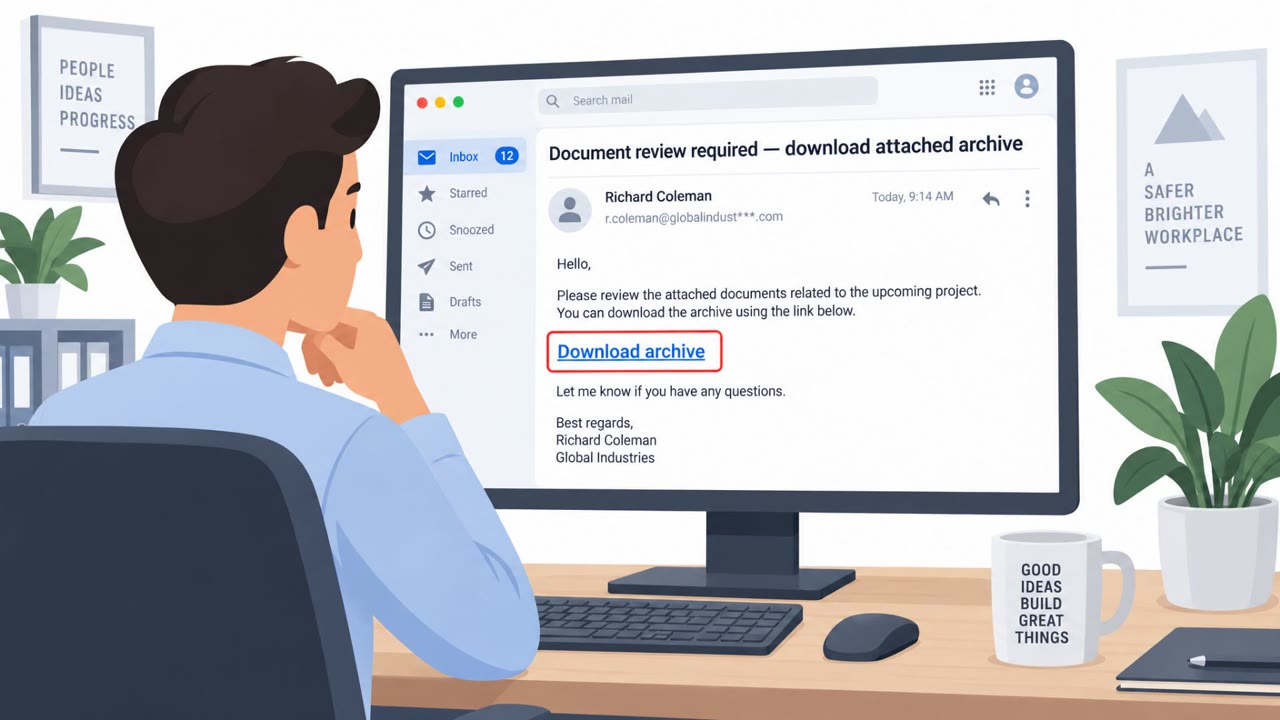
Alongside the website compromise, researchers identified a separate spear-phishing archive, Strategi_AS_Referensi_April2026.rar, uploaded to VirusTotal from Indonesia. Inside was a file presented as a Word document but actually an LNK shortcut using a double extension (.docx.lnk). Executing it ran command-line instructions that abused the ftp.exe living-off-the-land binary to extract and launch the SquadC backdoor, while showing the victim an empty decoy document (T1566.001, T1059.003, T1036).
Why it succeeded
This activity worked because it relied on signals people are trained to trust: a familiar browser warning and a seemingly ordinary reference document. Compromising already-legitimate websites meant visitors had no reason to doubt the page's authenticity, and selective targeting by IP and geolocation reduced the chance of early detection. The spear-phishing lure leaned on a mundane business file name to lower suspicion before the double extension revealed its true nature.
What to watch for and how to build resistance
- Treat any certificate warning that fully replaces a website's content and asks for a software install as suspicious, even on a trusted site.
- Never install a "certificate fix" or similar utility from a browser pop-up; report it through normal IT or security channels instead.
- Check file extensions carefully, and avoid opening shortcut (.lnk) files disguised as documents.
- Treat unsolicited compressed archives, including ones framed as reference materials, with extra caution before opening.
Key findings
- CopperDragon is assessed as a possible developer and supplier of the Sparrow malware framework for multiple China-nexus threat actors.
- The SilentDelivery cluster compromised legitimate government, shipping, and IT/research websites and displayed localized fake Chrome certificate warnings.
- The fake warning instructed victims to install a “Certificate Fix” utility, which delivered the SquadC or SparrowDoor backdoor.
- The malicious website code fingerprinted visitors by IP address and geolocation, allowing attackers to selectively show the fake warning.
- Researchers also found a spear-phishing archive named “Strategi_AS_Referensi_April2026.rar” linked to the same infrastructure.
- OceanGate began by exploiting internet-facing Linux systems, while DarkWire targeted telecommunications providers and government organizations in Latin America.
Who’s being targeted
- Commonly targeted roles: All Windows users, Government employees, Telecommunications staff, Shipping-sector employees, IT administrators, Research institution staff, Employees who handle unsolicited attachments.
- Affected industries: Telecommunications, Government, Military, Critical infrastructure, Shipping, Information technology, Research institutions.
- Attack channels: website, email.
- Impersonated: Google Chrome browser security warning, Sender of a reference document.
Red flags to watch for
- A website suddenly replaces its normal content with a certificate warning.
- The warning asks the visitor to download and install software rather than use normal browser security controls.
- A certificate-related download is delivered from an external storage bucket rather than the organization or browser vendor.
- The supposed document uses a double extension: “.docx.lnk”.
- The attachment is a compressed RAR archive rather than a normal document.
- Opening the file launches commands and shows an empty decoy document.
Frequently asked questions
What is the CopperDragon SilentDelivery campaign?
SilentDelivery is a cluster in which attackers compromised legitimate government, shipping, and IT/research websites and injected fake Google Chrome SSL certificate warnings to trick selected visitors into installing a malicious utility.
What happens if a victim installs the fake Certificate Fix utility?
Installing the fake utility delivered either the SquadC or SparrowDoor backdoor onto the victim's machine.
How did attackers choose which website visitors saw the fake warning?
The malicious website code fingerprinted visitors by IP address and geolocation, allowing attackers to selectively display the fake certificate warning to specific targets.
What other delivery method was linked to this campaign?
Researchers found a spear-phishing archive named Strategi_AS_Referensi_April2026.rar that used a document disguised as an LNK file to deliver the same SquadC backdoor.
Read the video transcript
A real website can show you a fake Chrome warning. In SilentDelivery, compromised government, shipping, and research sites showed selected visitors an ‘Install certificate’ button. Click it, and a ‘Certificate Fix’ MSI downloads from an external S3 bucket, delivering malware. That’s the tell: Chrome doesn’t repair certificates with a website’s installer. The page may even look normal for coworkers, its code checks your location before showing the warning. If a website offers a certificate fix, don’t install it. Report the page to IT.