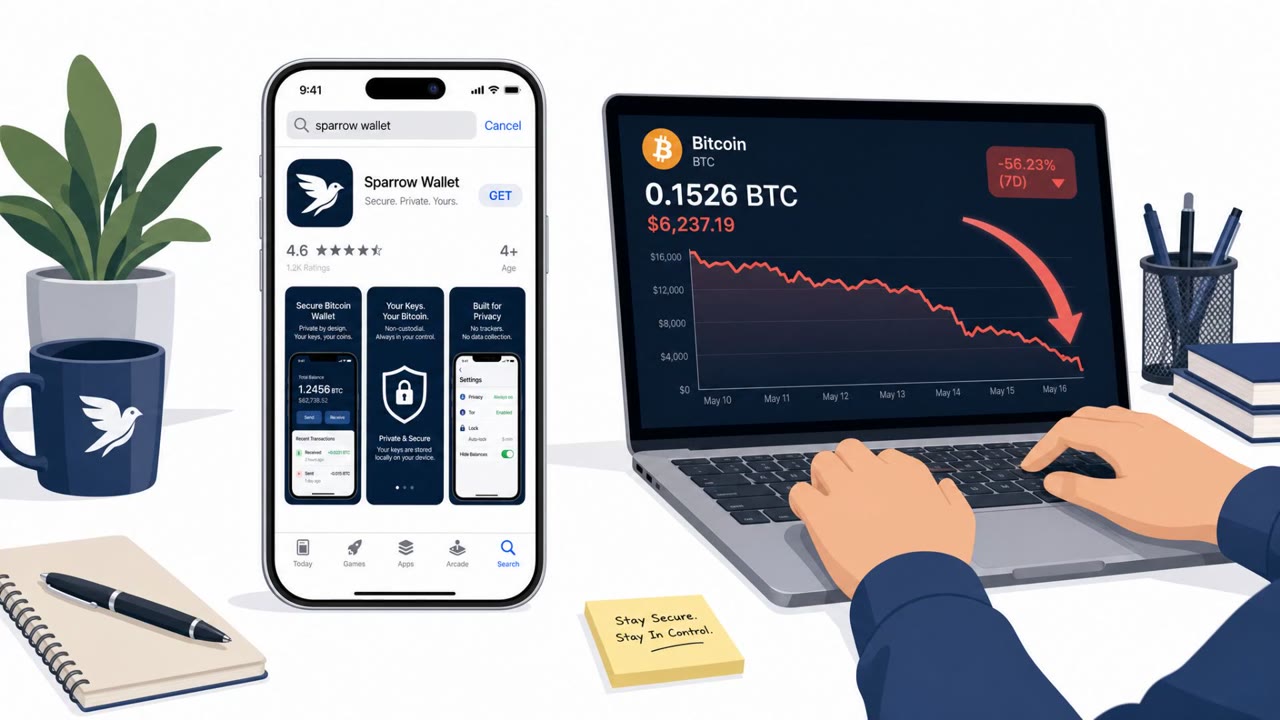
Three crypto investors sued Apple after allegedly losing about $1.8 million in Bitcoin to an iPhone app that impersonated the legitimate (desktop-only) Sparrow Wallet. The victims trusted the app because it was available in the App Store, then entered their wallet “seed phrase” into the counterfeit app, allowing the thieves to steal funds. The case highlights that app-store listing/approval can be abused by scammers and that seed phrases should never be entered into unverified apps.
How the Attack Worked
A counterfeit iPhone app impersonated Sparrow Wallet, a legitimate, open-source Bitcoin wallet that actually only operates on desktop systems. Because the real product has no official mobile version, the existence of a mobile app using the same name and branding created a false sense of legitimacy for anyone searching an app store for a way to manage their Bitcoin on the go.
Once installed, the fake app prompted users to import their wallet by entering their secret seed phrase, the recovery credential that provides full access to a cryptocurrency wallet. Victims who entered this information into the counterfeit interface effectively handed control of their funds directly to the attackers. Reported losses across affected investors totaled approximately $1.8 million.
Why It Succeeded
This attack succeeded largely because of trust transference: users assumed that an app available in a reputable app store had been vetted and was safe to use. That assumption, combined with the well-known Sparrow Wallet brand name, made the fake listing appear credible without requiring any direct outreach or phishing message.
The case also shows how reporting alone does not guarantee rapid removal. One victim reported the app to Apple, but it allegedly remained listed long enough for additional victims to download it and lose funds, allowing the impersonation to continue affecting new targets over time.
What to Watch For
- A mobile app claiming to offer a product or service that the real vendor only provides on desktop.
- Any app, website, or prompt that asks a user to type in a wallet recovery phrase or seed phrase.
- Brand names and interfaces that closely mimic a known, trusted financial or crypto tool.
- Publicly listed apps in official stores that have not been verified against the vendor's own website.
How to Build Resistance
Organizations and individuals handling cryptocurrency or digital assets should treat any request for a seed phrase as an extreme risk, regardless of where the request originates. Before downloading any financial or wallet-related app, independently verify on the vendor's own website whether an official mobile version actually exists.
Finance teams, executives, and anyone involved in procurement or vendor/app approval should build habits of cross-checking app authenticity beyond store listings alone, since app-store approval is not proof of safety. Recognizing brand impersonation patterns, especially when a legitimate product lacks a mobile offering, is a practical first line of defense against this type of social engineering.
Key findings
- A counterfeit iPhone app impersonated “Sparrow Wallet,” which is actually a legitimate desktop-only Bitcoin wallet.
- Victims reportedly lost about $1.8M total after entering their secret wallet “seed phrase” into the fake app.
- One victim reported the fraud to Apple, but the app allegedly remained listed long enough for additional victims to install it and lose funds.
- The legitimate wallet creator publicly warned that the scam app was still on the App Store despite reports.
Who’s being targeted
- Commonly targeted roles: Finance, Executives, Anyone handling cryptocurrency or digital assets, Procurement/Vendor management (app/tool approval).
- Affected industries: Cryptocurrency users/investors, Financial services (crypto custody/wallet ecosystem), Technology platforms / app marketplaces.
- Attack channels: website.
- Impersonated: Sparrow Wallet (legitimate wallet brand).
Red flags to watch for
- The real product is “desktop-only,” but the app claims to be an iPhone version.
- The app asks for a “secret seed phrase” in an unverified interface.
- Brand impersonation/copycat app name and look-and-feel (“mimicking Sparrow Wallet”).
Frequently asked questions
How did the fake wallet app steal Bitcoin?
The app impersonated Sparrow Wallet, a legitimate desktop-only Bitcoin wallet, and prompted victims to enter their secret seed phrase to import funds, which gave attackers access to their wallets.
Why was the app-store listing not a reliable safety signal?
App-store approval does not guarantee an app is legitimate; storefront listing is not a guarantee of safety, so users need to independently verify an official app exists on the vendor's own website.
What should users do to avoid similar scams?
Never enter a wallet recovery phrase or seed phrase into an unverified app, and be suspicious of mobile apps claiming to offer a product that is only available on desktop.
Was the fake app removed quickly after being reported?
According to the findings, one victim reported the fraud to Apple but the app allegedly remained listed long enough for additional victims to install it and lose funds.
Read the video transcript
Three crypto investors lost about $1.8 million to a fake iPhone app that looked like Sparrow Wallet. The trick? Sparrow Wallet is desktop‑only, but this copycat iPhone app asked people to 'import your wallet' by typing their secret seed phrase, then the Bitcoin was gone. Here’s the aha: being in the App Store did NOT mean it was safe. One victim even reported the fraud, and the fake app still stayed up while more people lost money. Your move: if any app asks for a wallet recovery or seed phrase, stop and verify the official app from the vendor’s website before you type a single word.