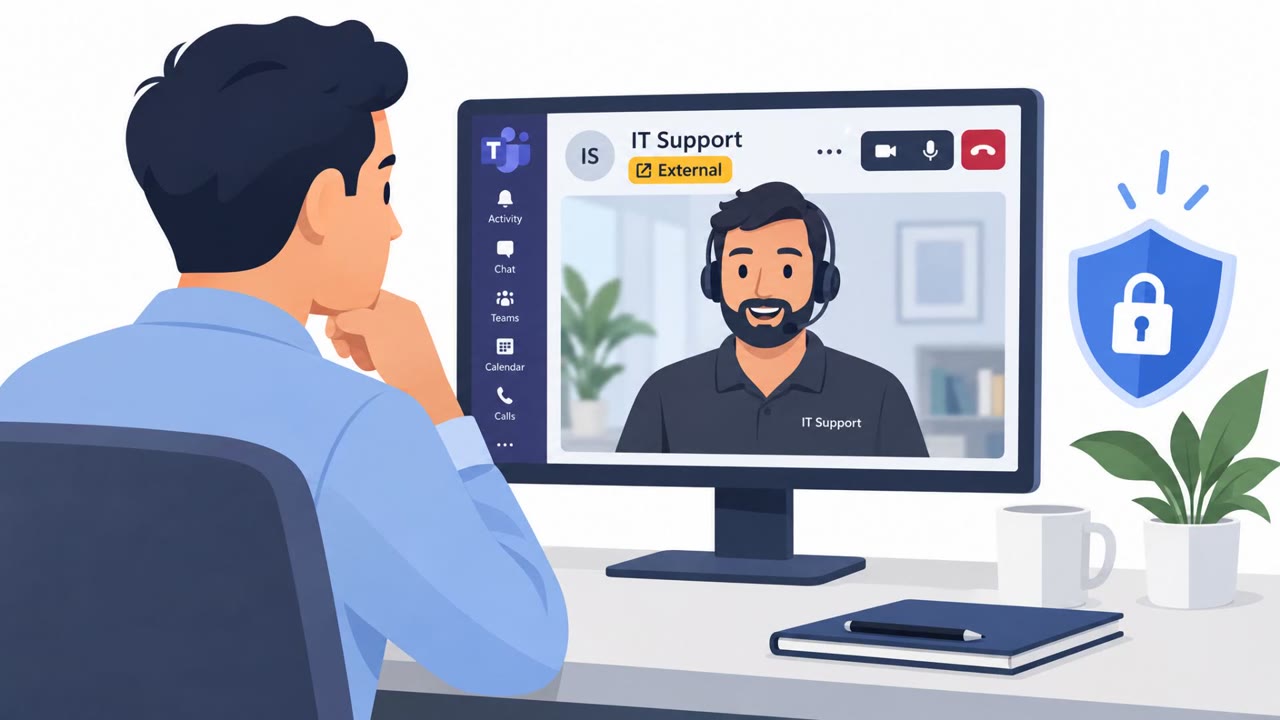
Attackers posed as internal IT or help-desk staff in Microsoft Teams, then persuaded employees to open Quick Assist and share its connection code. That remote access let the attackers abuse insecure certificate settings, gain privileged access, and in one case copy company data to an external server.
How the attack worked
The attackers contacted employees directly in Microsoft Teams, posing as the organization's own IT or help desk. They operated from outside tenants but used support themed display names so the contact appeared familiar and legitimate. Once in a conversation, they asked the employee to open Windows Quick Assist, a built in remote help tool, and to read back the connection code. That single step handed the attacker direct, hands-on control of the workstation.
From that foothold, the attackers escalated in different ways depending on the environment. In one intrusion, they exploited an insecure Active Directory Certificate Services template to obtain certificates for privileged accounts, accessed a domain controller, and used a renamed copy of the file copying tool Rclone to move data from a file share to an external SFTP server. In a second intrusion, attackers used coerced domain controller authentication and AD CS web enrollment to obtain a certificate for the domain controller itself, but isolating the affected workstation stopped the activity before it progressed further.
Why it succeeded
The approach worked because it relied on a believable premise rather than a technical exploit at the first step. A Teams message that looks like it comes from internal IT, combined with a plausible sounding request to fix a problem, lowered the employee's guard enough to open a remote access tool and read out a code. Quick Assist is a legitimate, built in Windows utility, so the action itself did not look unusual to the employee performing it.
The deeper risk is that this single action created a path to privileged access through certificate issuance, which is harder to detect and remove than a typical compromised credential. The report notes that password resets or wiping the initially compromised workstation may not remove access obtained through improperly issued certificates, which is why the second case required isolating the workstation rather than relying on a simple reset.
What to watch for
- Unexpected Teams messages or calls claiming to be internal IT or help desk support.
- Contact coming from an outside Teams tenant, even if the display name looks support related.
- A request to open Quick Assist or another remote access tool and read back a connection code.
- Any unsolicited request to share a screen or hand over remote control before verification.
Building resistance
- Confirm any unexpected IT support request through a known internal channel before sharing a screen or handing over remote control.
- Treat support themed Teams names as unverified, especially from outside tenants.
- Restrict which outside Teams tenants can reach employees, and allow only approved remote support tools.
- Encourage prompt reporting of suspected fake IT support outreach, since a single remote access session can lead to privileged access and data theft.
Key findings
- Attackers contacted employees through Microsoft Teams while impersonating the victim organization's IT or help desk.
- They persuaded users to launch Windows Quick Assist and read out a connection code, giving attackers hands-on remote control of the workstation.
- In one intrusion, attackers exploited an insecure AD CS template to obtain certificates for privileged accounts, accessed a domain controller, and copied data to an external SFTP server.
- A second intrusion used a coerced domain-controller authentication and AD CS web enrollment to obtain a certificate for the domain controller, but isolating the affected workstation stopped further activity.
- Microsoft did not attribute the activity to a known threat group.
- The report stresses that password resets or wiping the initially compromised workstation may not remove access obtained through improperly issued certificates.
Who’s being targeted
- Commonly targeted roles: All employees, Microsoft Teams users, Remote and hybrid workers, IT support and help desk teams, System administrators, Identity and access management teams, Security operations teams.
- Affected industries: Organizations using Microsoft Teams, Windows Quick Assist, and Active Directory Certificate Services.
- Attack channels: teams.
- Impersonated: The company's internal IT or help desk.
Red flags to watch for
- The contact is unexpected.
- The Teams account is from an outside tenant, even if its name looks support-related.
- The requester asks the employee to share a Quick Assist connection code before the employee verifies the request through a known internal channel.
Frequently asked questions
How did attackers gain remote access to the workstation?
Attackers impersonated internal IT or help desk staff on Microsoft Teams from outside tenants with support themed names, then convinced employees to open Windows Quick Assist and read back the connection code, giving the attacker hands on control of the device.
How did attackers move from one workstation to broader access?
In one intrusion, attackers exploited an insecure Active Directory Certificate Services template to obtain certificates for privileged accounts, reached a domain controller, and copied data to an external SFTP server using a renamed copy of Rclone.
Does resetting passwords or wiping the compromised workstation fix the problem?
Not necessarily. The report notes that password resets or wiping the initially compromised workstation may not remove access that was obtained through improperly issued certificates.
What stopped the second intrusion attempt?
In the second case, isolating the affected workstation stopped further activity after attackers used coerced domain controller authentication and AD CS web enrollment to obtain a certificate for the domain controller.
Read the video transcript
“Hi, this is IT support. Please open Quick Assist.” The Teams name looks familiar, but the account is from an outside tenant. They ask for your Quick Assist connection code. Share it, and they can control your PC. Here’s the catch: that one session can outlast a password reset. In one case, insecure AD CS certificates led to privileged access and company data copied to an outside SFTP server. Unexpected Teams support request? Before sharing any code, confirm it through your known internal IT channel.