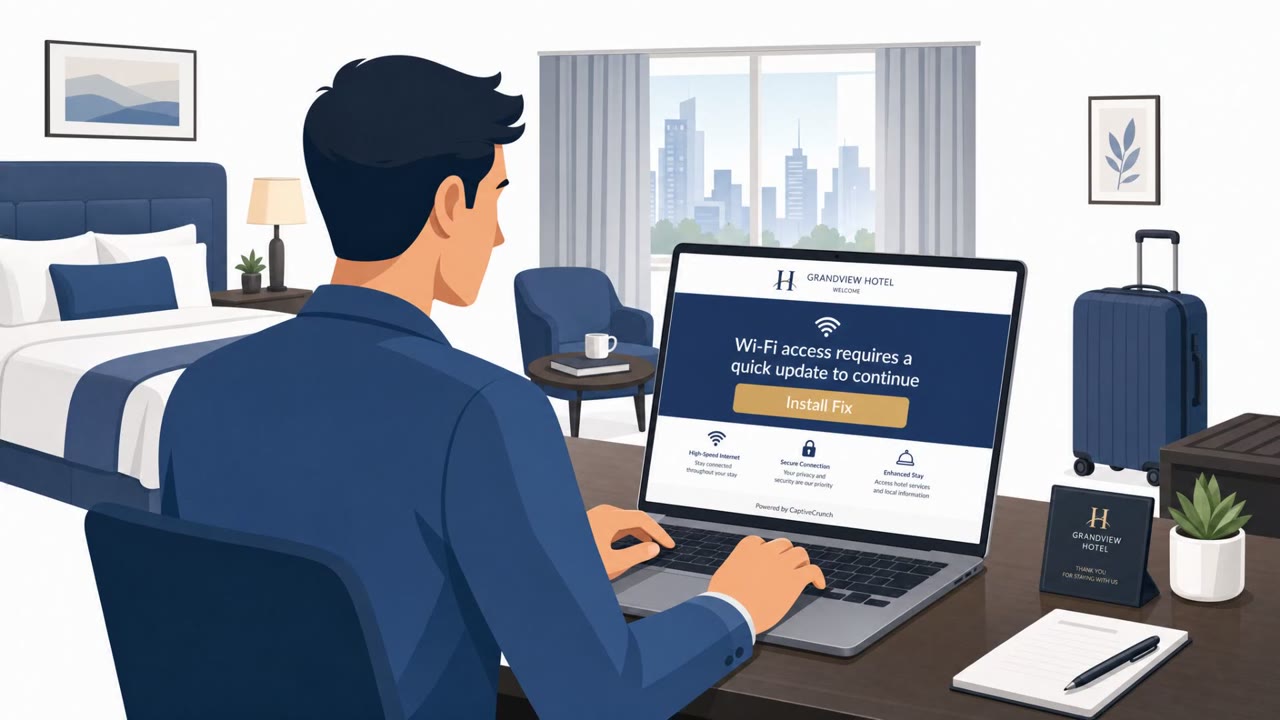
Microsoft reports a real Midnight Blizzard-linked campaign where attackers tamper with hotel Wi‑Fi captive portals to redirect travelers to phishing and fake update pages. The goal is to steal credentials or trick users into installing malware, which can follow employees back into corporate accounts and devices after the trip.
How the attack worked
Microsoft reports that Storm-2945, assessed as a Midnight Blizzard sub-cluster, resumed a campaign called CaptiveCrunch on Sept. 29. The attackers manipulate DNS and HTTP traffic on networks served by hotel captive portals, the sign-in pages travelers see before a guest Wi-Fi network grants internet access. By controlling that traffic path, they can redirect users toward phishing pages or fake browser and operating-system updates before the traveler ever reaches the site they intended to visit.
The three user-facing lures
Three workflows have been described in connection with this campaign:
- A fake update prompt that tells the user a browser or OS update is required before internet access is granted.
- ClickFix-style instructions that tell the user to open PowerShell or Terminal and run commands to fix a connectivity issue, with the user effectively installing malware themselves.
- Device-code phishing, where the victim is sent to a legitimate Microsoft sign-in page but enters a code tied to a session the attacker initiated, authorizing the attacker's access instead of their own.
Malware families associated with the campaign include CornFlake, which provides persistent Windows remote access, and ChocoShell, which steals cookies, tokens, and passwords. Both can enable account and device compromise that follows the employee home after travel.
Why it succeeded
Travelers expect friction when connecting to hotel Wi-Fi: sign-in pages, acceptance screens, and occasional update prompts are normal parts of that experience. This expectation makes it easy for a manipulated captive portal to insert a fake update, a troubleshooting script, or a sign-in flow without raising immediate suspicion, especially for employees focused on getting online quickly between meetings or travel.
What to watch for
- Updates being prompted by a Wi-Fi sign-in page instead of the device's normal update mechanism.
- Unexpected redirects before reaching an intended website.
- A portal asking to install software, certificates, or troubleshooting tools to get online.
- Any instruction to open PowerShell or Terminal as part of connecting to Wi-Fi.
- A sign-in or device-code prompt that does not match the action the user intended to take.
How to build resistance
Employees should avoid installing updates, certificates, or troubleshooting tools presented through captive portals, and treat unexpected PowerShell or Terminal instructions as suspicious. Organizations can disable device-code authentication where it isn't needed and adopt phishing-resistant MFA. If an employee reports a fake update, unusual captive portal, or unexpected sign-in flow, security teams should treat it as a possible compromise: revoke sign-in sessions and refresh tokens, invalidate application sessions where supported, and review recent cloud sign-ins for activity that doesn't match the employee's travel or normal account use.
Key findings
- Microsoft says Storm-2945 (assessed as a Midnight Blizzard sub-cluster) resumed the CaptiveCrunch campaign on Sept. 29.
- Attackers manipulate DNS and HTTP traffic on captive-portal networks to redirect travelers to attacker-controlled pages (including fake updates).
- Two described user-facing lures/workflows are ClickFix-style instructions (users run commands themselves) and device-code phishing (user completes a sign-in that authorizes the attacker session).
- Malware families mentioned include CornFlake (persistent Windows remote access) and ChocoShell (cookie/token/password theft), enabling post-travel account/device compromise.
Who’s being targeted
- Commonly targeted roles: All employees who travel, Executives, Sales, Consultants, IT / Service Desk, Identity & Access Management (IAM) team.
- Affected industries: Hospitality (hotels and guest Wi‑Fi providers), Any organization with traveling employees (cross-industry).
- Attack channels: website.
- Impersonated: Hotel Wi‑Fi captive portal (and a fake browser/operating-system update page), Hotel Wi‑Fi support / captive portal troubleshooting page, Microsoft sign-in (legitimate page used in a misleading flow).
Red flags to watch for
- Updates are being prompted by a Wi‑Fi sign-in page (not the device’s normal update mechanism)
- Unexpected redirect before reaching the intended website
- Portal asks to install software/certificates to get online
- Any Wi‑Fi portal telling users to run command-line instructions
- Instructions to open PowerShell/Terminal as part of “getting online”
- “Fix” steps that install tools/scripts rather than simply logging in
- Sign-in flow appears during Wi‑Fi access, not normal work activity
- A code-based login that the user did not initiate
- Authentication prompt doesn’t match the user’s intended action/site
Frequently asked questions
What is the CaptiveCrunch campaign?
It is a campaign Microsoft attributes to Storm-2945, a Midnight Blizzard sub-cluster, that resumed on Sept. 29 and manipulates DNS and HTTP traffic on hotel captive-portal networks to redirect travelers to attacker-controlled pages.
How do attackers trick users on hotel Wi-Fi?
Attackers control the captive portal traffic path to show fake browser or operating-system updates, ClickFix-style instructions that ask users to run commands themselves, and device-code phishing that leads to a real Microsoft sign-in page tied to an attacker-generated code.
What malware is involved?
The campaign has been linked to CornFlake, which provides persistent Windows remote access, and ChocoShell, which steals cookies, tokens, and passwords, enabling post-travel account and device compromise.
What should employees do if they see an unusual captive portal?
Avoid installing any updates, certificates, or troubleshooting tools prompted by the portal, treat unexpected PowerShell or Terminal instructions as suspicious, and report the incident so security teams can review sign-ins and revoke sessions if needed.
Read the video transcript
You connect to hotel Wi‑Fi, and before Google even loads, a page pops up: “Before you can access the internet, you must install a required browser update.” Microsoft says Midnight Blizzard’s Storm‑2945 hijacks hotel captive portals like this, manipulating DNS and HTTP so you land on fake update pages that drop CornFlake or ChocoShell, or ClickFix pages telling you to run PowerShell or Terminal commands yourself. Here’s the trick: the update or “fix” comes from the Wi‑Fi sign‑in page, not your device’s normal updater. You get weird redirects before your real site loads, and the portal suddenly wants you to install software, certificates, or run command-line fixes just to get online. If any hotel Wi‑Fi portal ever asks you to install updates, certificates, or run commands, stop immediately, disconnect, and report it as a security incident, this isn’t a Wi‑Fi problem, it’s an attack path back into our accounts.