Researchers reported an ongoing campaign where attackers compromise hotel and conference venue Wi‑Fi routers and quietly redirect visitors’ web traffic through attacker-controlled systems. This can lead to corporate usernames and passwords being captured even when the victim does not click a phishing link, because the network itself is manipulated.
How the attack worked
Researchers described an ongoing campaign in which attackers compromise Wi-Fi routers at hotels and conference venues. Once they have access, the attackers modify router configurations to enable DNS poisoning, redirecting web traffic for legitimate domains through attacker-controlled infrastructure. This lets them intercept and capture corporate usernames and passwords when a visitor signs into normal-looking web services while connected to the compromised network.
The activity has been observed across multiple countries, and the tradecraft has been described as similar to campaigns linked to APT28. The most notable element is that this attack does not depend on a victim clicking a malicious link or opening an attachment. Because the manipulation happens at the network level, a user can be compromised simply by connecting to the Wi-Fi and browsing as usual.
Why it succeeded
This technique is effective because it removes the usual signals people are trained to look for. There is no suspicious email, no unexpected attachment, and no obvious phishing message. Instead, the trust that travelers place in hotel and conference Wi-Fi networks becomes the exploited weakness. Employees who travel for work, including executives, sales staff, and consultants, are frequent users of these networks and often need to sign into corporate accounts quickly while away from the office.
What to watch for
Key warning signs include:
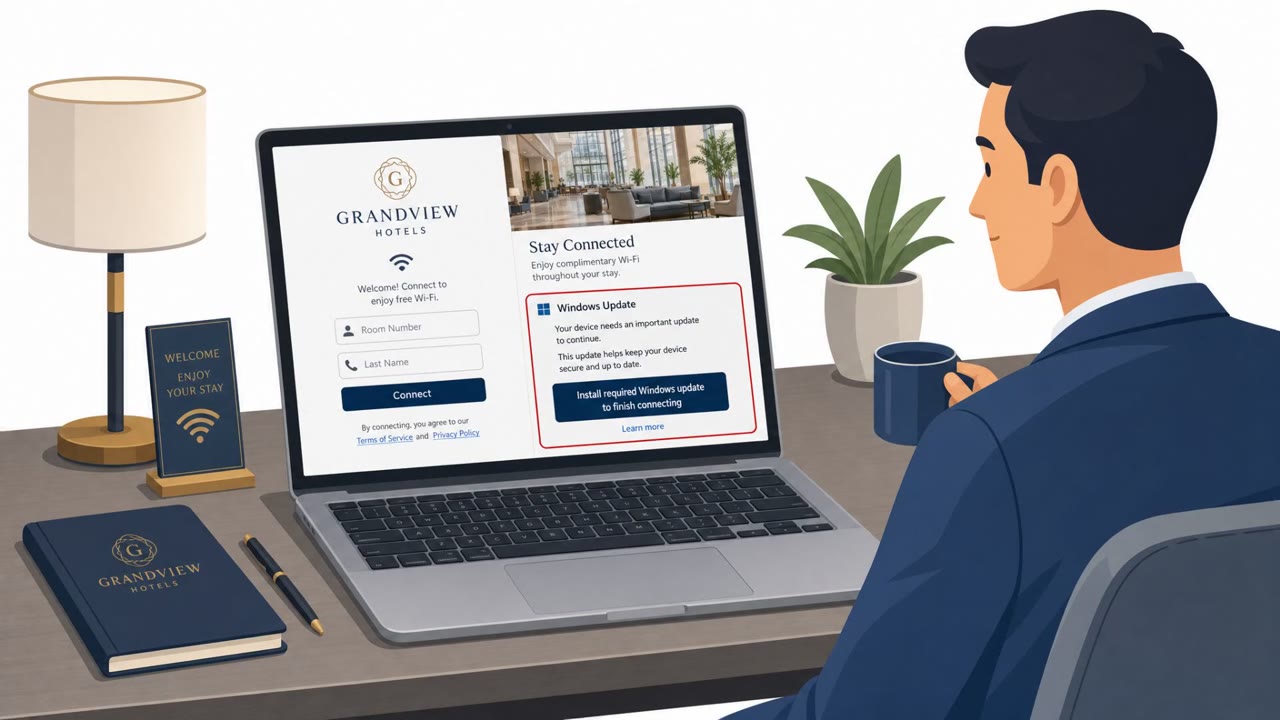
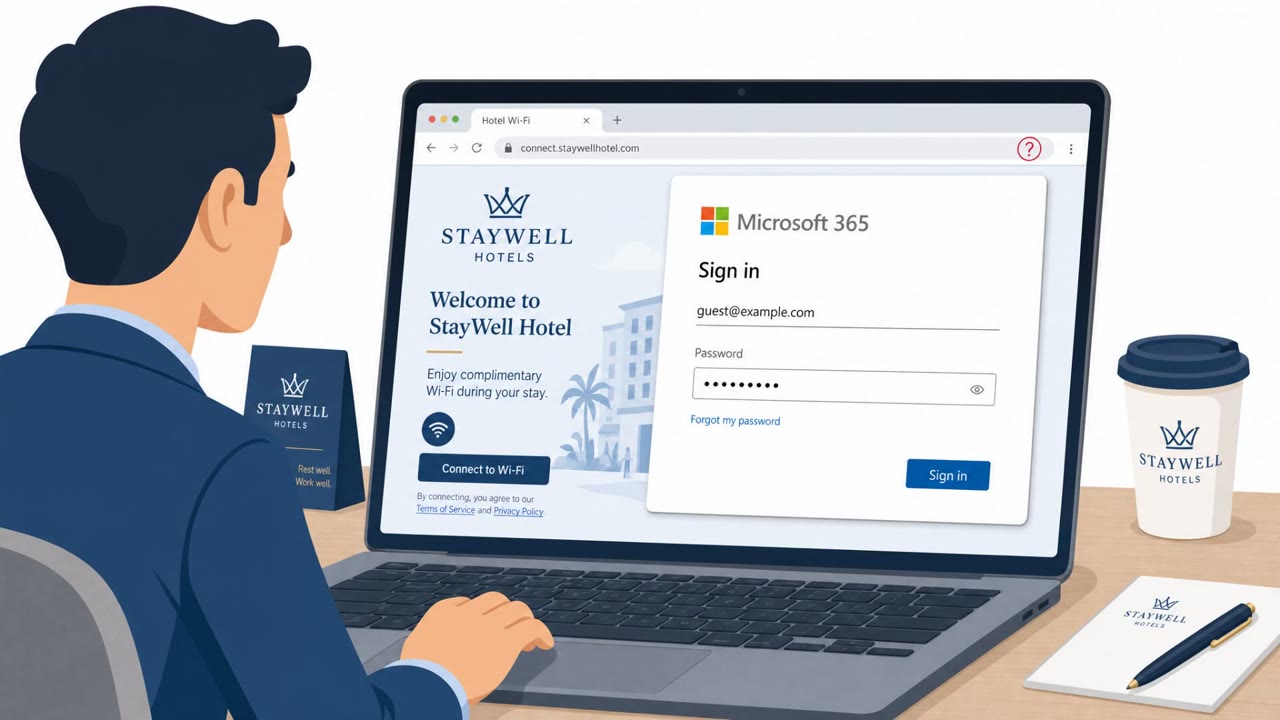
- A corporate login page appearing unexpectedly after joining public Wi-Fi
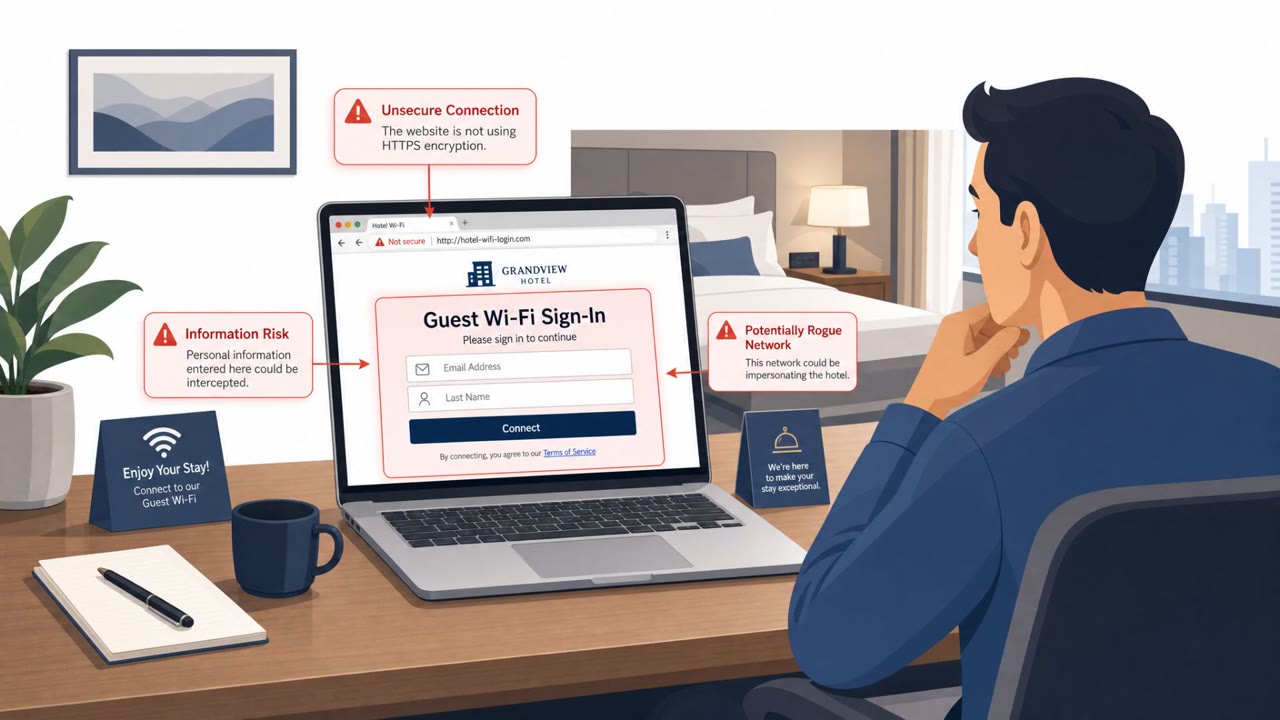
- A URL or certificate that doesn't match the organization's real identity provider
- Unusual redirects or browser warnings while visiting normal, familiar sites
These red flags are subtle, which is part of why this technique is considered highly sophisticated. Anyone using hotel, conference center, airport, co-working, university, or healthcare Wi-Fi should be alert to these signals before entering any credentials.
How to build resistance
Organizations can reduce exposure with a layered approach:
- Enforce always-on, full-tunnel VPN on corporate devices so DNS requests route through trusted corporate resolvers rather than local, potentially compromised network infrastructure
- Train employees to verify the URL and certificate of any page requesting credentials, especially on public Wi-Fi at hotels, conferences, or airports
- Disable web proxy auto-discovery (WPAD) where it is not required, to close off a known credential-harvesting path
- Audit proxy authentication logs for signs of unusual traffic redirection
- Consider hardening identity sign-in flows, such as blocking risky authentication methods at the identity provider level
Together, these measures address both the technical exposure created by hostile networks and the human decision point where credentials are ultimately entered.
Key findings
- Attackers are compromising public Wi‑Fi routers at hotels and conference venues and changing settings to enable DNS poisoning and traffic redirection.
- Victims can have credentials stolen without clicking a phishing link or opening an attachment because web traffic is redirected at the network level.
- The activity was observed across multiple countries, and the tradecraft is described as similar to campaigns linked to APT28 (Fancy Bear / Forest Blizzard).
- Recommended defenses include always-on full-tunnel VPN, auditing proxy authentication logs, disabling WPAD where unnecessary, and training users to validate URLs/certificates before entering credentials on public Wi‑Fi.
Who’s being targeted
- Commonly targeted roles: All employees who travel, Executives, Sales, Consulting / client-facing staff, IT / Network teams, Security operations.
- Affected industries: Hospitality (hotels), Conference and event venues, Airports, Co-working spaces, Universities, Healthcare facilities.
- Attack channels: website.
- Impersonated: Captive Wi‑Fi portal / corporate sign-in page (look-alike).
Red flags to watch for
- Login page appears unexpectedly after joining public Wi‑Fi
- URL/certificate doesn’t match the real company identity provider
- Browser warnings or unusual redirects while browsing normal sites
Frequently asked questions
How does hotel Wi-Fi DNS poisoning steal login credentials?
Attackers compromise routers at hotels and conference venues, then modify configurations to redirect legitimate web traffic through attacker-controlled infrastructure, capturing credentials when victims sign in on what appears to be a normal page.
Do I need to click a link to be affected by this attack?
No. Because the network itself is manipulated through DNS poisoning, a user can be compromised without clicking a phishing link, opening an attachment, or the attacker touching the device.
What can defenders do to reduce risk from this campaign?
Recommended defenses include enforcing always-on full-tunnel VPN, auditing proxy authentication logs, disabling WPAD where not required, and training employees to validate URLs and certificates before entering credentials on public Wi-Fi.
Which industries are affected by this campaign?
The campaign primarily affects hospitality, but conference and event venues, airports, co-working spaces, universities, and healthcare facilities are also named as affected settings.
Read the video transcript
You’re at a hotel, on Wi‑Fi, no phishing email, no weird links… and your work password still gets stolen. Researchers found hotel and conference Wi‑Fi routers being hijacked. The DNS is poisoned so your traffic quietly detours through attacker systems, and a fake captive portal pops up saying, “Sign in to access Wi‑Fi, corporate login required.” Here’s the trick: that portal can impersonate your company login. But look at the address bar and certificate, on poisoned hotel Wi‑Fi it might be a weird domain and a certificate that doesn’t match your real identity provider, plus odd redirects while you browse. On hotel or conference Wi‑Fi, before you type any work username or password, pause and check the URL and certificate. If they’re not exactly right, stop and don’t log in.