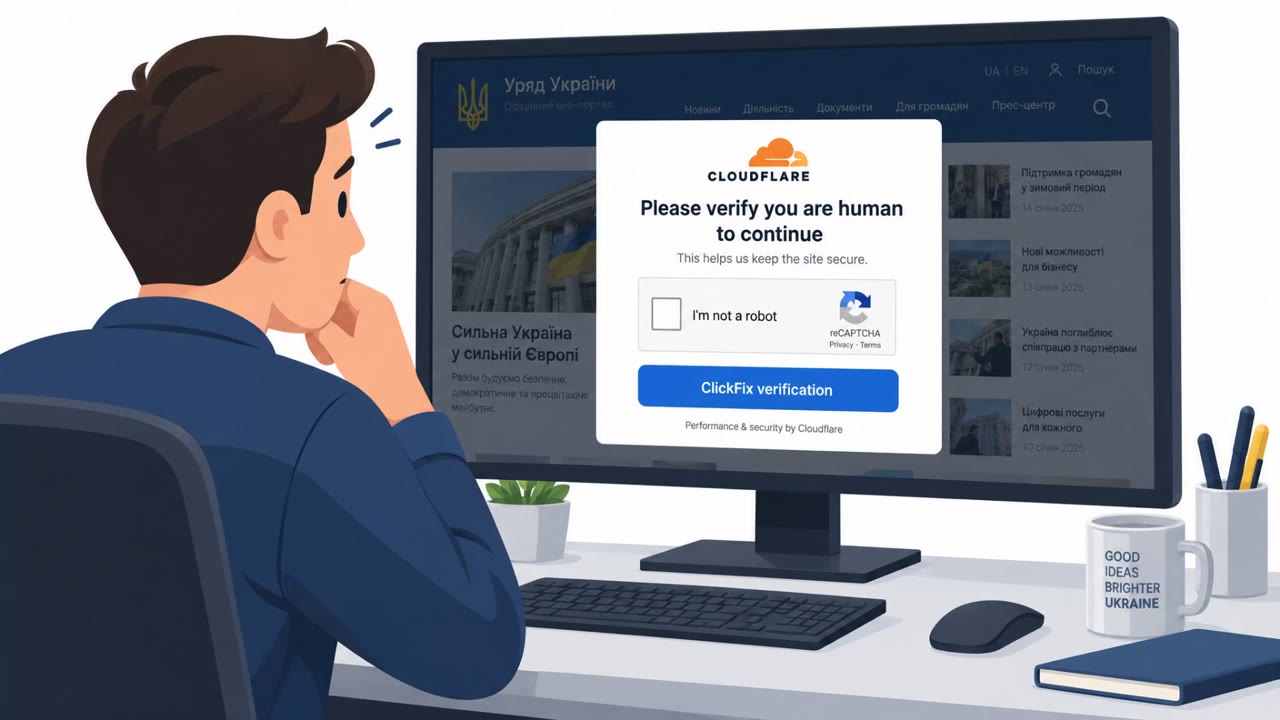
Attackers compromised over 100 legitimate websites and showed visitors in Ukraine a fake Cloudflare verification page. The page instructed users to copy and run a PowerShell command, which instead installed Lunex Stealer to steal passwords, tokens, and crypto wallet data and enable remote access. Ukraine’s CERT-UA is tracking the activity as UAC-0277.
How the attack worked
Attackers compromised more than 100 legitimate websites by injecting malicious code that displayed a fake Cloudflare human-verification prompt. Instead of a normal CAPTCHA click, visitors were instructed to copy a command and paste it into PowerShell, a Windows command-line tool, supposedly to prove they were human. Running that command instead downloaded and installed Lunex Stealer, malware capable of harvesting passwords, authentication tokens, and cryptocurrency wallet data, and of giving attackers remote access to the infected machine. Ukraine's CERT-UA is tracking this activity as UAC-0277, and separate reporting from Ontinue has described similar Lunex activity targeting Ukrainian-speaking users, noting that Lunex operates as malware-as-a-service.
In some infections, Lunex goes further by installing a malicious Chromium browser extension called LunarAxe, disguised under the name "Microsoft Office Word Editor." This extension can manipulate browser tabs, run JavaScript on webpages, take screenshots, and change proxy settings. Combined with another component called NaiveMess, it can reach beyond the browser into the computer's file system.
Why it succeeded
This campaign worked because it exploited trust in two places at once: trust in legitimate, already-visited websites, and trust in a familiar security ritual, the "prove you're human" check. Because the injected code sat on real sites rather than obvious phishing pages, visitors had little reason for suspicion. Asking users to run a command themselves also sidesteps many traditional security controls, since the user is the one executing the payload rather than an attacker pushing a file directly.
What to watch for
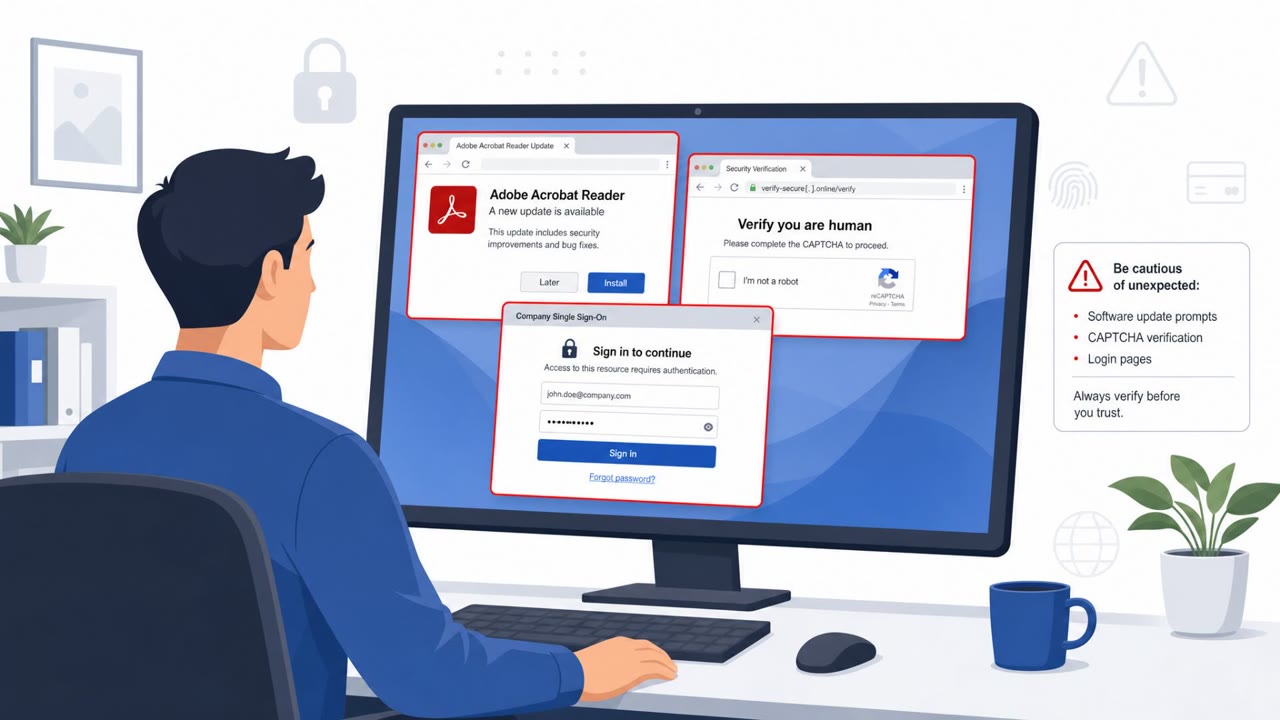
- A verification or CAPTCHA page that asks you to copy and run a command in PowerShell or a terminal.
- Being asked to paste commands instead of completing a normal browser-based check like clicking a box or solving an image puzzle.
- A "verification" step that results in something being downloaded or installed rather than simply confirming you are not a bot.
- An unexpected new browser extension appearing after visiting a site, particularly one with a name implying Microsoft Office functionality.
- Unusual browser behavior such as tabs being manipulated, proxy settings changing, or unexplained screenshots.
How to build resistance
- Treat any instruction to run PowerShell or terminal commands from a website prompt as malicious, close the page, and report it to IT or security.
- Remember that even legitimate, trusted websites can be compromised and used to deliver malicious content.
- Regularly review installed browser extensions and remove anything unrecognized or unapproved, especially ones impersonating well-known software.
- Report suspected credential or token theft quickly, since stolen authentication tokens can allow account access even without a password.
Key findings
- More than 100 legitimate websites were compromised to deliver a fake Cloudflare verification (CAPTCHA-style) prompt.
- Victims were instructed to copy/paste and run a PowerShell command (ClickFix), which installed Lunex Stealer.
- Lunex can steal passwords, authentication tokens, and cryptocurrency wallet data, and can enable remote access.
- In some infections, Lunex installs a malicious Chromium extension called LunarAxe disguised as “Microsoft Office Word Editor.”
- CERT-UA is tracking the activity as UAC-0277; no known group attribution was provided.
- Ontinue reported similar Lunex activity targeting Ukrainian-speaking users and described Lunex as malware-as-a-service.
Who’s being targeted
- Commonly targeted roles: All employees, Finance (crypto/wallet risk awareness where applicable), IT / Security (browser extension and endpoint hygiene awareness).
- Affected industries: Retail / e-commerce, Online content / media websites, Children/education content websites.
- Attack channels: website.
- Impersonated: Cloudflare verification page, “Microsoft Office Word Editor” (malicious extension disguise).
Red flags to watch for
- A verification/CAPTCHA page instructs you to run PowerShell commands (unusual and high-risk).
- You are asked to copy/paste commands instead of completing a normal browser-based check.
- The request results in software being downloaded/installed rather than simply verifying you.
- Unexpected new browser extension appears after a web prompt or “verification” step.
- An extension name implies Microsoft Office functionality but appears without IT deployment/approval.
- Browser behavior changes (tabs manipulated, proxy settings changed, screenshots taken).
Frequently asked questions
What is the ClickFix technique used in this attack?
ClickFix is a social engineering tactic where a fake verification page tells visitors to copy and run a PowerShell command to prove they are human. Instead of verifying anything, the command downloads and installs malware, in this case Lunex Stealer.
What can Lunex Stealer do once installed?
Lunex can steal passwords, authentication tokens, and cryptocurrency wallet data, and it can give attackers remote access to the infected computer. In some infections it also installs a malicious browser extension called LunarAxe.
How did attackers get the fake Cloudflare page in front of victims?
More than 100 legitimate websites were compromised with injected malicious code that displayed a fake Cloudflare verification prompt to visitors, so the malicious content appeared on otherwise trusted sites.
How can employees spot this type of attack?
Treat any website verification step that asks you to copy and run a command in PowerShell or a terminal as a red flag, and watch for unexpected new browser extensions, especially ones impersonating known software names.
Read the video transcript
You land on a totally normal site… and suddenly see a big Cloudflare page saying, “Prove you’re human in PowerShell.” That’s the Lunex Stealer trick, tracked as UAC-0277: over a hundred hacked sites showed this fake Cloudflare check, telling users to copy a PowerShell command that secretly installs malware to grab passwords, tokens, even crypto wallets. Here’s the aha: real Cloudflare checks stay in the browser. They never ask you to open PowerShell, Terminal, or copy-paste commands. If a “verification” wants you in a command line, it’s not Cloudflare, it’s Lunex or something like it. If any website “verification” tells you to run PowerShell or Terminal, stop, close the tab and report the site to security immediately.