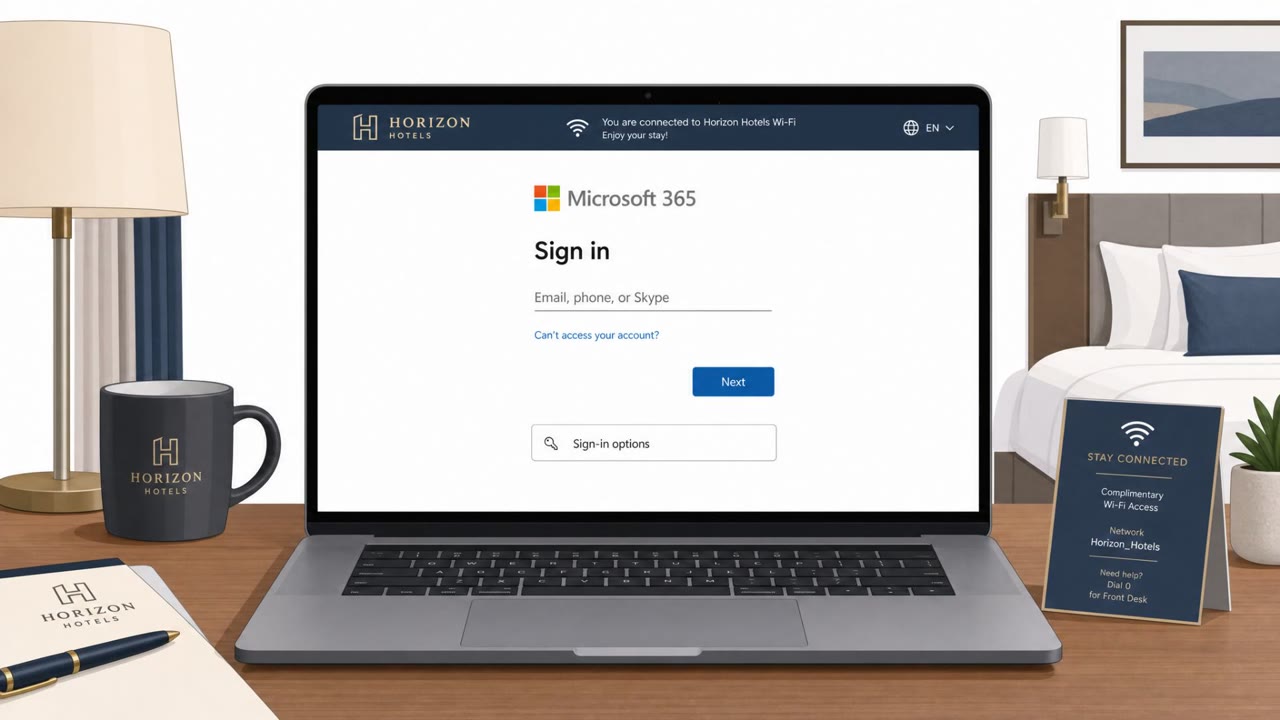
Microsoft and ReliaQuest report a real campaign where Russian-linked hackers compromised hotel Wi‑Fi networks and redirected travelers to fake Microsoft login pages or fake update screens. The goal was to steal Microsoft 365 credentials and/or trick victims into installing espionage malware, especially targeting corporate travelers using captive portal Wi‑Fi.
How the Attack Worked
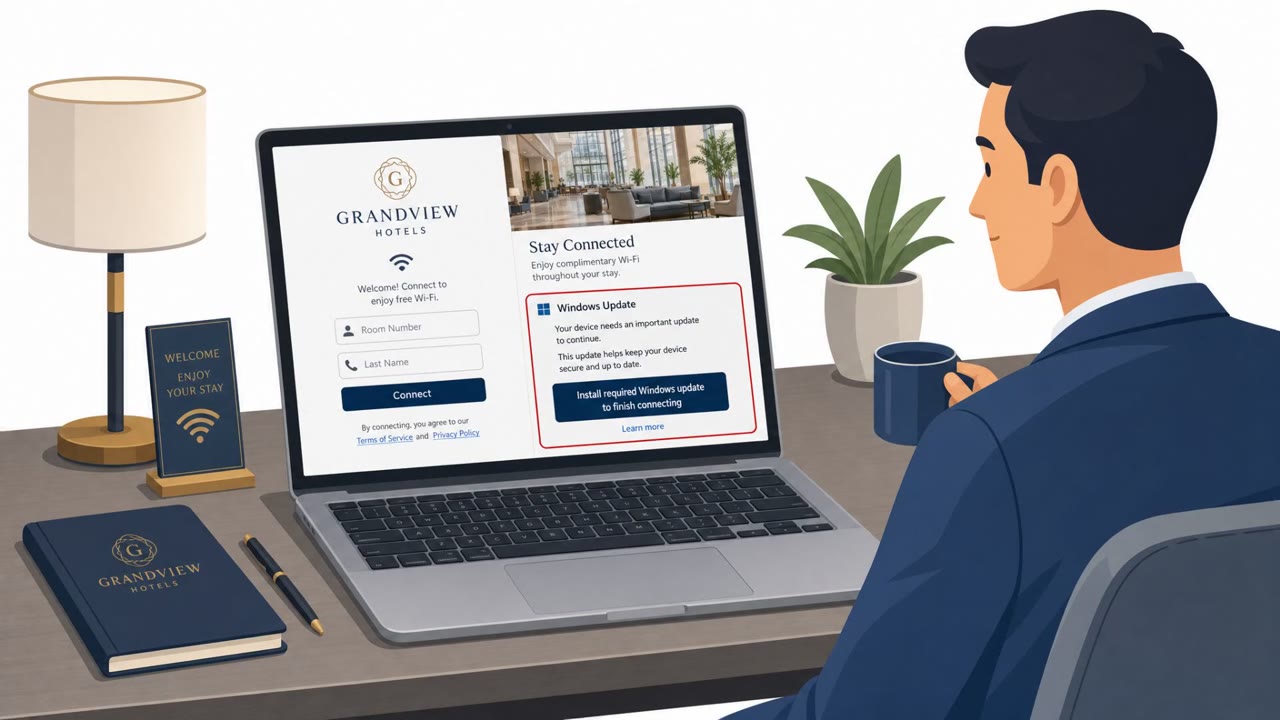
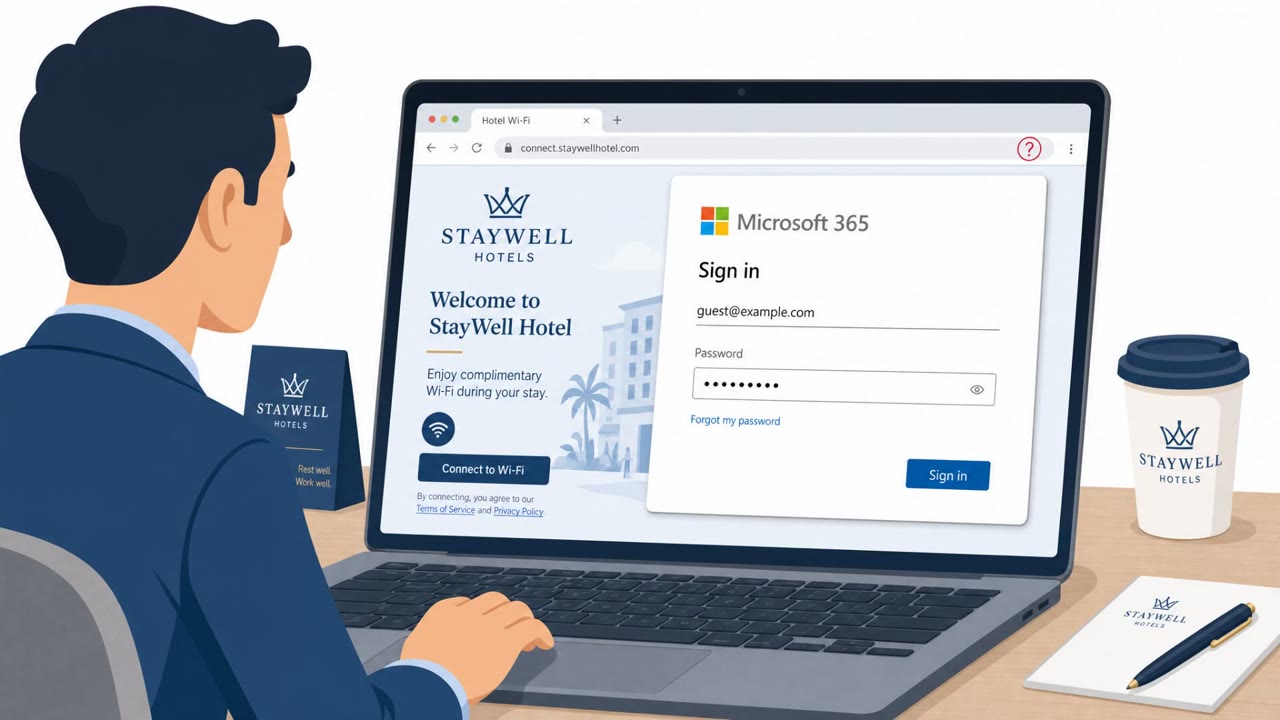
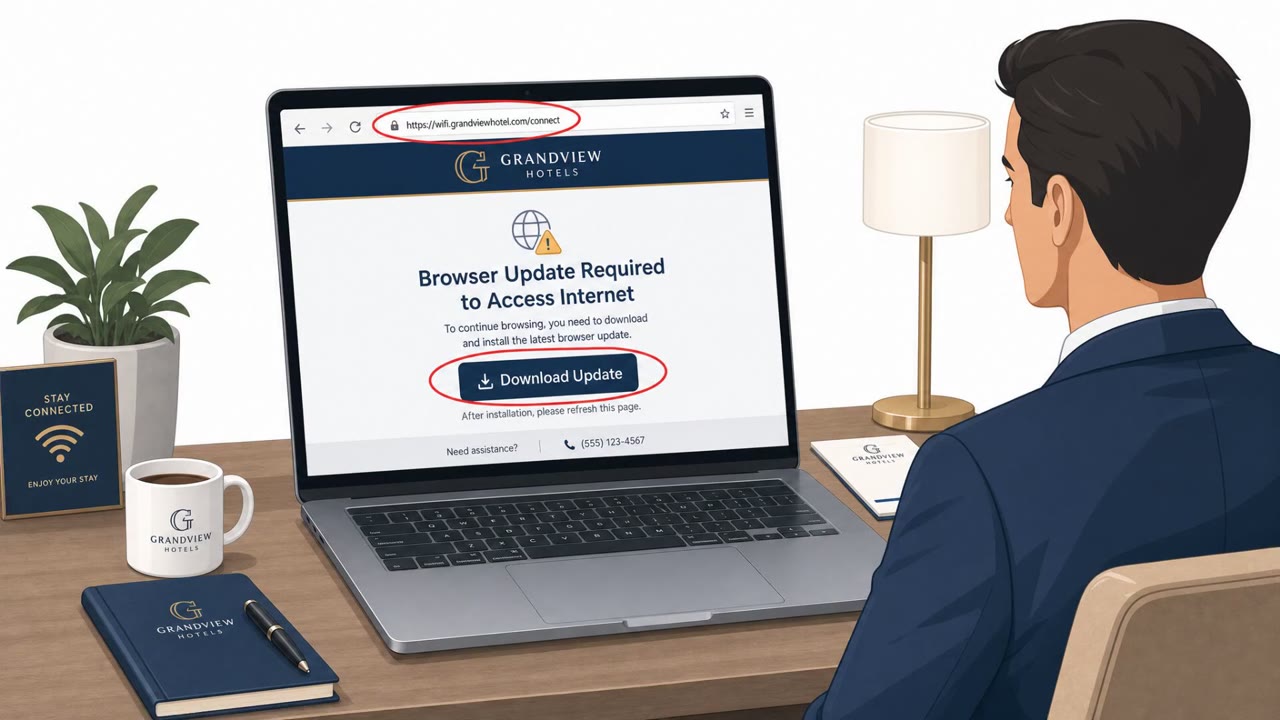
This campaign targeted hotel and hospitality Wi-Fi networks that use captive portals, the login pages guests see before getting internet access. Attackers manipulated traffic on these compromised networks to redirect guests toward two types of fake pages. The first mimicked a Microsoft sign-in screen, aiming to capture Microsoft 365 usernames and passwords the moment a traveler tried to reconnect to email or cloud services. The second presented a fake browser or operating system update notice, using ClickFix-style prompts that persuaded victims to download and run malware themselves rather than being infected through a traditional exploit.
Why It Succeeded
The attack succeeded by exploiting a moment of low suspicion. Travelers expect to see a login or verification screen after connecting to hotel Wi-Fi, so a fake Microsoft authentication page blended into that expected flow. Similarly, an update prompt appearing while browsing on unfamiliar network infrastructure did not immediately register as unusual to many users. Because the redirect happened at the network level rather than through a suspicious email or link, normal phishing instincts, like checking sender addresses, were less useful here.
Who Was Targeted
Corporate travelers and executives using Microsoft 365 appear to be the primary targets, with observed impact across multiple U.S. cities as well as India and Saudi Arabia. The campaign may also be expanding beyond Windows: some fake update pages directed Android users to install a malicious application, suggesting attackers are broadening their reach across device types.
What to Watch For
- A Microsoft login prompt appearing immediately and unexpectedly after joining hotel Wi-Fi
- A browser or operating system update request that appears mid-browsing session rather than through your device's normal update process
- Any prompt on a captive portal instructing you to download and install software to "continue" internet access
- Update or install instructions appearing on Android devices from a web page rather than an official app store
Building Resistance
Training should reinforce that Microsoft 365 logins and system updates should never originate from a hotel Wi-Fi captive portal. Employees should be encouraged to close unexpected login pages and navigate to Microsoft services manually, and to rely only on their device's built-in update mechanism or company IT tools. High-risk travelers, including executives, may benefit from additional protections such as a VPN or a managed hotspot instead of relying on venue Wi-Fi. Organizations that operate their own captive portal networks, including conference centers, co-working spaces, universities, healthcare facilities, and event venues, should also monitor for signs of traffic manipulation or unexpected redirects, since this campaign shows that such infrastructure itself can become a vector for credential theft and malware delivery.
Key findings
- Attackers compromised hotel and hospitality Wi‑Fi networks that use captive portals and manipulated traffic to redirect guests.
- Victims were redirected to fake Microsoft login pages to capture credentials and access Microsoft 365 accounts.
- Victims were also shown fake browser/OS update pages that used ClickFix-style prompts to trick users into installing malware.
- Microsoft linked the activity to Storm-2945, described as a sub-cluster of Midnight Blizzard (APT29/Cozy Bear).
- ReliaQuest observed impacts across multiple U.S. cities, plus India and Saudi Arabia; corporate travelers were primary targets.
- Two malware families were noted: CornFlake (persistent remote access) and ChocoShell (credential/cookie/token stealing).
- The campaign may be expanding beyond Windows, with some fake update pages instructing Android users to install a malicious app.
- Risk extends to any organization running captive portal networks (airports, conference centers, co-working spaces, universities, healthcare facilities, event venues).
Who’s being targeted
- Commonly targeted roles: Executives, Frequent travelers, All employees using Microsoft 365, IT / Helpdesk (user guidance and incident intake), Security awareness program participants.
- Affected industries: Hospitality (Hotels), Conference centers / shared venues, Airports, Co-working spaces, Universities, Healthcare facilities, Event venues.
- Attack channels: website.
- Impersonated: Microsoft (fake Microsoft login page), Browser/Operating System update service (fake update screen), Android update/app installer prompt (fraudulent).
Red flags to watch for
- A Microsoft login appears immediately after connecting to hotel Wi‑Fi (unexpected context)
- Login page appears due to a redirect from the Wi‑Fi network rather than a user-initiated visit
- Captive portal behavior that repeatedly forces re-login or shows unusual authentication prompts
- An update prompt appears while on hotel Wi‑Fi and is not triggered by the device’s normal update mechanism
- Instructions push the user to manually download/install software to proceed
- Update page appears as a forced redirect rather than a normal system notification
- A web page (not Google Play/managed app store) instructs installing an app
- Prompt appears after joining public/hotel Wi‑Fi via captive portal
- Pressure to install immediately to regain access
Frequently asked questions
How did attackers steal Microsoft 365 credentials through hotel Wi-Fi?
They compromised hotel and hospitality Wi-Fi networks that use captive portals and manipulated traffic to redirect guests to fake Microsoft login pages, capturing credentials as victims tried to authenticate.
What is the ClickFix technique used in this campaign?
Victims browsing on compromised hotel Wi-Fi were shown fake browser or operating system update pages that persuaded them to download and install malware themselves, a ClickFix-style social engineering approach.
Who is most at risk from this type of Wi-Fi hijacking attack?
Corporate travelers and executives using Microsoft 365 on hotel or other captive portal Wi-Fi appear to be the primary targets, though any organization operating captive portal networks, including airports, conference centers, and universities, could become a target.
Is this attack limited to Windows devices?
No, some of the fake update pages included instructions directing Android users to download and install a malicious application, suggesting the operation may be expanding beyond Windows computers.
Read the video transcript
You connect to hotel Wi‑Fi, and boom, before anything loads, a Microsoft 365 login pops up. Microsoft and ReliaQuest saw this for real: hotel and airport Wi‑Fi hijacked, traffic manipulated, and guests silently redirected to fake Microsoft sign-in pages to steal M365 passwords or push malware updates. Here’s the trick: the login or 'required update' appears only after you join captive Wi‑Fi, as a redirect in your browser, not from your normal Microsoft app or your device’s update popup. That’s the tell. If a Microsoft 365 login or update page appears right after joining public Wi‑Fi, close it and go to office.com or your usual app yourself, never trust the page the Wi‑Fi forces on you.