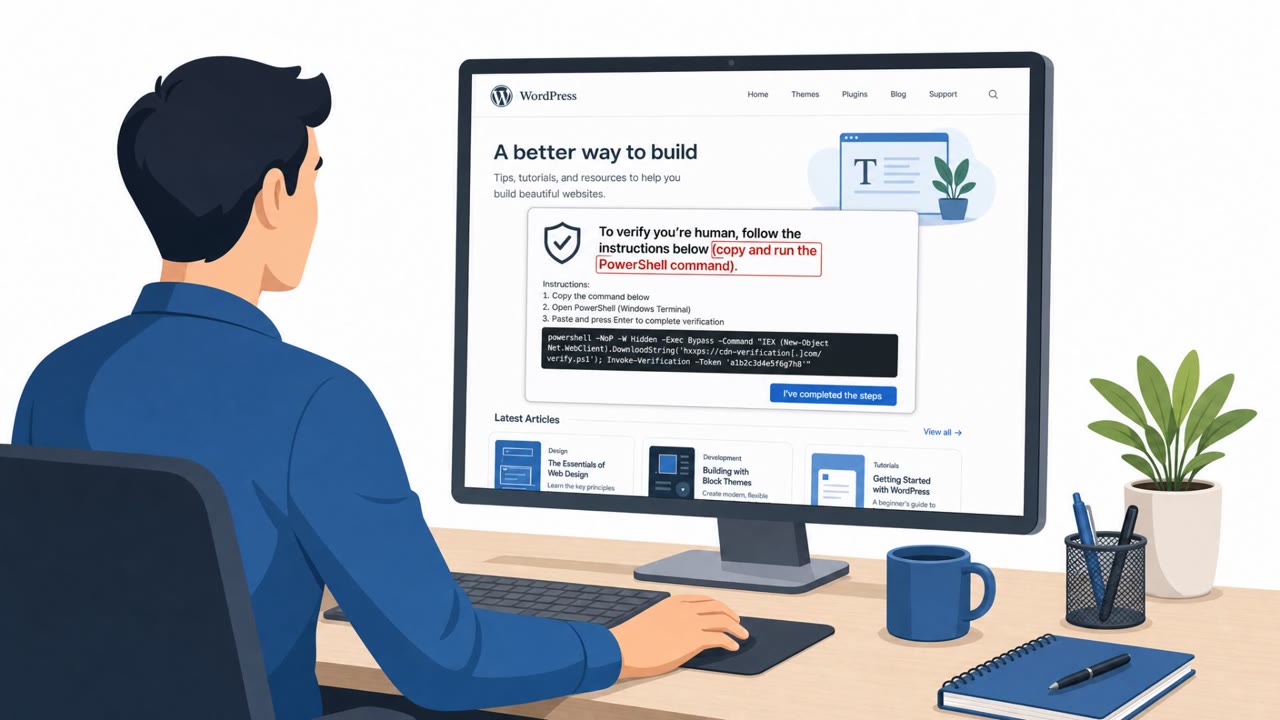
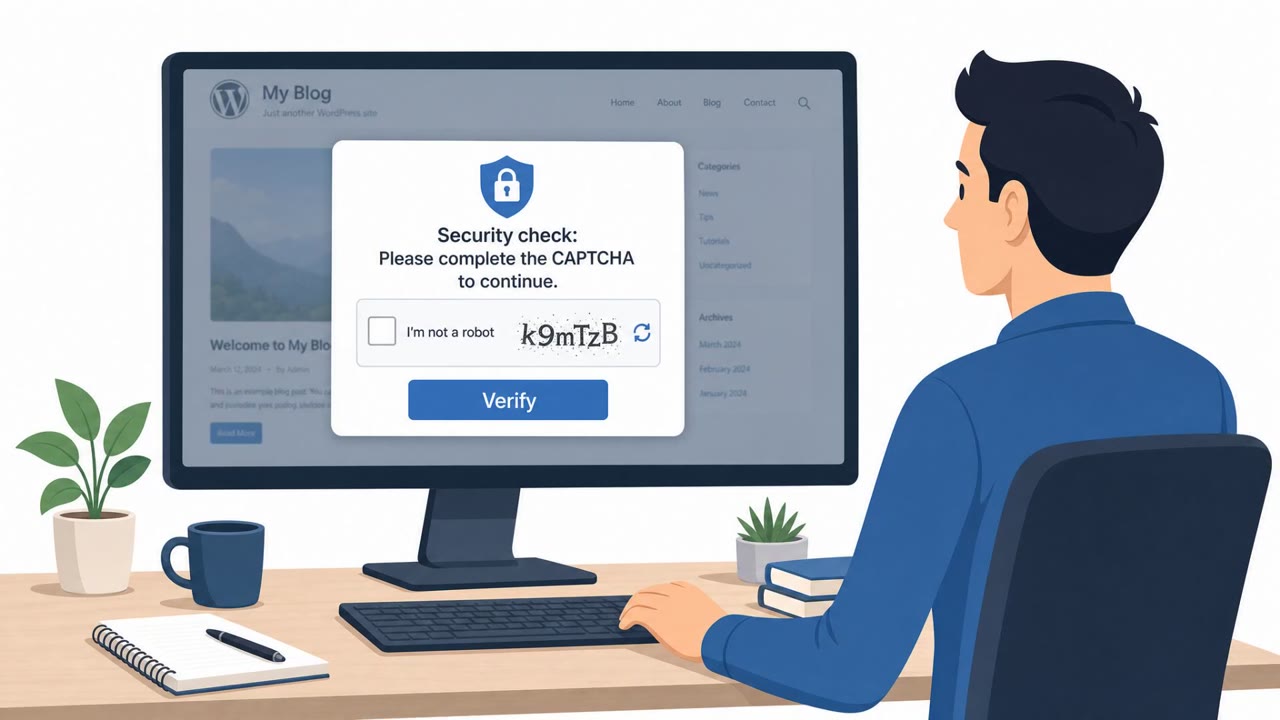
Multiple real-world intrusions used a ClickFix-style lure where victims visiting compromised websites saw fake CAPTCHA prompts and were tricked into running a command themselves. Separately, attackers also abused the legitimate, signed Node.js runtime (node.exe) to run malicious JavaScript while appearing like normal developer activity. The campaigns affected a wide range of organizations, including government, technology, hotels, fintech, and other businesses.
Key findings
- Attackers used the legitimate, signed Node.js runtime (node.exe) to execute malicious JavaScript while reducing the chance of signature-based detection.
- Initial access in multiple cases was obtained via the ClickFix social-engineering technique, often presented as a fake error fix or fake CAPTCHA verification.
- GuidePoint reported at least 31 organizations compromised via ClickFix, with compromised websites used to deliver the lure to visitors.
- Some attacks used EtherHiding, leveraging a blockchain (Polygon mentioned) as a dynamic way to locate command-and-control infrastructure.
- Observed targets included government departments, technology companies, hotels, and a U.S. fintech organization.
Who’s being targeted
- Commonly targeted roles: All employees, Executive assistants, Finance, IT helpdesk, Web/Marketing teams (site owners), Security operations (SOC).
- Affected industries: Government, Technology, Hospitality (Hotels), Financial Technology (FinTech), E-commerce, Professional Services, Retail logistics.
- Attack channels: website.
- Impersonated: Website security verification (CAPTCHA / anti-bot prompt).
Awareness takeaways
- Train staff that legitimate websites should never require them to copy/paste and run commands to ‘verify’ or ‘fix’ access, treat this as an immediate stop-and-report event.
- Reduce exposure by continuously monitoring public-facing websites for unauthorized changes and injected scripts (especially on pages that customers and employees commonly visit).
- Limit and control browser extensions; block unapproved extensions and investigate prompts that encourage installing ‘security’ tools.
- Assume attackers may rotate their command-and-control quickly; rely on layered defenses and user reporting rather than only blocking a single domain/IP.
Red flags to watch for
- A CAPTCHA/verification prompt asking you to run a command on your computer
- Instructions to use Windows Run or Windows Terminal as part of a website verification
- Unexpected “fix this error” steps that involve copying/pasting commands
Read the video transcript
You land on a normal site, and a CAPTCHA pops up: “Please verify you are not a robot. Follow the steps below to continue.” This is ClickFix. The page tells you to copy a long command and paste it into Windows Run or Windows Terminal. When you do, it quietly pulls down malware and runs it using the legit Node.js runtime, node.exe, so it looks like normal developer activity. GuidePoint has seen at least 31 organizations hit this way, government, tech, hotels, even a U.S. fintech, just by visiting compromised sites with this fake CAPTCHA or “fix this error” box. A real website will never ask you to run a command to prove you’re not a bot. If any page tells you to paste something into Windows Run or Terminal, stop immediately and report it to Security.