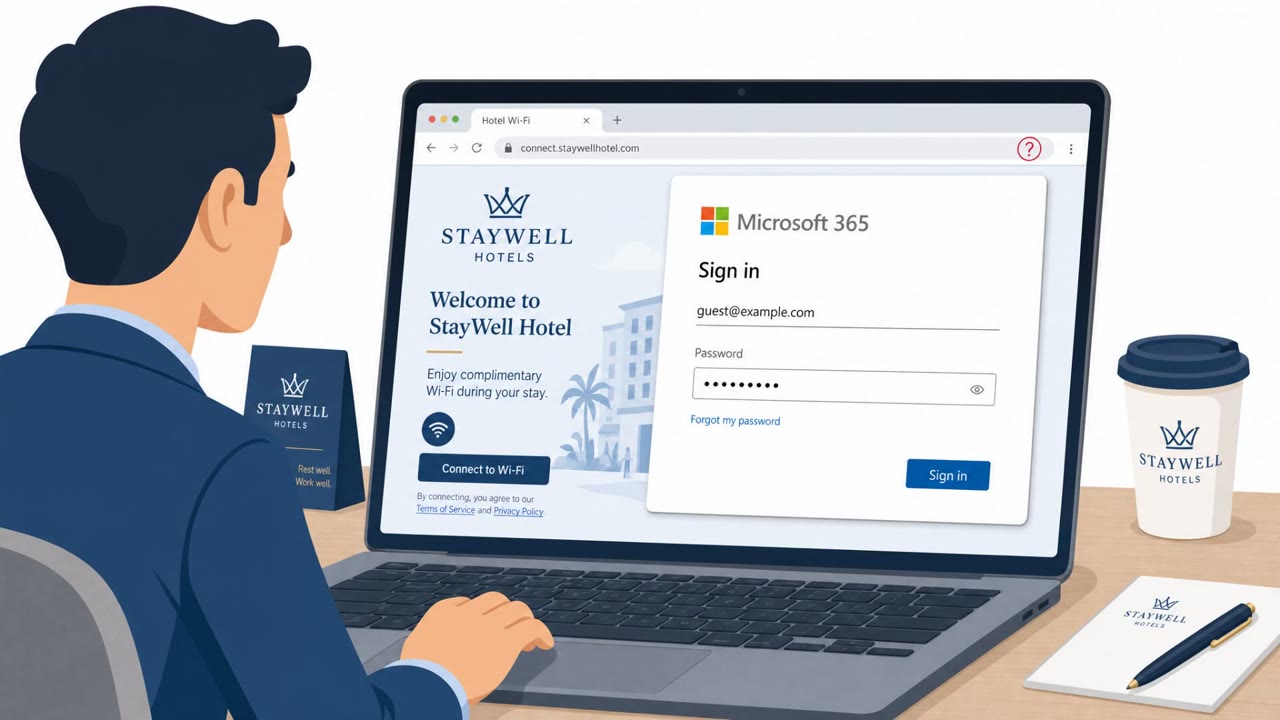
ReliaQuest reports attackers are compromising public Wi‑Fi “captive portal” gateways (such as in hotels and conference centers) and changing their DNS settings to redirect users to attacker-controlled pages. The goal is to harvest traveling employees’ Microsoft 365 credentials using Microsoft-impersonation lures and adversary-in-the-middle interception.
How the Attack Worked
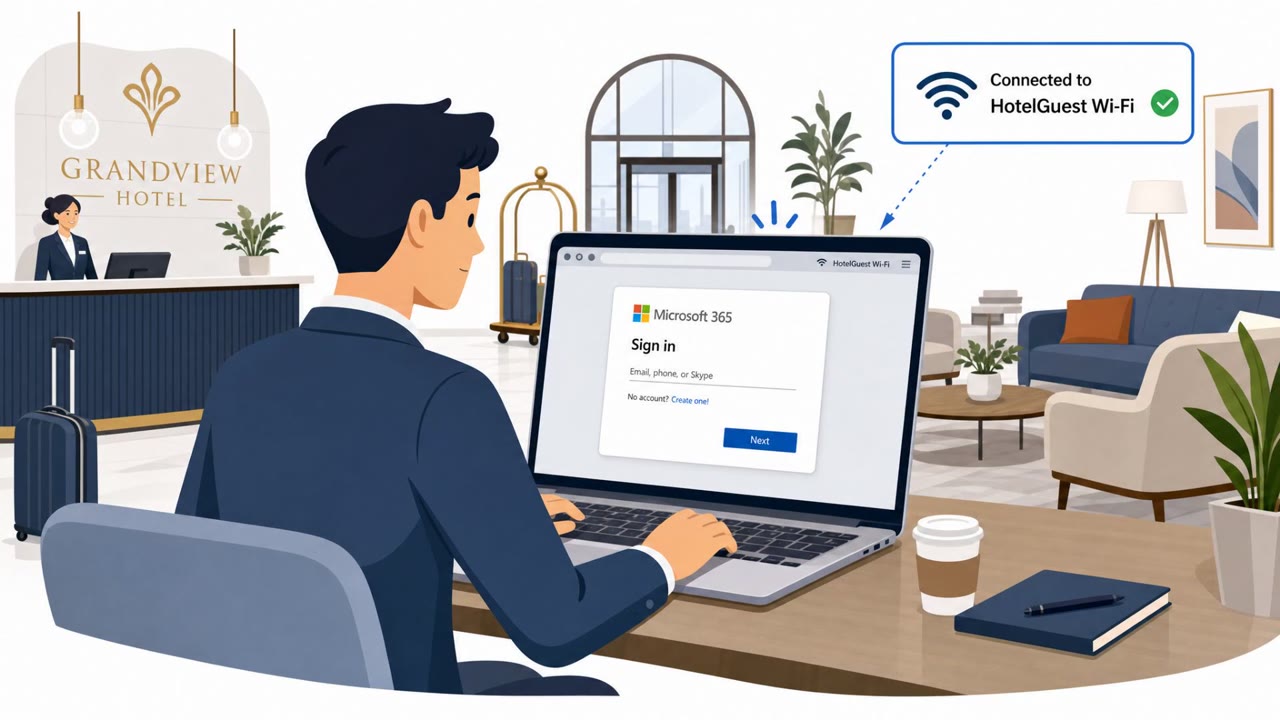
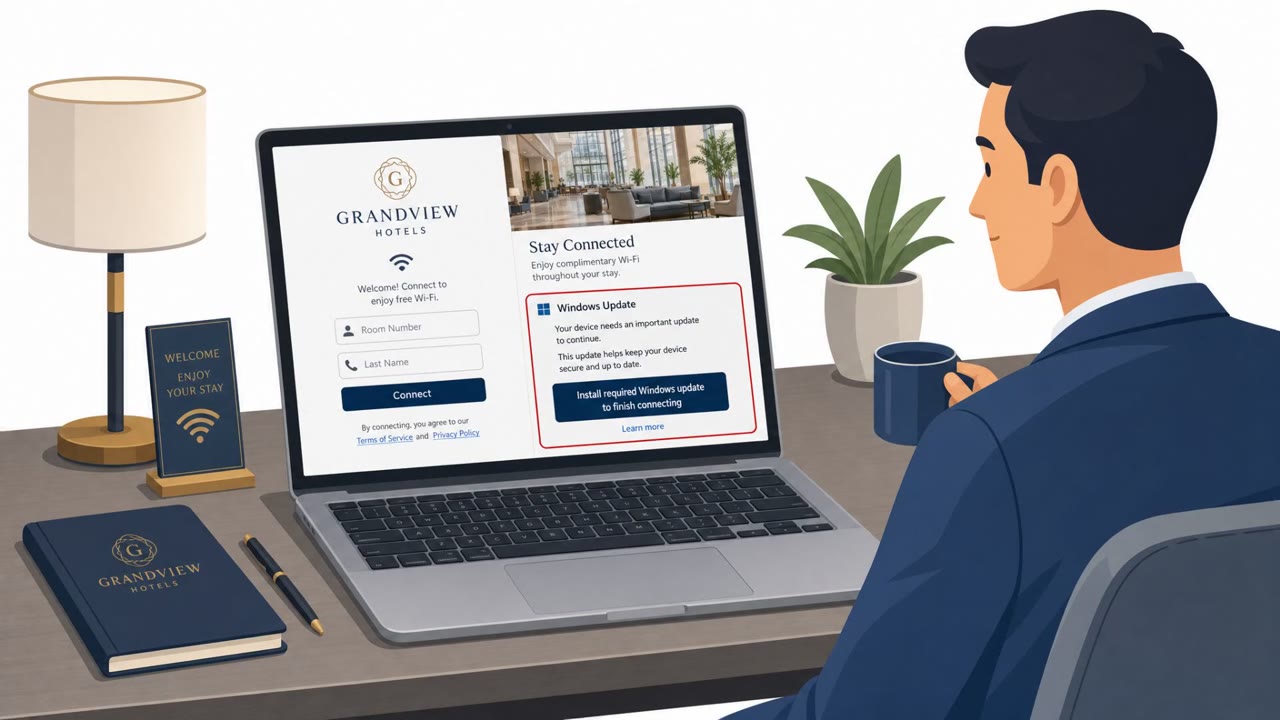
According to ReliaQuest, a threat actor compromised public Wi-Fi gateway appliances used to run captive portal networks at hotels, conference centers, and other shared venues. Rather than building phishing pages from scratch, the attackers modified the DNS configurations of these compromised gateways so that anyone who connected would be redirected to attacker-controlled infrastructure. When a traveling employee joined the venue Wi-Fi, they were presented with a page impersonating the Microsoft 365 sign-in screen and prompted to authenticate to get internet access. Entering an email and password, and in some cases MFA or session details, handed credentials directly to the attackers.
Why It Succeeded
This approach works because it targets a moment when employees have low guard: joining Wi-Fi at a venue they are only visiting temporarily. A login prompt during that process can feel routine rather than suspicious, especially when it visually resembles a familiar Microsoft sign-in page. Because the DNS change happens at the gateway level, every user who connects through that compromised appliance can be redirected, not just a single targeted individual. This gives attackers broad reach across many organizations and industries without needing to send a single phishing email.
What to Watch For
- An unexpected Microsoft 365 login prompt simply from joining venue Wi-Fi
- A browser address or domain that does not match official Microsoft sign-in domains
- Repeated or unusual login prompts immediately after connecting to a new network
- Any request for credentials as a condition of getting internet access, which is not how captive portals normally work
ReliaQuest identified attacker-registered domains used to deliver these Microsoft-impersonation lures, and noted the infrastructure and tactics differ from the FrostArmada/APT28 campaign, which may point to a less sophisticated or less careful actor behind this activity.
Building Resistance
- Treat any request for corporate credentials on a public Wi-Fi captive portal as suspicious and avoid entering them
- Use a mobile hotspot or VPN when traveling instead of relying on shared venue Wi-Fi for sensitive logins
- Report unusual captive portal behavior, such as repeated login prompts, to IT or security teams right away
- Venue and IT teams supporting guest Wi-Fi should harden and monitor gateway appliances, since a single DNS change can silently redirect every connected user
Because victims spanned hospitality, healthcare, universities, financial services, and other sectors, this looks like opportunistic targeting of traveling employees generally, rather than an attack aimed at one industry.
Key findings
- Attackers compromised public Wi‑Fi gateway appliances used for captive portals and altered DNS settings to redirect users to attacker-controlled infrastructure.
- The campaign has been active since at least June 2026 and targets traveling employees wherever they connect (hotels, conference centers, shared venues).
- ReliaQuest identified attacker-registered domains used to deliver Microsoft-impersonation lures (domains not listed in the provided text).
- ReliaQuest notes the approach differs from FrostArmada/APT28 in infrastructure and may indicate a “less sophisticated or less careful actor.”
- Observed victims included organizations across many industries, suggesting broad opportunistic targeting rather than a single sector focus.
Who’s being targeted
- Commonly targeted roles: All employees, Frequent travelers, Executives, Sales, IT/network teams supporting guest Wi‑Fi.
- Affected industries: Hospitality (hotels, conference centers, event venues), Airports, Healthcare, Universities, Financial services, Professional services, Legal, Energy, Retail.
- Attack channels: website.
- Impersonated: Microsoft 365 sign-in (Microsoft impersonation).
Red flags to watch for
- Unexpected Microsoft 365 login prompt when simply joining venue Wi‑Fi
- Browser address/domain doesn’t match official Microsoft sign-in domains
- Repeated prompts or unusual login behavior immediately after connecting to Wi‑Fi
Frequently asked questions
How did attackers compromise public Wi-Fi networks in this campaign?
According to ReliaQuest, attackers hacked public Wi-Fi gateway appliances that run captive portal networks and changed their DNS configurations to redirect connected users to attacker-controlled infrastructure.
What did the fake login pages ask victims to do?
The captive portal redirected users to a page impersonating Microsoft 365 sign-in, asking them to enter their email and password, and potentially MFA or session details, to gain internet access.
Who is at risk from this attack?
Traveling employees who connect to shared venue Wi-Fi at hotels, conference centers, or similar locations are the primary targets, spanning many industries rather than one specific sector.
How is this different from the FrostArmada/APT28 activity?
ReliaQuest notes this campaign uses different infrastructure than FrostArmada/APT28 and relies on DNS poisoning to redirect all connected users, which may indicate a less sophisticated or less careful actor.
Read the video transcript
You sit down at a hotel, join the Wi‑Fi, and a page pops up: “Sign in with Microsoft to access Wi‑Fi.” Looks normal, right? ReliaQuest found someone hacking hotel and conference Wi‑Fi gateways, quietly changing DNS so that captive portals redirect to fake Microsoft 365 pages that steal your work login. Here’s the trick: the portal looks like Microsoft, but the browser address bar is some random domain, not login.microsoftonline.com. You’re just joining Wi‑Fi, yet it keeps asking for your Microsoft 365 password. If any public Wi‑Fi ever demands your Microsoft 365 login, stop. Don’t type it. Use your phone’s hotspot or VPN instead, and report the venue Wi‑Fi to IT.